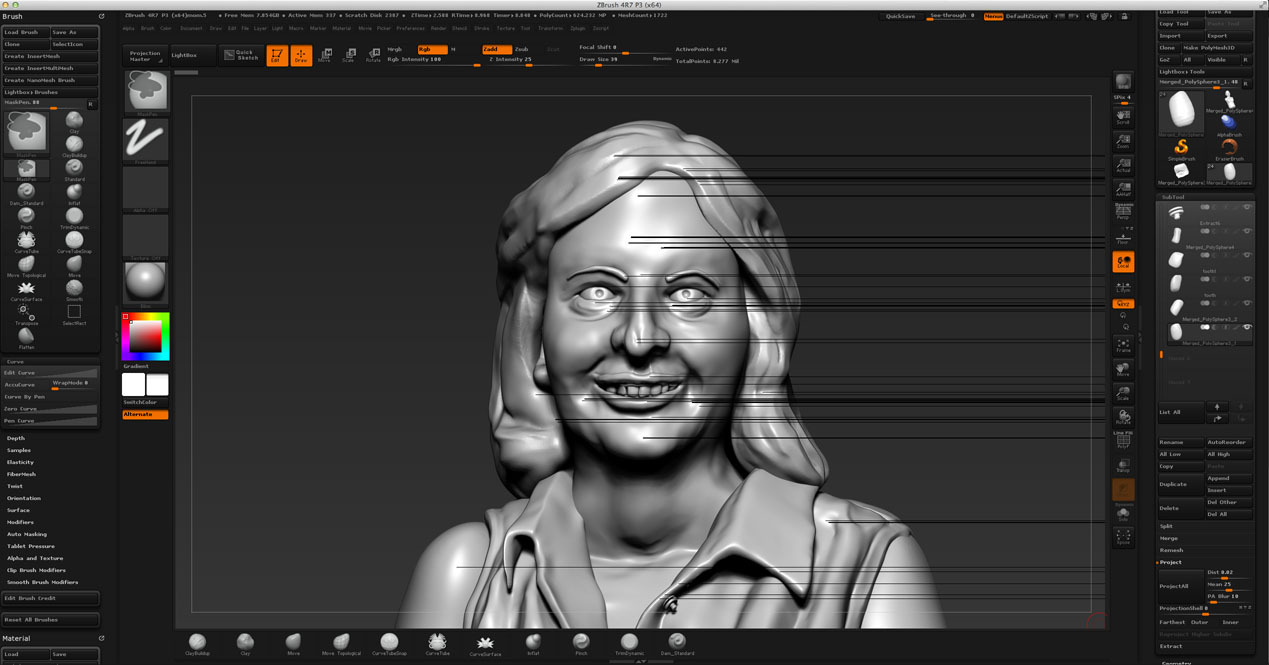
This morning I opened up a sculpture that I had worked on last night. When I opened the file, I noticed it was getting rather big (2.2 gigs), so I cleared the undo history and saved it. But it somehow got corrupted because now I’m getting these mysterious black lines when BPR rendering it. (Best Render works fine.)
I could go back to the most recent Quicksave, but I will lose some work. Is there anything else that can be done?
Attachments