ZBrushCentral

Converting A ZSphere skelton into a ZSketch (Is it possible?)

Converting A ZSphere skeelton into a ZSketch, is it possible?

I know that it is possible to ZSketch on top of a ZSphere skeleton but is it possible to convert a ZSphere skeleton into a ZSphere sketch and then sketch on top of it?

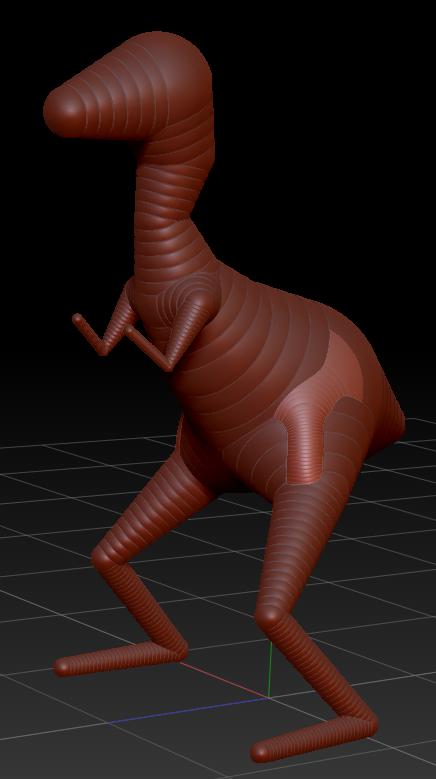
I would like to take a real simple shape like this

simpleSkeleton.jpg

And then generate a mesh the same way that you generate one for a ZSketch.

I know that you can create a unified skin, but I really like the way the new ZSketch hold volumes and shapes of the ZShperes. I’m hoping I can just convert from ZSphere skeleton type to a ZSketch type.

Thanks,

NickZ.

hey nickz well from what i understand you can project all the zsketch zsphere2 rig into the unified skin mesh which will then conform to the actual rig it tends to work very well when your trying to get the zsketch rigs volume… hope it works for what your going for…

the steps that i would do is.

1.) turn rig into a adaptive skin…
2.) turn adaptive skin into a unified skin…
3.) then project the zsphere 2 rig on to the new unified skin…

looking forward to see what you come up with the new update…:wink:

Thanks Troy, I’m going to give this a try! Thanks for the help.

Has anyone else gone through this process?

Thanks,

NickZ.

Troy, I tried this out…not exactly what I am going for. Thanks for the help thought! :slight_smile:

Hello Nick

When using ZSketch you can either apply the sketch as an Unified Skin or an Adaptive Skin. What will happen is the ZSphere geo of an adaptive skin will be used and the ZSketch will be projected into that. The thing to remember is projection works locally by ZSphere. If your rig of ZSphere is not large enough to capture the ZSketch then you will have flat projections. All you have to do is enlarge your ZShpere rig. (Not the sketch.)

Here would be the steps.

  1. Create a normal ZSphere rig/or armature
  2. ZSketch on that rig
  3. Turn off the edit Sketch
  4. Turn on ShowSketch
  5. You will now see your original rig with the ZSketch in Ghost Transparency mode.
  6. When you click “A” now it will use the rig to create the topology but project the ZSketch into that.
  7. Remember if you get flat area in certain parts then you just have to enlarge the closest ZSphere rig near that ZSketch part. You may also have to add some ZSphere in places.

This can be a little compliacted so if you need a video please let me know.

Paul

Paul,

I understand. I have gone through the steps.

Here is the ZSphere skeleton that I created:

[ZSketch.JPG](javascript:zb_insimg(‘169997’,‘ZSketchProject.JPG’,1,0))
What I wold like to do is use the Unified Skin on the ZShere skeleton so I could retain that exact shape.

I understand that I could sketch on top of that and get really cool muscle structure and all but I have always loved the shapes that come out of a ZSphere model, no that I have seen the power of a unified skin I want to apply that to the cool fun shapes that I find in the ZSphere models.

Thanks,

NickZ. :slight_smile:

Attachments

ZSketchProject.JPG

Nick

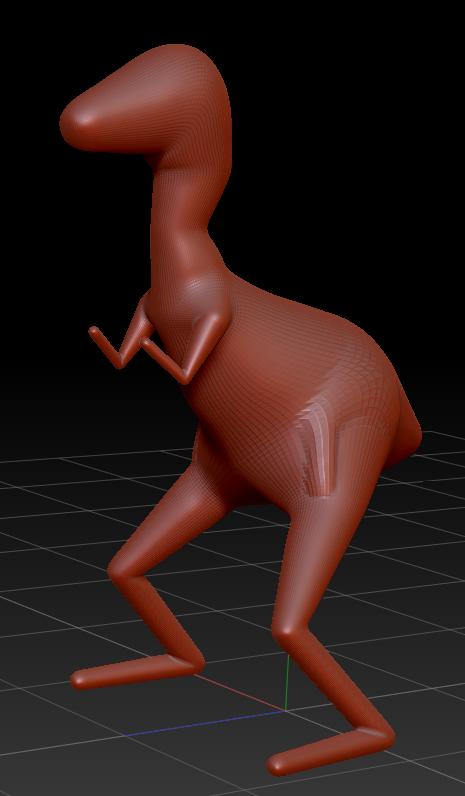
If you up the density you will get what the unified skin does. Here is an image that will show what you are looking for. I think. :slight_smile: Just let me know.

[skin.jpg](javascript:zb_insimg(‘170887’,‘skin.jpg’,1,0))

Paul

I understand, you projected you skin onto the Unified skin sketch.

I would like to be able to project straight on to a ZShere skeleton to capture the true volume of that skeleton.

There are just times when I see an ZSphere skeleton and say that shape is awesome, now just give me that and let me start sculpting from that shape.

Thanks for the help though, I think I have a much better understanding of what is going on here.

Thanks Paul!

Nick

Ok, please let me know if you have another question. Talk to you later.

Paul