ZBrushCentral

Convert the sculpted canvas to a polymesh?

Hi all.
In a quite old document about Depth Enabled Painting (http://www.pixologic.com/docs/index.php/Depth_Enabled_Painting) I found a strange reference to a “little trick” able to convert the 2.5 sculpted canvas to a polymesh.
This could be interesting for a variety of effects, but I did not find any further reference to the possibility.
Do you have any idea about it? Is it really possible to convert the sculpted canvas to a polymesh?

Ciao

You can use the MRGBZ grabber in the Tool palette to do this. Pull from the center of the canvas to the edges then release.

This sends a texture grab of the canvas to the texture palette, then it sends the depth Z information to the alpha palette as an alpha.

Then you can create a Plane 3D and drag it out on the canvas and scale it to match the canvas size. Now you can apply the texture to it, and finally select the Elastic brush (for minimal topology distortion) with the Alpha grab you just made, with a mid range ZAdd value, and a Drag Rect stroke to drag out the depth information on the plane.

If the plane has enough sub division you can get all the detail.

You can also do this via masking and inflate, mask off the plane with your alpha, then invert it and inflate in the Deformation tab, or use Mask By Alpha Intensity in the masking palette. Probably other ways as well but that should give you ideas.

Hi Extra Dimensional.
Thank you very much for the explanation, really clear.
I understand your method, I still have some problems in fitting the position of the texture and that of the brush with alpha, but probably it is only question of some further attempts :slight_smile:

Thank you again, ciao.

Yeah that part is tricky. You can try to make a stencil out of the alpha grab and use the stencil controls to place it precisely as well.

There’s another way you might try:

  1. With the MRGZGrabber, start in the center of the area you want to grab, click+drag then hold Shift to constrain to a square. Drag outwards until you have grabbed what you want.
  2. Select the Plane3D and Make it a polymesh. With it in Edit mode, divide the polymesh plane a few times. You can switch off Smt in the Geometry menu if you don’t want the corners rounded.
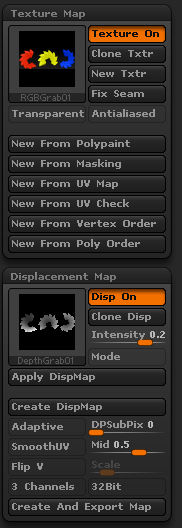
  3. In the Tool>Texture Map menu, click new.
  4. In the Tool>Displacement Map menu, click the thumbnail and select the depth grab from the pop-up.
  5. Set the Tool>Displacement Map>Intensity slider to something like .5.
  6. Press the Tool>Displacement Map>Apply DispMap button.

You can adjust the amount of the displacement on the fly by using the Tool>Deformation>Size slider with just the ‘z’ axis active.

Canvas3D.jpg

Thanks Marcus_civis for the alternative way.
I tried it, and while obtaining interesting results, I still have some problems.
After point 3., I assume I have to choose the texture I saved from the sculpted (and painted) 2.5 canvas, right?

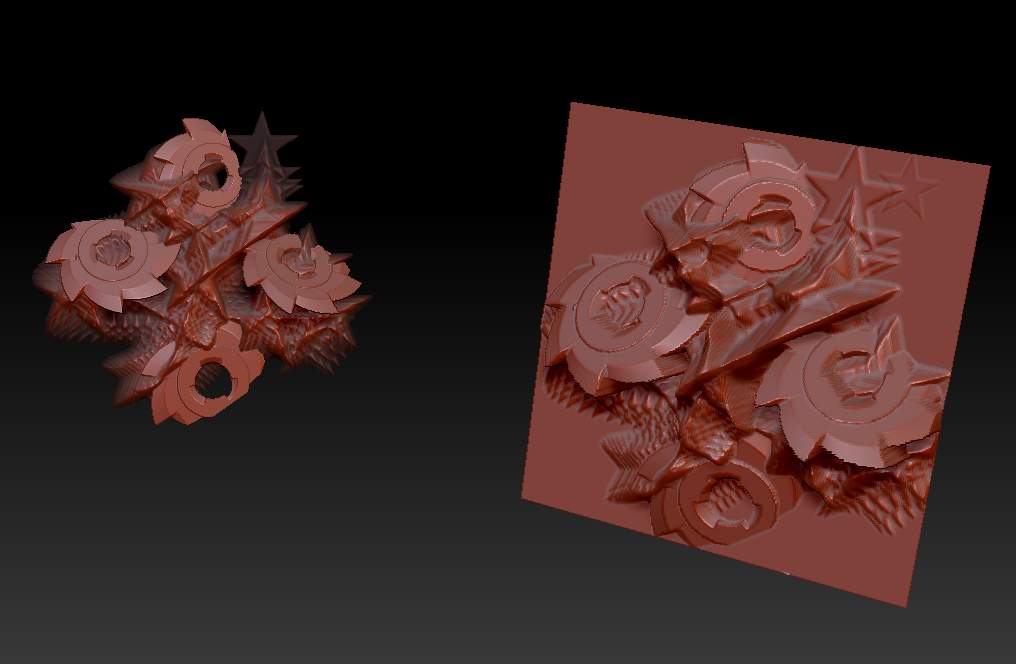
At present it seems that I still have problem with the relative dimensions of the original canvas respect to that of the new polymesh, and I have weird spikes when I apply the Disp Map.

To clarify, this is the original sculpted and painted 2.5 canvas:
[attach=210791]2_5 Canvas sculpted.jpg[/attach]

These are the setting for Texture and Disp BEFORE pressing the button “Apply Displacement”:
[[attach=210792]Text and Disp settings.jpg[/attach]](http://javascript<b></b>:zb_insimg(‘210792’,‘Text and Disp settings.jpg’,1,0))

This is the resulting polymesh AFTER applying the Disp Map, with the weird spikes:
[attach=210794]Resulting polymesh.jpg[/attach]

I also tried to adjust Tool>Deformation>Size slider with just the ‘z’ axis active, but the spikes remain quite visible.

Do you have any advice?

Grazie, ciao

Attachments
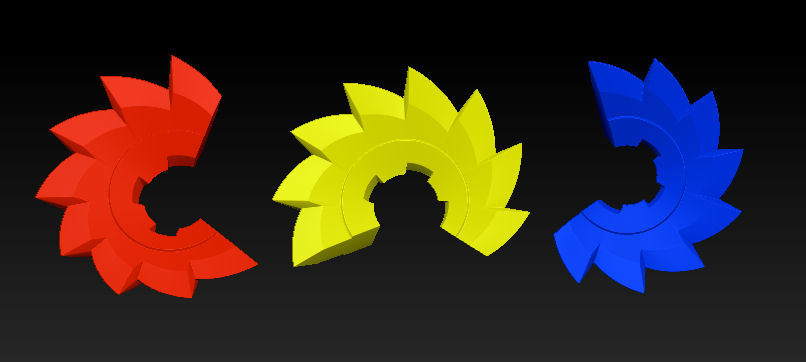
2_5 Canvas sculpted.jpg

Text and Disp settings.jpg

Resulting polymesh.jpg

Antlab,

  1. You can use the grabbed texture if you wish. What’s important is that there is a texture applied to the plane, otherwise the displacement will not work.

  2. You can’t get rid of the spikes in the displacement. You may be able to smooth those areas using the sculpting brushes. The reason for the spikes is that the depth grab doesn’t have information for the undersides - it is just a ‘height map’, so the edges just go straight down.

(The same spikes are in my example - I have just positioned the plane so you can’t see them! :wink: )

Ah, clever man :lol:
Ok, thank you and Extra Dimensional, I will experiment with the different techniques you both suggested.

Ciao

Antlab, if you get rid of the flat part of the plane, leaving only the gears, you can get rid of that.

Basically do what you need to to get rid of the flat part, via masking and Del Hidden in the Geometry menu.

Then once the flat part of the plane is gone, you can create a Unified Skin and append that to your gears as a subtool and use projection to project those details. You’re going to have to do some smoothing work by hand to get rid of anomalies though.

I have a step by step on that in this thread here: http://www.zbrushcentral.com/showthread.php?t=84280&page=3&pp=15

Maybe it will be useful.

Hi Extra Dimensional,
thanks for the link. Your tutorial is really interesting, I have learned some things I didn’t know until now.
I made some experiments with the usual gears.
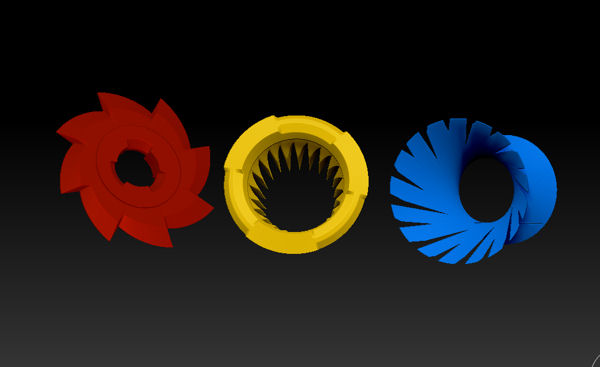
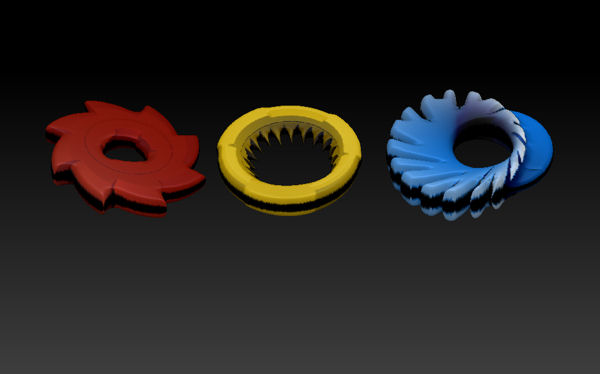
This is the initial 2.5 Canvas:
[attach=211616]3 gears Initial canvas.jpg[/attach]

As always, I captured alpha and texture with MRGBZ grabber tool.

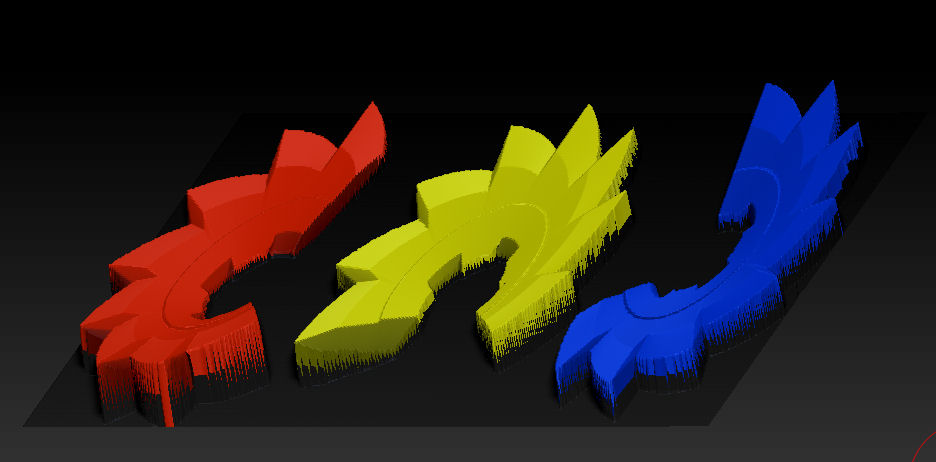
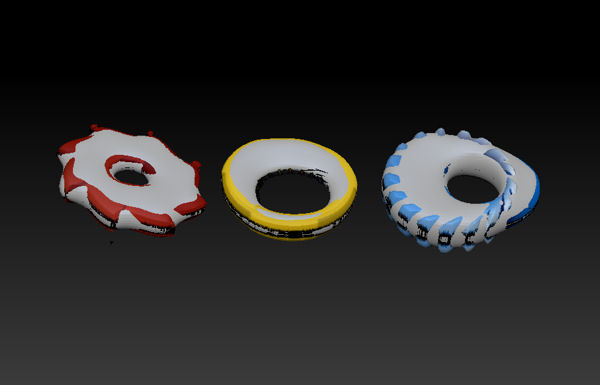
This time I used the Make 3D button from Alpha palette to obtain the 3D mesh, then put on it the captured texture:
[attach=211617]3 gears Alpha Make 3D.jpg[/attach]

The result is interesting, probably I have to play a bit with the different parameters of Make 3D, to enhance details and eliminate the black bands.

After that I finally tried yout method using Unified Skin, append it as subtool and Project all. This time, when I add the initial texture, the result is quite strange:

[attach=211618]3 gears after Project Unified skin.jpg[/attach]

What do you think?

Grazie, ciao

Attachments

3 gears Initial canvas.jpg

3 gears Alpha Make 3D.jpg

3 gears after Project Unified skin.jpg