I have a very good system that uses 18gbs of RAM as well as an i7 Quad CPU. In what ways would I configure Zbrush to get the most out of my hardware? Thanks a lot for your help.
Attachments
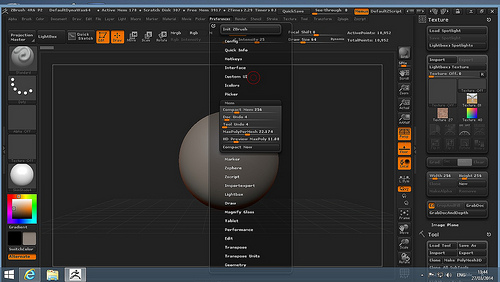
I have a very good system that uses 18gbs of RAM as well as an i7 Quad CPU. In what ways would I configure Zbrush to get the most out of my hardware? Thanks a lot for your help.
set your compact memory to 4096 then save your config. ctrl+shift+i is the hotkey for store config I think.
Anyway, you can check to see if hypertreading is recommend as well…but it is on by default, and chances are your system will want to use it…basically, just tell Zbrush it can use 4GB of RAM and you should be all set.
Okay, thanks a lot for your help. Is there a way to take further advantage of the ‘performance?’
EDITED: Watch out for QuickSave, may not be ideal for your workflow. Options to change in preferences. Saving projects with undo history makes them very large. Lower subdivision, normally smaller file. Files approaching 2GB may not open, I would try to avoid that. Work smart, save both ztl and zpr files, save often. Welcome to the wonderful world of ZBrush.
Thanks a lot for the advice, Doug.
On a 64 bit system, 32 bit applications can only access a maximum of 4GB RAM. ZBrush 4R6 is still a 32 bit application.
One last question. Is there a way to remove the amount of undos in my file? I have way to many undos saved.