ZBrushCentral

Color to texture problem

Hello everyone,

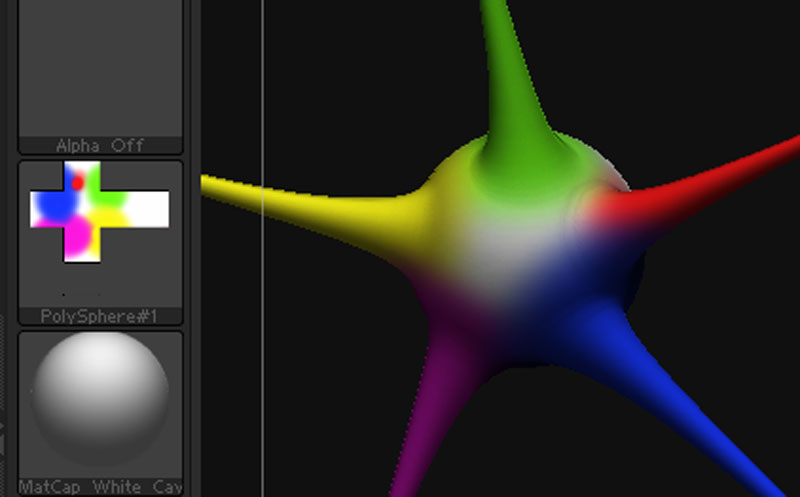
I've been trying to convert the colors I painted on a model to texture with no luck. I've searched this forum and read alot of thread but non of them helped. The only way I can get it work is to work with Polyspheres. But if I use zsphere or sphere3D it won't work. This is the result of working with polysphere and that's the texture layout that works: Here is how my texture layout looks like: [www.studiofriendsphoto.com/uv.jpg](http://www.studiofriendsphoto.com/uv.jpg) And that's what works in other applilcations such as Vue or Poser. Why can't I do the same with zsphere or sphere3d? If I do a simple shape other that polysphere I get a red box or some other colored pattern that messes up the colors and won't wok in other applications. So if I can't do this in zbrush, can bodypaint 3d do it for me in same boxed layout as the linked above? Thank you John

Attachments

uv.jpg

your objects don’t have UV’s

you either
A. need to unwrap the object (use an unwrapper)
B. give it AUV tiles or GUV tiles. (tool>texture>AUV or GUV)

Hope that helps.

Yeah your tool needs to be a polymesh3d and you need to have some kind of UV layout for the tool.

AND you need to have Draw>RGB on. You’ll usually want RGB Intensity set to 100.