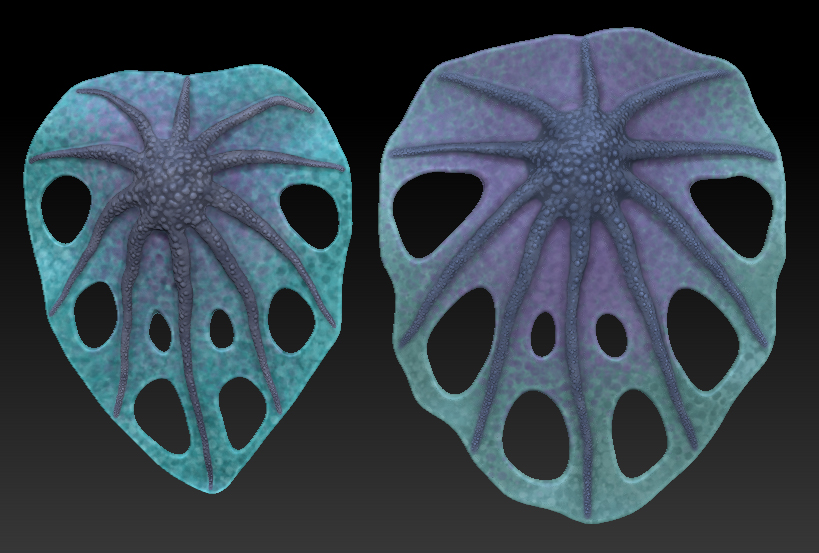
Is there any way to adjust the hue and saturation of polypainted texture on a tool after the polypainting has been completed and the tool has been saved? I have made two leaves, here:
and I’d like to adjust the hue and saturation of the smaller one on the left to match that of the larger one on the right (without repainting it, of course). I know I could do this for the exported objects easily enough by editing the texture maps in Photoshop, but I’d like to find a way to do this internally within ZBrush because I am still assembling a composite tree tool using these leaves as subtools.
Thanks for any suggestions…
Dan
Attachments