ZBrushCentral

closing mesh and smooth some areas

Hello all.

I just downloaded the ZBrush for 30 days. Maybe I will buy the software if I get good at it. My goal is to create a female character and texture it with Zbrush.

I am really new to 3D brushing and I really need advices because I am stuck with tasks in modeling.

In attachments there are pictures to better understand my problems.

  • I created half a human mesh in Blender 3D, miroir - duplicated and merged it.
  • Exported the mesh ( quads ) in .obj.
  • Imported it as a new tool in ZBrush.
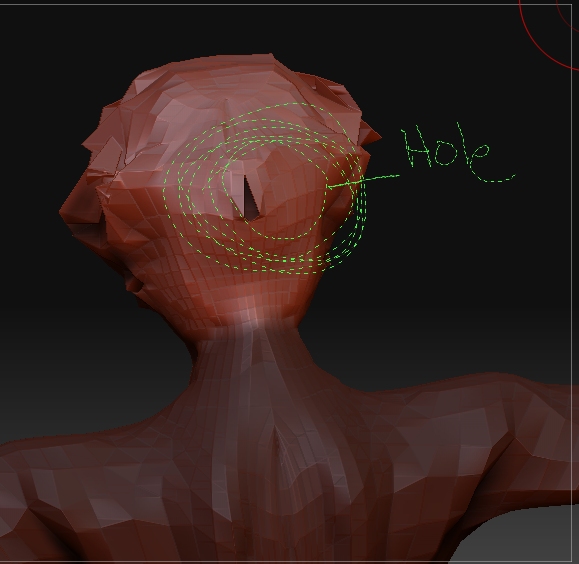
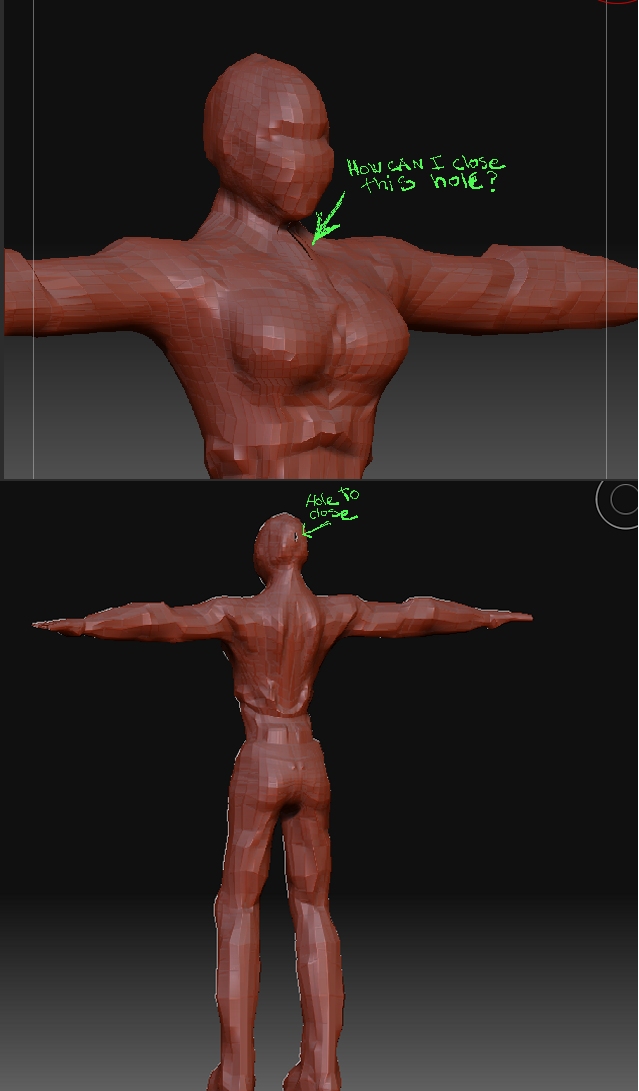
  • I want to sculpt details on the head and balance it better with Zbrush but I saw that there where holes on the mesh ( thorax and back of the head ).
  1. Instead of going back into Blender 3D and close the holes can you point me the documentation or a quick solution using Zbrush in order to close the holes.

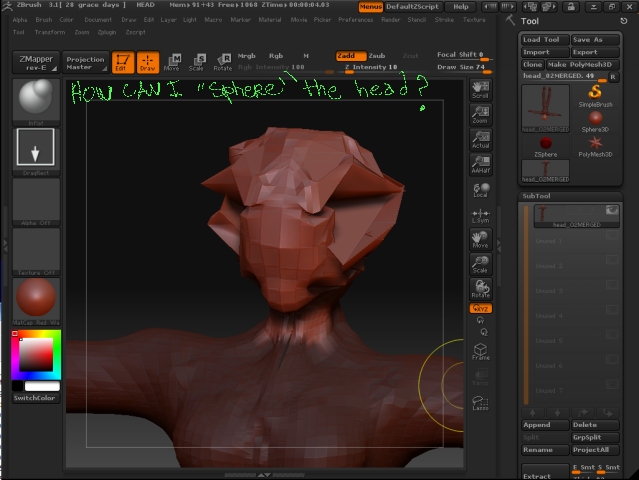
  2. I tried to sculpt the head ( symmetry x is on ) by experimenting different brushes with Zadd and Zsub. The result is as you may see now. It is not what I expect, the more I try to repair the head, the more it is getting worse. Can you please tell me a way or a brush type or anyways to put back the head in a more spherical smooth aspect so I can give a second try at brushing.

Thank you

Attachments
2008_12_28__P00.jpg

2008_12_28__P01.jpg

2008_12_28__P02.jpg

to close the holes. You’re better off doing that in blender, as Zbrush doesn’t do that as well as others. If you were to do it, you will need to look at your import settings, and adjust the settings for weld. Again, you’re better off doing that in blender.

I have no idea what you did to the head in that model, so I can’t really tell you how to fix it.

You can try to smooth out the head by using the smooth brush. also, if you like vertex pushing you can use the move brush as that low level subD to get the pieces back to where they should be.

Anyway, good luck.

it might be a problem with the blender not with the zbrush see you weld them correctly or mirror it correctly …good luck :slight_smile: :slight_smile: :slight_smile:

goast666 and agrmrs thank you were right.

I closed the holes in blender. For better results I did the following :

  • All the sagittal ( http://en.wikipedia.org/wiki/File:Human_anatomy_planes.svg vertices ) must all be clipped and merged at x= 0

  • Make sure that all normals are facing outsisde the mesh ( Normals -> recalculate outside )

  • The Mirroir modifier must be applyied

  • In EditMode all the faces must me selected

  • In ObjectMode : File Export : Wavefront obj : click Export

  • In Zbrush : Tool Import ( the obj file )

Thank you for that advice


About the problem # 2 ( head messed up in a abstract chunk of polygons ) I understood something. It was the brush speed of flow ( z intensity ) in Zadd that was to high and I kept trying to repair using ZSub. I guess that keeping a low z intensity is recommended for beginners.