Not sure if I am using the ClipCurve brush wrong, but very often I get results like attached image. It happens when using all different clip brushes, not all the time, but very often. Any tips on how it should be used?
// tennet
Attachments
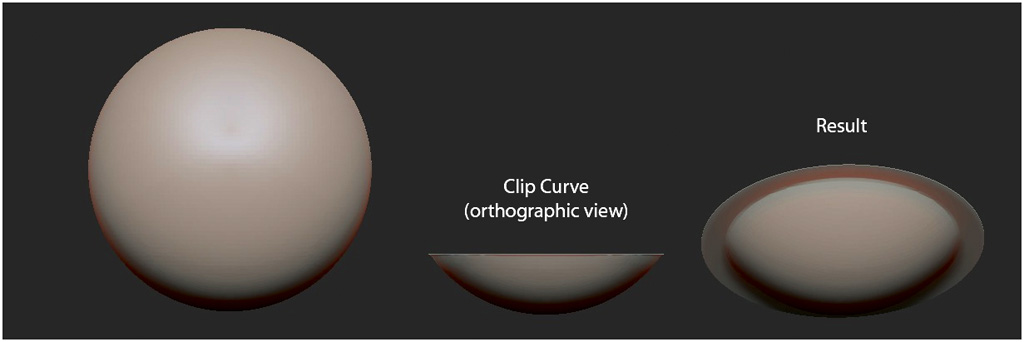
Not sure if I am using the ClipCurve brush wrong, but very often I get results like attached image. It happens when using all different clip brushes, not all the time, but very often. Any tips on how it should be used?
// tennet
It happens when you clip curve something that has more up top then the bottom. For example the ball you made, picture it as 0 on the bottom and 100 on top. If you go 50 and above, it works, if you go to 49 and below you get your result. Clip Curve works by forcing everything on the shadow side to come to the line you are drawing.
You can fix your mesh by re meshing. I hope I explained the correctly, I am on my computer that doesn’t have zbrush on it.
Or just undo and re-clip. When clipping, hold down the Alt key as well to reverse the clip direction.
The key to understand with the Clip brushes is that they’re not deleting any geometry. They’re simply flattening the geometry that’s there.
Thanks guys! Now I understand how it works. Happy clipping! 
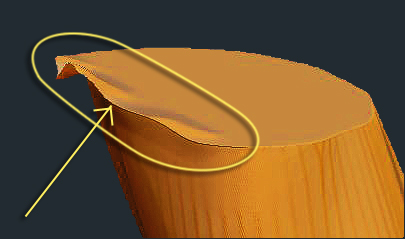
I’m having the same issue with the clipping rectangle
Tried all the suggestions in this thread…
My object had some volume above it.
I clipped it, then clipped again just below (near) first clip
I even tried doing it in sections from a side
No matter how I do it, I’m getting the dangling extra edge artifact
How can I fix - remove the extra ruffled edge to get a clean edge?
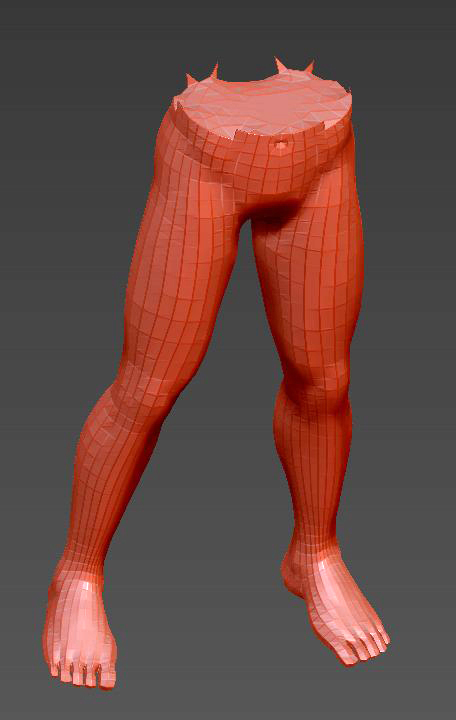
Thanks… does this with any of the clip tools is there a way to remove the geometry, not just compress it?
IMAGE ATTACHED
if i encounter problems like yours i usually smooth the overlapping border and clip again
that´s why i do the first clip a bit higher than the final clip to leave some space to clean up (in a case like this)
I found this in another thread about actually deleting geometry (not squishing it - which is apparently what clipping brushes do)
Yes you can delete a portion of your model… Simply mask it off and invert the mask so the portion you want deleted is “white” then select TOOLS>MODIFIERS>SELECTION either Delete Pts or Hide Pts and voila! it is gone.
Since my goal is to remove the part I clipped is this what I should be doing?
Sounds like something from Sculptris, but was in the Z brush section. Will try it when I get back to my workstation
I don´t find any modifier palette under the tools menu
i do find “hidePt” and “ShowPt” under the Visibility palette
i think you should try out some things; play! try! that´s so important!
you can remove geometry by using the delete hidden button in the geometry palette
but you will get a hole as a result
if you want to clip things, you will need to use the clipping brush.
Think I worked it out
I played as you suggested.
Got it to remove the geometry (not compress it as the clip brush does)
Pictures show:
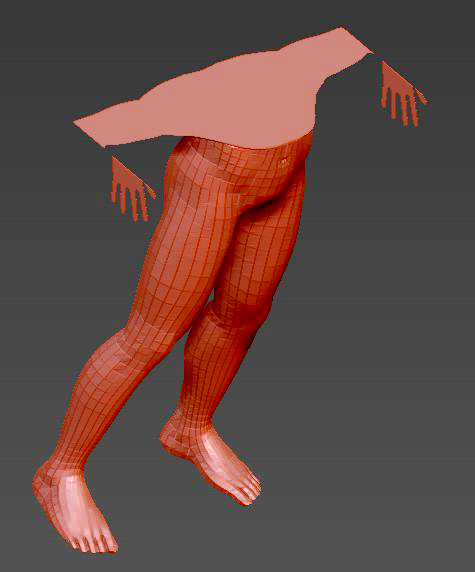
Part Hidden = part with hole =
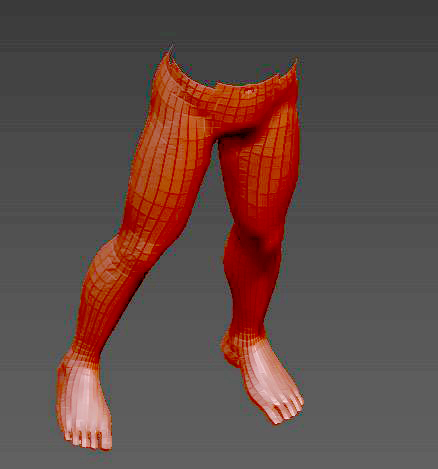
Fill Hole = hole filled… (see above how to avoid the rough areas)
cool!
if you work with dynamesh, try out the slice brush - it also does something similiar