ZBrushCentral

ClipBrush Problem

Hello,
i am working with Zbrush 4. Pixologig tells me that this forum can help me :smiley:

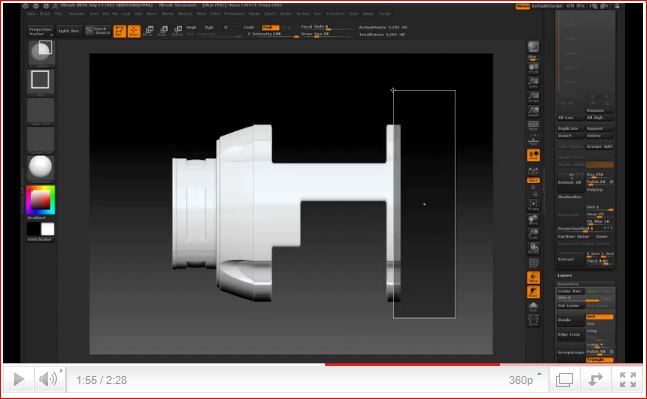
i look at this Video:

I want to make this:
[attach=225597]Clipbrush0.JPG[/attach]
Clipbrush1.JPG

Symetrie is off, Bradius and Polygroup is on. Where is my problem?
I try Cylinder3D, Cube, DefaultCube.ZPR, Shadowbox, i have only expand in 2 directions, not the object around.
I sit here for 2 days now and not getting out there :cry:

Please help me…

Attachments

Clipbrush0.JPG

Clipbrush.JPG

Ctrl+right mouse button!
can find

Hi

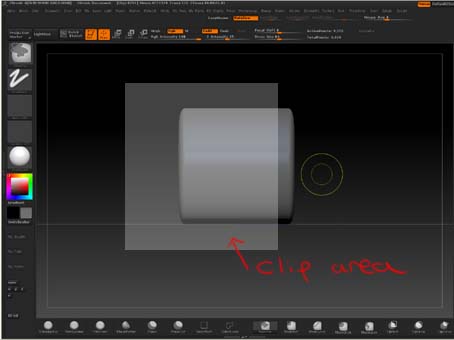
If you are using rectangle you need to cilp the area you are keeping, (pictures below)

[attach=225602]clip rectanglr.jpg[/attach]

Result

clip result.jpg

Hope this helps

Attachments

clip rectanglr.jpg

If you are watching carefully to the video, you will see that he has the same problem. I think masking and inflate along two axis will do the job.

@CrisseR
This works fine. That is not my Problem :wink:

@fshayong
i dont understand, strg and right mousebutton zoom the object

@fujisan
oh my god :rolleyes:
you’re right :cry:
what is the function of a senseless?
and I’ve been here since the days of despair!

Thanks for the info

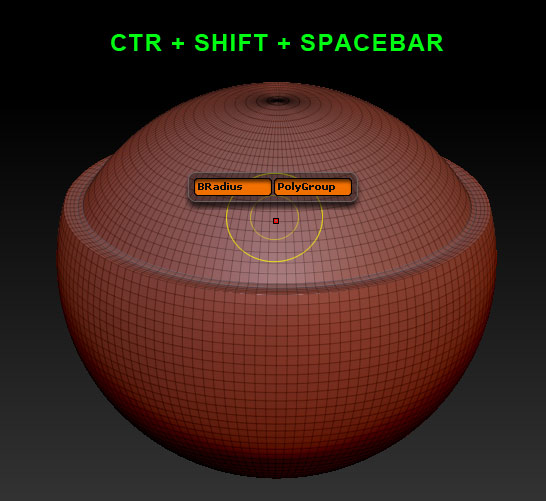
There is also the SPACE BAR functions: BRadius and PolyGroups!
Those make for some really interesting clipping.

I rarely use the primitives and only realized you could Clip them. so cool!

Attachments

ZB4_Byradius.jpg

you can find into transform,like this
pic.jpg

Attachments

pic 2.jpg

Yo~! Guys!..wrong forum…this should be in the Other Questions and Troubleshooting Forum.

Your hogging all the Recent Thread thumbnails. Please refrain from posting any more pictures until a mod moves this. Thanks!

@sadicus
this works fine, not my problem :wink:
the problem is ctrl+shift+alt

@fshayong
i dont understand :cry:

I have the same settings, but clipbrush still does not work,
or do you mean something else?

When I click Command + Shift and drag, its working the otherway round,
When I need to hide the mesh the other part is hissen and total mess.
Please help,
Kriss

@kkriss

Use Command+Shift to draw the green selection mask then let go of Command+Shift and hold down Alt key to turn mask red and that will be your selection.

Thank you very much… it helped me a lot,
I was struggling for 3 days in this.
Thanks a lot.
Kriss

Your welcome Kriss, glad I could help.

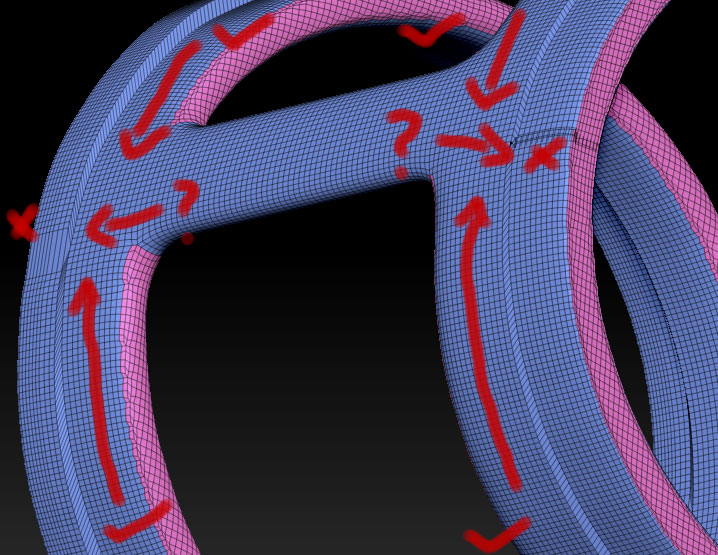
My BRadius is pinching the sides.

Attachments

BRadius.jpg