For some reason, I do not seem to be getting the same results that I see in the videos when using the clip brushes. Sometimes, the results are completely unpredictable. I can do the same stroke twice and get totally different results each time.
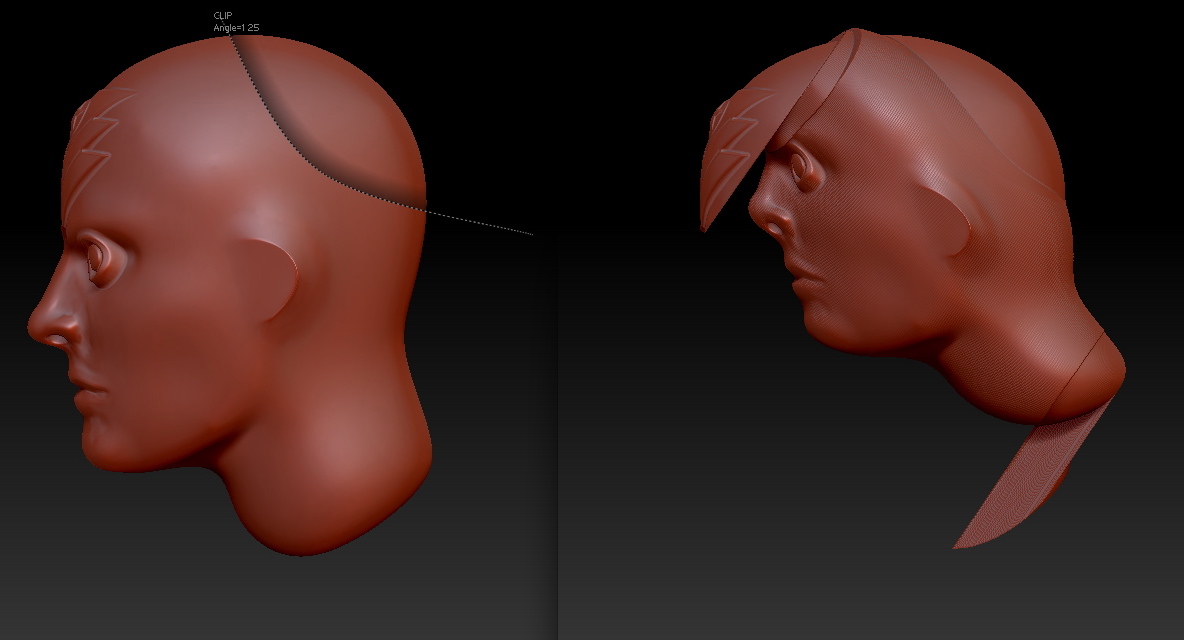
These are not “unpredictable results”. These are the two possible outcome for the curve that you have drawn. The one that ZBrush will use is depended on the direction of the curve, i.e. Clockwise vs counterclockwise , the zadd/zsub mode and the state of the alt key.
[edit] I see that you edited and removed the image from your post, now my reply will not be of use to other users.
Sorry about that, Support. I had just figured out myself right after posting that holding/or not holding the alt key while clicking was what made the difference on that particular result. Her is that image again:
[attach=210761]Clip Brushes.jpg[/attach]
I was also getting results where the whole object would squish after using a clip brush. Maybe that has something to do with my brush radius settings, as well as, the alt key.
[attach=210770]Squish.jpg[/attach]
Attachments

Thanks for re-posting the image.
If you have not seen the Z4 movies, you should take the time and view them all.
All the movies are available at Pixologic.com.
Note: since our servers are still under very heavy use, you may want to watch the movies (in a lesser quality) at youtube.com.
Could I up the thing as I recorded a movie about what unpredictable should mean with ZB4 clip brushes…
It’s very strange…
http://www.umxprime.com/data/screencasts/zbrush/ClipBrushesUnpredictable.mov
Well thx zber2 for the clarification, I think I understood what you are pointing in you thread.
Anyway could I be more clear with another example :
http://www.umxprime.com/data/screencasts/zbrush/WhyNot.mov
That’s what leads me to “unpredictable”… 
Orig. by umxprime
That’s what leads me to “unpredictable”…
Your use of the ‘Alt’ key with the rectangle and circle clip brushes is not what it is intended for. Following is the description in the ‘ZBRUSH 4_whats new.pdf’ document.
Clip Rectangle uses a rectangle to push the polygons. By default, all the
polygons outside of the rectangle will be pushed to the border of the drawn
shape.
Hold the ALT key when releasing the mouse button if you want to push the polygons located inside of the rectangle. This will allow you to create clean square holes in a mesh that already has a hole. (The clip brushes cannot be used to create holes in topology, but they can reshape existing holes.)
Ah I think I got it…
ClipRect and ClipCircle seems to suck or push (ALT key) polygons in a radial way based on they center.
The difference is the ClipCurse does not have a center, so it push polygons based on the curve tangents.
It makes sense now.
Anyway it’s not clearly explained as this in the pdf user guide.
The What’s New pdf explains only what key press does in some contexts, not the real logic behind this.
Maybe Pixologic should add nice clipping push direction schemes in the manual for later releases, to let users knows better what those new great tools does.
Thx zber2 to have clip pushed me in the right way. 