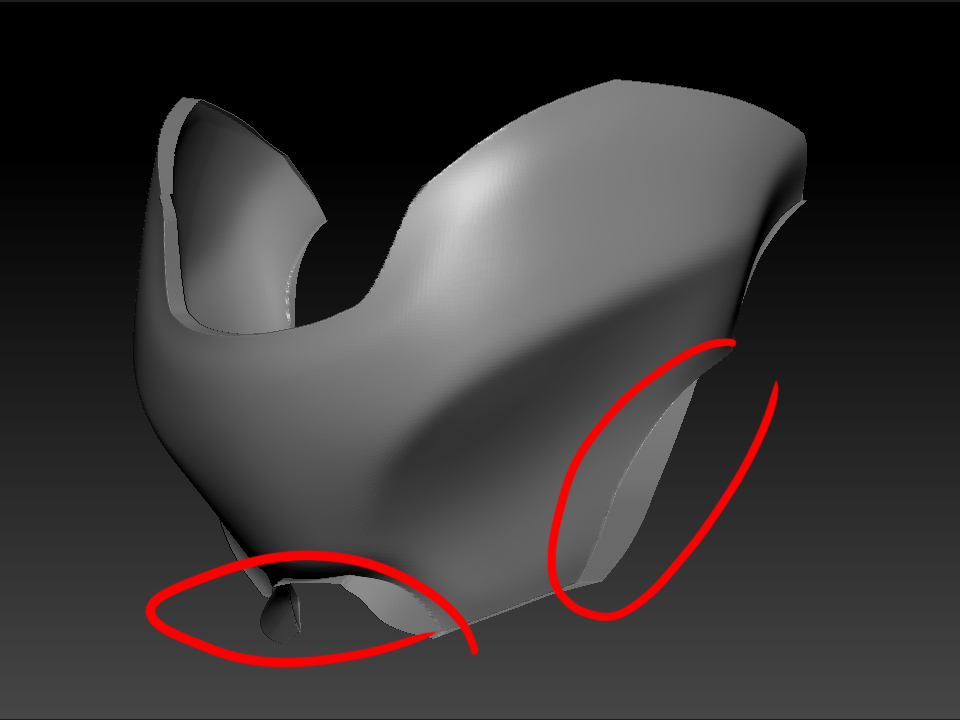
It’s all in the technique. If you clip (flatten) a section of geometry that overhangs or overlaps another, it will flatten into a little edge like youre getting there.
So the trick is to make sure the portion to be flattened does not overlap your inteded edge before clipping. Sometimes you can do with with a smooth brush to soften the geomtry beforehand, sometimes you provide a “preliminary” clip at a bit of an angle first to remove the ovelap, then you perform your intended flattening clip.
If all else fails, make use of the new curve slice tool with dynamesh to entirely remove the inconvenient geometry first.
There is no one solution. It just requires artistry.