ZBrushCentral

Clip brushes are not working properly

I am working on a hard surface workshop, and I am having problems with the clip brushes.

I am trying to cut out a rectangular shape from an existing mesh. I select ClipRect and select the part of my mesh that I want to cut. Instead of cutting a rectangular shape out of the mesh, the clip brush adds to the mesh. I have tried hitting ALT too…

Any help or suggestions would be greatly appreciated.

Thanks!!
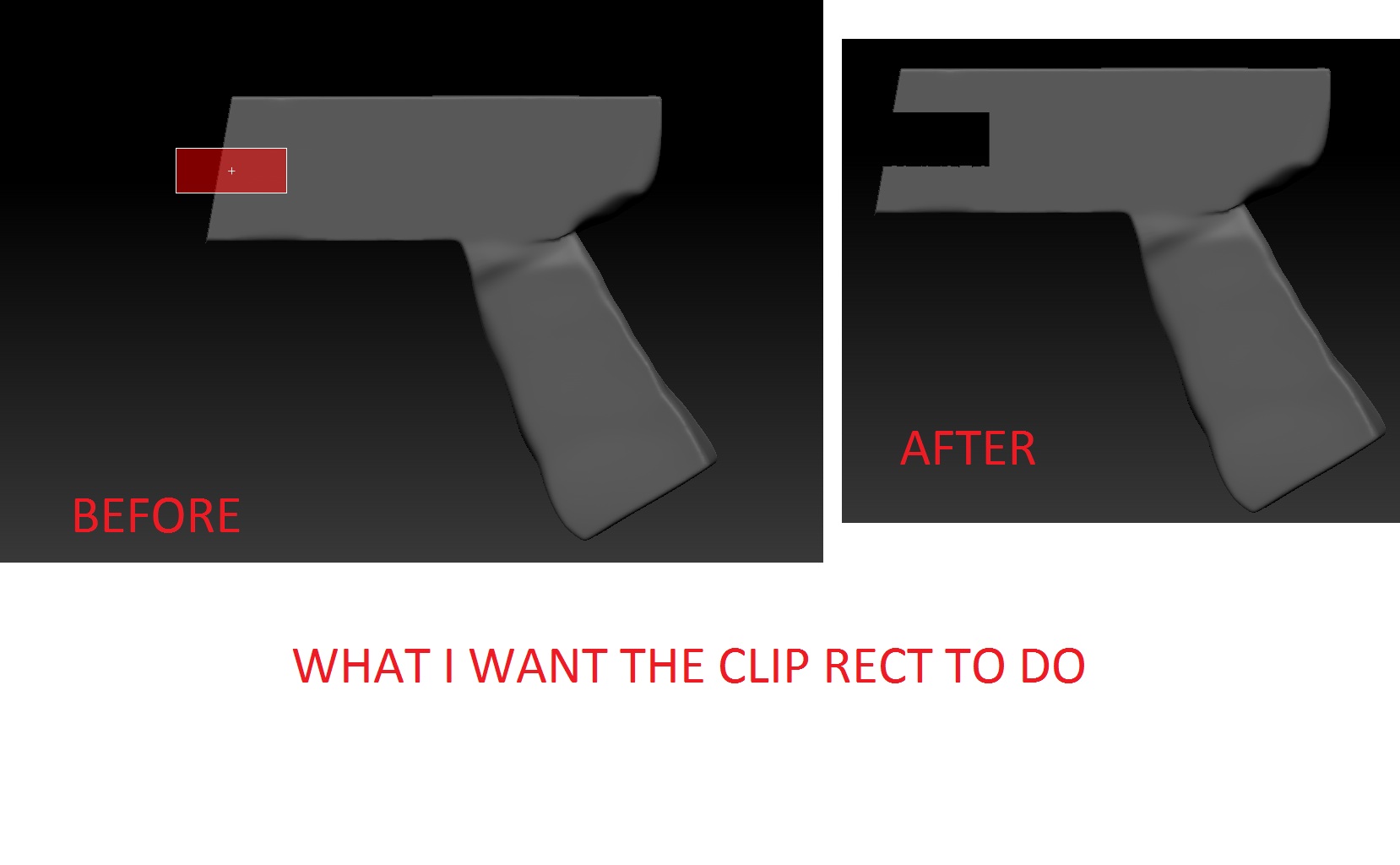
The clip brushes do not cut geometry they move geometry. That video should help you to understand how clip brushes work.

http://www.youtube.com/watch?v=zbRrBTU85es&feature=youtu.be

Yes – I understand that. The geometry isn’t being moved!

See my post here. Maybe it will help a little to understand. That video stone3D linked should also explain.

Sorry for the gigantic photo, but I think it will help describe my problem. I must be doing something wrong but I can’t figure out what it is…


Look at the zber2 posting. Positioning of the mask is also important.

clipbrush.jpg

@ sovietsteel … You are trying to do something with the Clip brushes that they are not designed to do. Like mentioned before, Clip brushes do not cut anything away and that is exactly what you are trying to do. stone3d is correct in pointing out that the center of the Clip Rectangle has to be to the outside of the mesh, but this may not necessarily always produce the results you are looking for.

I would suggest you use Dynamesh instead. Watch Military Character Assets with Joseph Drust tutorials in ZClassroom to understand how it should be done. In particular, the last two, Modeling a “Radio” Part 1 and Part 2.

Thank you!!! I was easily able to cut out that piece by moving the center of the clip square off my model.

Thank you so much! That fixed it. I’m not sure why it’s necessary for the center of the rectangle to be off the mesh, but that definitely works.

Thanks for the post and thanks for the solution…Its working like a charm!