ZBrushCentral

Cleaning up high res mesh to clean Uvs?

Hi all,

I am trying to clean up the high res of a mesh. The low res is fine and clean. But the high res (Sdiv8) has some deformation (like when using Pinch) which cause my uvs to look distorted.
I am looking to the best way to clean the high res mesh.
I though I had a good idea in :


  1. duplicating the tool
  2. delete the high res of the mesh
  3. Sdiv by Sdiv, subdivide the mesh and use Project all to reproject the high res values.
BUT, as soon as subdivide 2, even if it is the same mesh duplicated, the new mesh is all deformed and not good.

What do I miss? Is there an other way to clean this mesh? Once again, the low subdiv is clean and the Uvs fine. It it the high res which deform my uvs.

Thanks
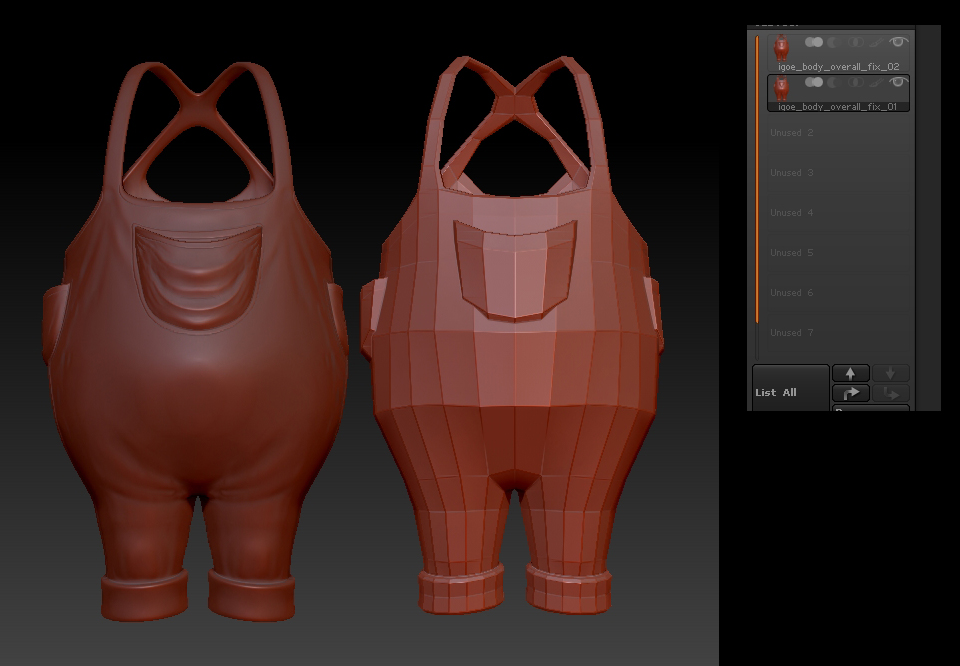
step down to level 1 or 2ish. before your edges start to deform too much. then reproject higher subD levels…in subtool panel I think.

HI,
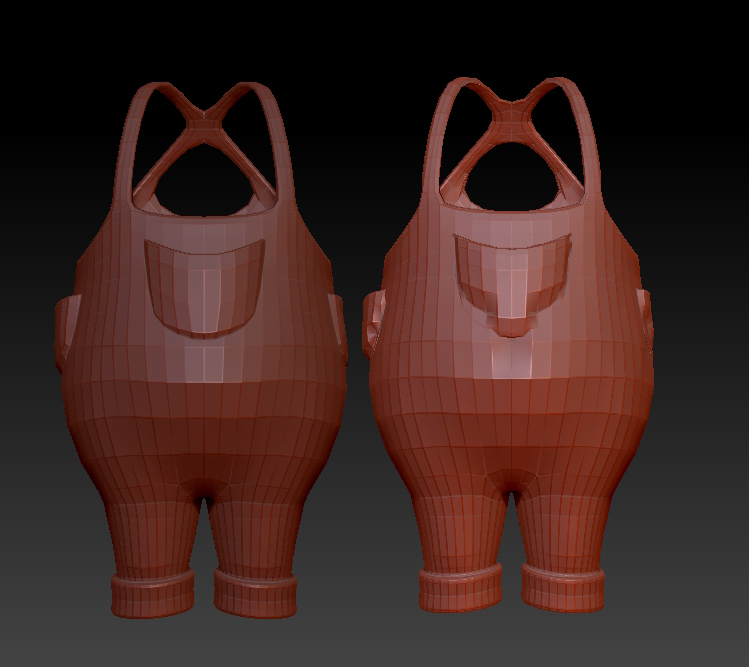
I am not sure I understand what you mean so I am going to illustrate my problem.
Here you see 2 mesh (placed side by side for illustration purposes, but they are really on the same spot).
zbrush2.jpg

Attachments

zbrush3.jpg

attached is an image of what you can expect. When you perform the operation you’ll want to make sure you’re on a low subD level though. Level 1 or 2 typically.

reproject_Higher.jpg

Hi,
thank you for pointing me in the right direction.
I was not using the “Reproject higher subdiv” button but the “project all” and a duplicate mesh. This definitively make things easier.
I used it on my mesh and it screw up again, but now I separated the pockets as they were different polygroups, and applied to them only and it is fine. I just need to merge all the tools again.
Thanks!