hi all, i’m very new to zbrush
i need to change the faces of object as 32*32
but how to do that on zsphere?
could someone please help me?
thank you
Cynn
hi all, i’m very new to zbrush
i need to change the faces of object as 32*32
but how to do that on zsphere?
could someone please help me?
thank you
Cynn
Make an image with anything you want
Import image as texture
take a material (here refletedmap) and load your image (Menu Material s1,s2…/ modifiers)
But maybe I don’t understand the question 
[attach=115551]exo.jpg[/attach]
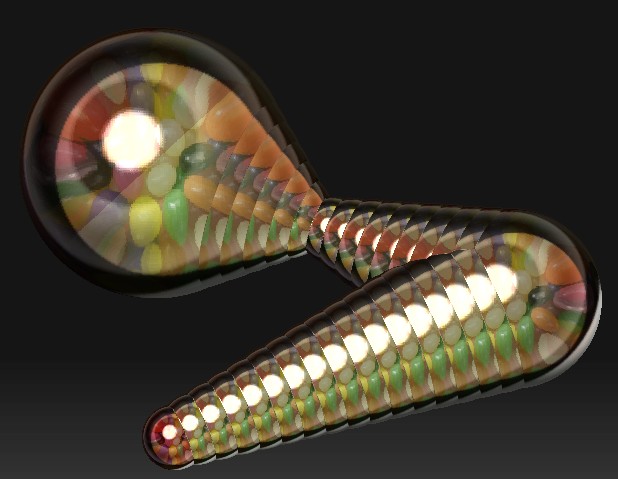
here with a Zsphere an a texture 32*32
Make an image with anything you want
Import image as texture
take a material (here refletedmap) and load your image (Menu Material s1,s2…/ modifiers)

tool>start up 3d mesh
draw on canvas
go into edit mode
tool>initialize - change some settings
thanks a lot for the help.
i tried, but when i use zsphere, i cannot find anything like " tool -> initialize" to change it, neither after choose " make polymesh3D".
The Initialize menu is only available for parametric objects.
With ZSpheres, you need to adjust the Tool>Adaptive Skin menu. The Density slider lets you increase the number of polygons that the preview will have. (After setting it, use the Tool>Geometry menu to go up and down through your subdivision levels – Density is only used to set the number of levels you’ll have.)
With polymesh objects, you use Tool>Geometry>Divide to increase the poly counts.
cynn,
sorry man, i was drinking a bit last night and thought you wanted to change the start up meshes, not a zsphere. My bad.
oh i see. but after i adjust it by the geometry menu, how do i make sure it is 32*32 ? or there’s still something i didnt get it right ?
ZSpheres are meant to create a wide variety of complex shapes. They are designed to generate the best mesh for the shape that you define with them. They aren’t designed to create meshes with precise polycounts.
If you want a sphere that’s 32x32 you need to select the Sphere3D and then adjust the Hres and Vres settings in the Tool>Initialize menu. After that you can press the Make PolyMesh 3D button to convert it to be used for multi-res modeling.
This is probably what you are looking for (pretty good description BTW  )
)
I don’t have much personal experience with zspheres, but as far as I know the are more for blocking out the general shape of a more complex body that would then be converted into a reasonable polymesh, am I more or less right there experienced people?
Usually what I like to do (just because Zbrush can be a real pain sometimes) is build a base mesh in 3dsMax and then import it over into zbrush as a tool I can work on.
zspheres are tricky - anyone care to explain their main useage once more or did I more or less get it above?