ZBrushCentral

Can't see Classroom Videos- Assistance Please

We have very restricted internet access and aren’t able to see some of the new ZClassroom videos. The videos on noise are showing up, but none of the hard body tool videos or new ZSphere videos are making it through our firewall. I looked at the source code but can’t determine where the videos are located as they are buried in a Flash movie.

Does anyone know the URL I need to allow in our firewall in order to view these videos?

Thanks,

-Adam

Hey Blue Apple,
not sure if this will help (and it does assume a lot… :slight_smile: )
I have had a lot of trouble viewing videos on the Zclassroom when using a 64bit version of Internet Explorer 8. So if you are using Windows Vista(??) 64bit??, try it with the 32bit version of IE. Thats what I use to work through the vid’s…
There should be a 32 bit version of windows IE somewhere on your system, perhaps if you are networked and have systems admin, they may have locked it, or removed it, but if you can, try to use the 32bit ver. It may have something to do with available codecs or whatever… to the flash player… (Or that may be the reason it doesnt work on my PC )

Hope it helps!, 'cos the vids are an excellent learning tool.

TF

Appreciate your reply, but we’re using XP (32bit) so that isn’t the culprit. Any other thoughts out there?

Sorry not too much other help.
I guess that the videos are adobe flash player format and it seems that they are version 10, I would then expect that you would need Adobe flashplayer/reader 8 or higher to recognize the format??. If nothing else, install Adobe reader 8.1 etc… and/or ensure that XP is fully up to date SP3?? from memory…
There is also another setting that I think you can turn off, (or if off, turn on)
Right click on the ZB classroom page that has the videos, eg over the metallic creature and you should see a popup… check attached pic and change the hardware accelleration?? It may have some effect…
ZBCR adobe setting.jpg

Other than that, I don’t seem to be able to offer much else…
Pls note that this all may be relevant if you are using IE 8 with XP and I’m not sure it will have the same settings /behaviours…
Cheers!

Appreciate you sticking with this. I will check on the work computers in the morning and let you know how it goes.

Have you tried using other browser? Firefox or Chrome?

I have not tried any different browsers yet, but it’s an option.

However I really doubt that is the issue as the videos on Noise appear just fine, but other videos do not load at all. So, the large Flash object itself has no issue displaying, but what I suspect are individual .flv files do not all load because they are (likely) not all at the same URL. Perhaps I need to contact Pixo directly to find out the URL, or maybe decompile the Flash .swf itself to determine the adresses/es of the .flvs.

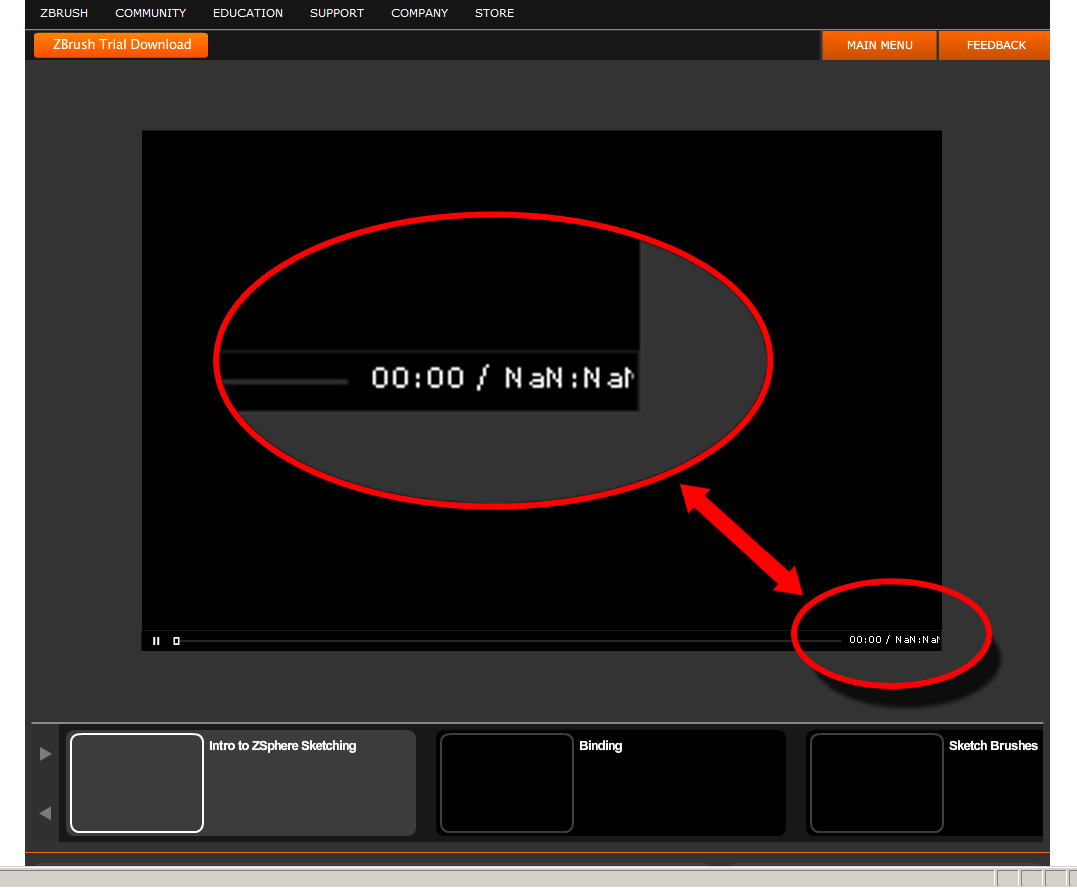
From the NaN in the bottom right corner, there seems to be a problem with loading the video content.

Attachments

ZBrushMovieProblem.jpg

I have submitted a ticket through support for this issue. Hopefully we’ll hear a response soon.

I have seen all these videos on youtube. They do not look to be official, as the guy who has uploaded them seems to be russian.
Richard