Hey guys,
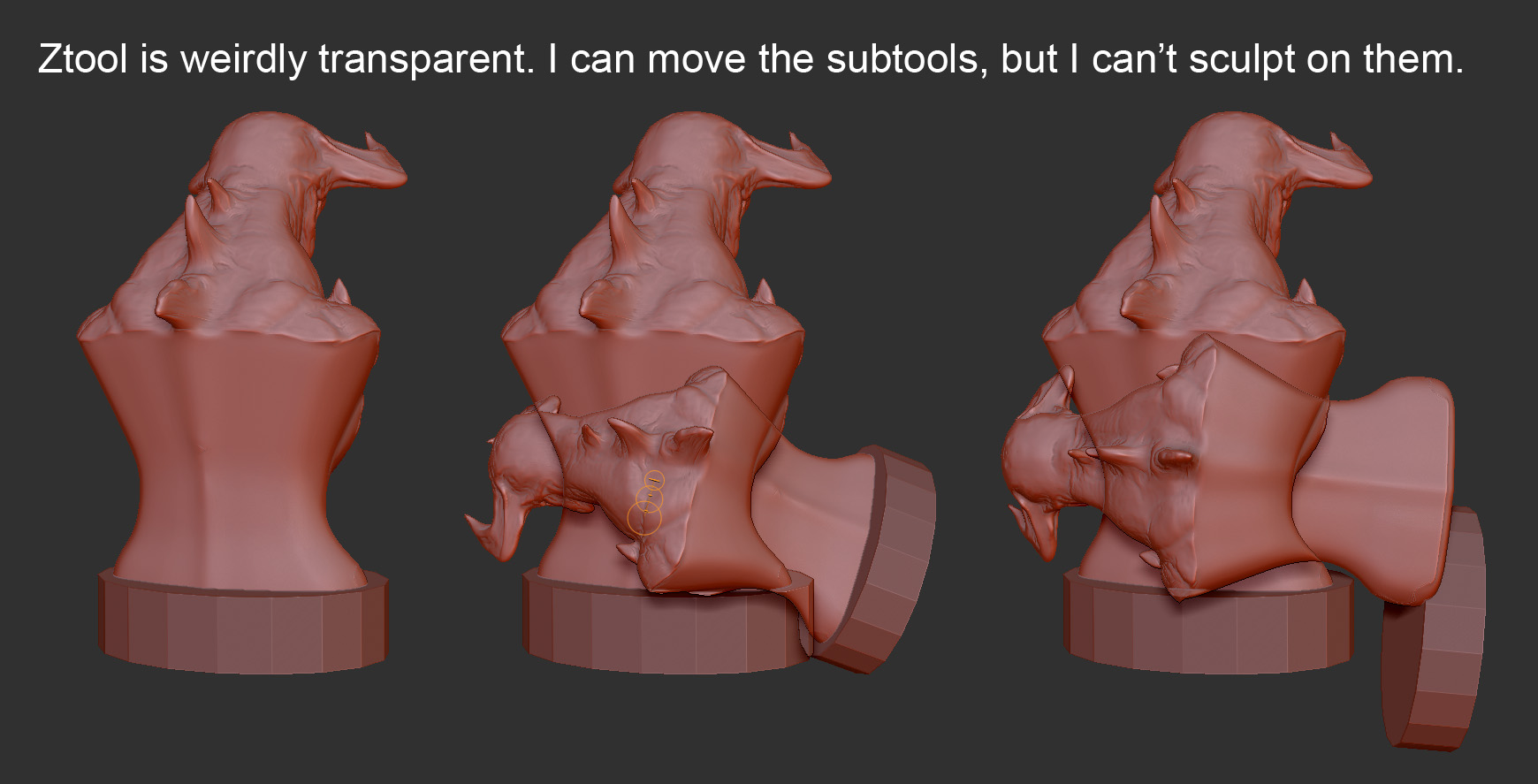
I’m having a weird problem with ZB. I was sculpting, and I don’t know what strange key I pressed by accident, but not only I seem to have bathed everything in an ambient light that won’t go away, (even if I re-start) making all materials look overly bright, but also, more importantly, ZB is ignoring me when I try to sculpt. I can still move, rotate and scale subtools, but not sculpt on them. It’s not even showing me the usual red dot in the middle of the mouse pointer circles. Also, Ztools have become somewhat transparent, which might be a clue to whatever crazy mode I’ve got myself into. And yes, all this happens no matter how many times I re-start ZB.
Any help will be greatly appreciated, as right now, I can’t do anything.  This is on R2b, by the way.
Attachments