ZBrushCentral

Can't Project all. - Answered + Tip

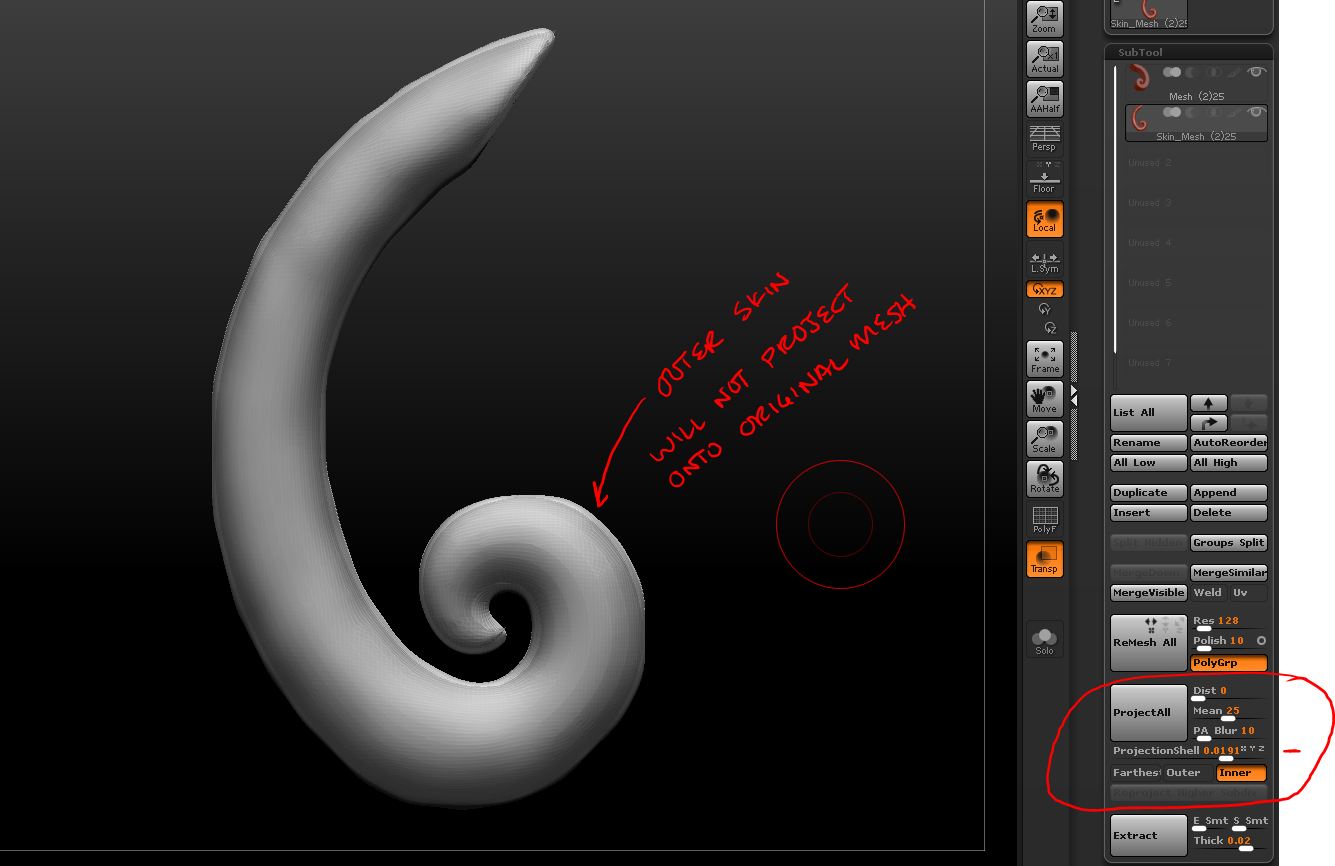
I am trying to remesh an object and then us project all to get it to fit back to the original shape. It works for me perfectly in Zbrush 4 but for some reason it doesn’t do anything in Zbrush 4R2 when I try do this. Are there some default settings that I am supposed to change or new features? Why is it doing this?

Attachments
projectall.JPG

Your projection Dist is set to zero.

Your Distance slider next to Project All is set to 0 try setting it to 1 and then Project All.

Thanks DLangley. Value of 1 was good for Z4 but not recommended for Z4R2.

The Dist slider in Z4R2 is a factor of the object size.

Examples:
A 0.1 dist means that ZBrush will project displacements that are up to 10% of the overall size of the object.
Value of 1 represents 100% size of the object, which in most cases, not what you want do to.

I recommend to start with a small value, such as the default 0.02, if you find that this did not allow some areas to be projected, then undo and try 0.05 or .1.

Thank you Support for explaining that change. :o