Okay, so I’m learning ZBrush 4 R3 from a ZBrush 4 tutorial, it’s good, but the “Spotlight” feature seems to be absent. In the video, it’s right next to “import” when you click on the texture setting, but it isn’t there in my version. I did a few google searches, but I couldn’t find anything.
Look in the Texture menu
that’s where I’m looking. But it’s not there. I open up the texture menu but there is no lightbox… think someone could post a screenshot?
Also, I’m double-clicking the texture, and that doesn’t bring up lightbox either… is something wrong with my copy of Zbrush??
I assume you mean spotlight, given the title of the thread
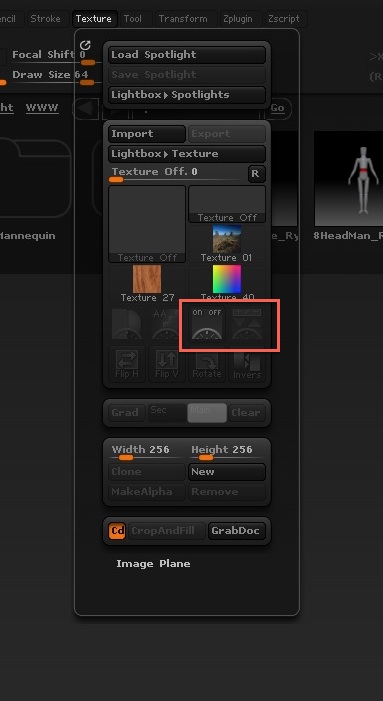
That helped, thanks. I feel like an idiot; so much documentation on this software, but it’s all the little things I can’t find that keep tripping me up.