ZBrushCentral

can the trim curve brush make sharp angled turns?

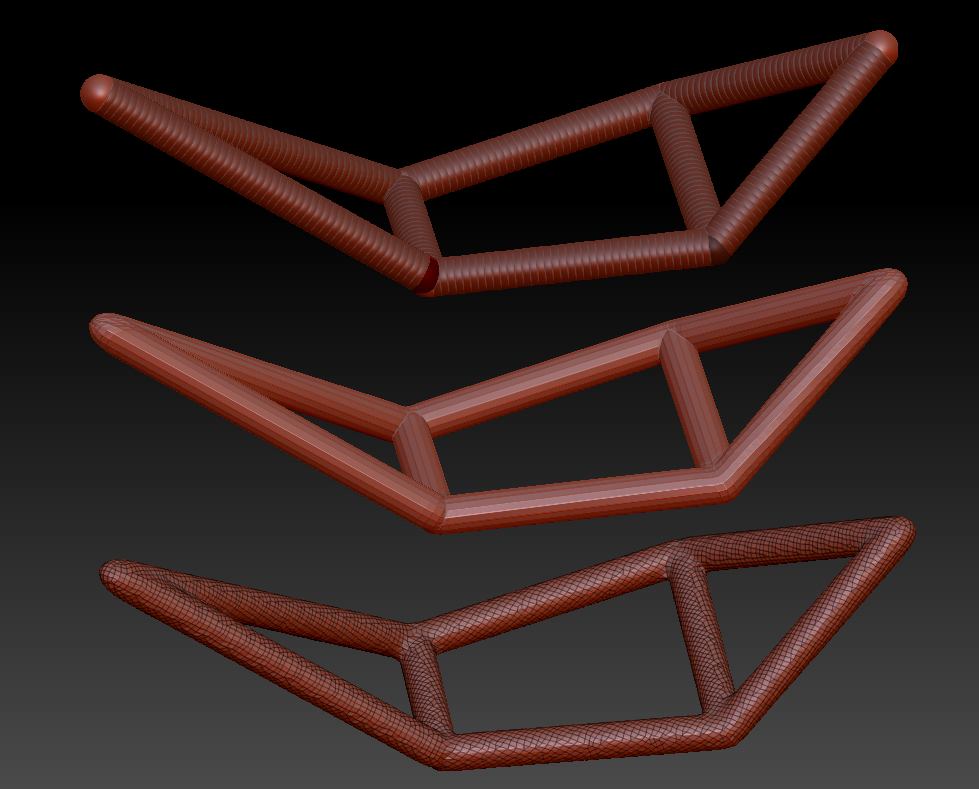
I’m trying to build a dirt bike from scratch in ZBrush, and the only thing I couldn’t figure out so far was the frame, I had to build that in Maya and import it. I attached a screenshot to show what I mean. I’m using this as reference: http://images.motorcycle-usa.com/PhotoGallerys/Husqvarna-Military-Auto-5.jpg and you can see that the frame is very straight pieces connected at a few joints. Can the trim curve brush do sharp angles like this?

Attachments
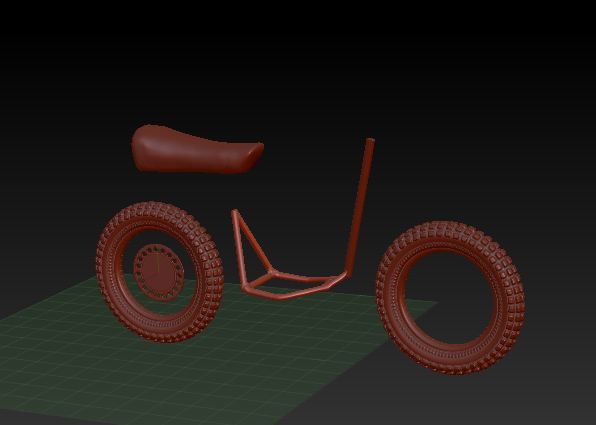
day02.JPG

Trim Curve brush ?? I wasn’t aware that there was such a brush in ZBrush. Is this a custom brush you downloaded somewhere?

http://docs.pixologic.com/user-guide/3d-modeling/hard-surface/clip-brushes/
You should be able to make the frame in ZBrush without it though.

Ah, sorry, the curve tube brush… Trying out too many brushes that night :smiley:

And thanks, Doug, that looks like it might be a better option, I will give that a try!

OP you could probably use Shadowbox to make fairly quick work of that frame…

FYI, for anybody finding this thread later, ZBrush 4R6 (which came out after this thread) now has a “TrimCurve” brush.

:lol: buffaloe, you must be psychic.

You might consider using ZSpheres. You can make them all the same size by holding Shift after you start drawing and it is easy to get straight lines. You can then use Dynamesh to make a contiguous mesh.

Attachments

Zif-Frame.jpg

Oh oops, did I spill the beans about fancy new brushes? :smiley: Lol, I wish I knew stuff like that! I’ll be sure to try it out when it’s released.

And thanks for the tip about ZSpheres, that does still seem to be my best bet for this thing…I still don’t get quite enough control in Shadowbox, maybe I need to start playing around with that more :slight_smile:

I use ZSpheres fairly frequently but I always forget about them. They’re definitely your best bet for this kind of thing.