ZBrushCentral

Can the drawing stroke path auto reset to the native alpha position after each strok

I am using lazy mouse with the step slider set to 2, and as I
drag the direction of the alpha aligns to the path at a rate based on the align to path slider.

I have noticed in general every stroke starts at the alignment position of the alpha where the last one left off. For example if you were dragging your alpha and at the end of your stoke the alpha was tilted 45 degrees, the next time you start a new stroke the alpha will start at 45 degrees and then begin to align itself to the path of your new stroke.

My question is there a way to get the alignment of the alpha to reset after every stroke to its native position, so that for each new stroke the alpha will be placed at the beginning of every stroke as it shown in its menu button image, and then as you drag it would align to the path of the stroke?

The only way I have found to align it is manually with a drag rec. stroke just for alignments sake and then do an undo to get rid of that stroke.

Thanks
Susan,
I’m not sure of the effect you’re describing. Can you show a picture? And what setting are you using for align to path?

ZBrush ScreenGrab01.jpg

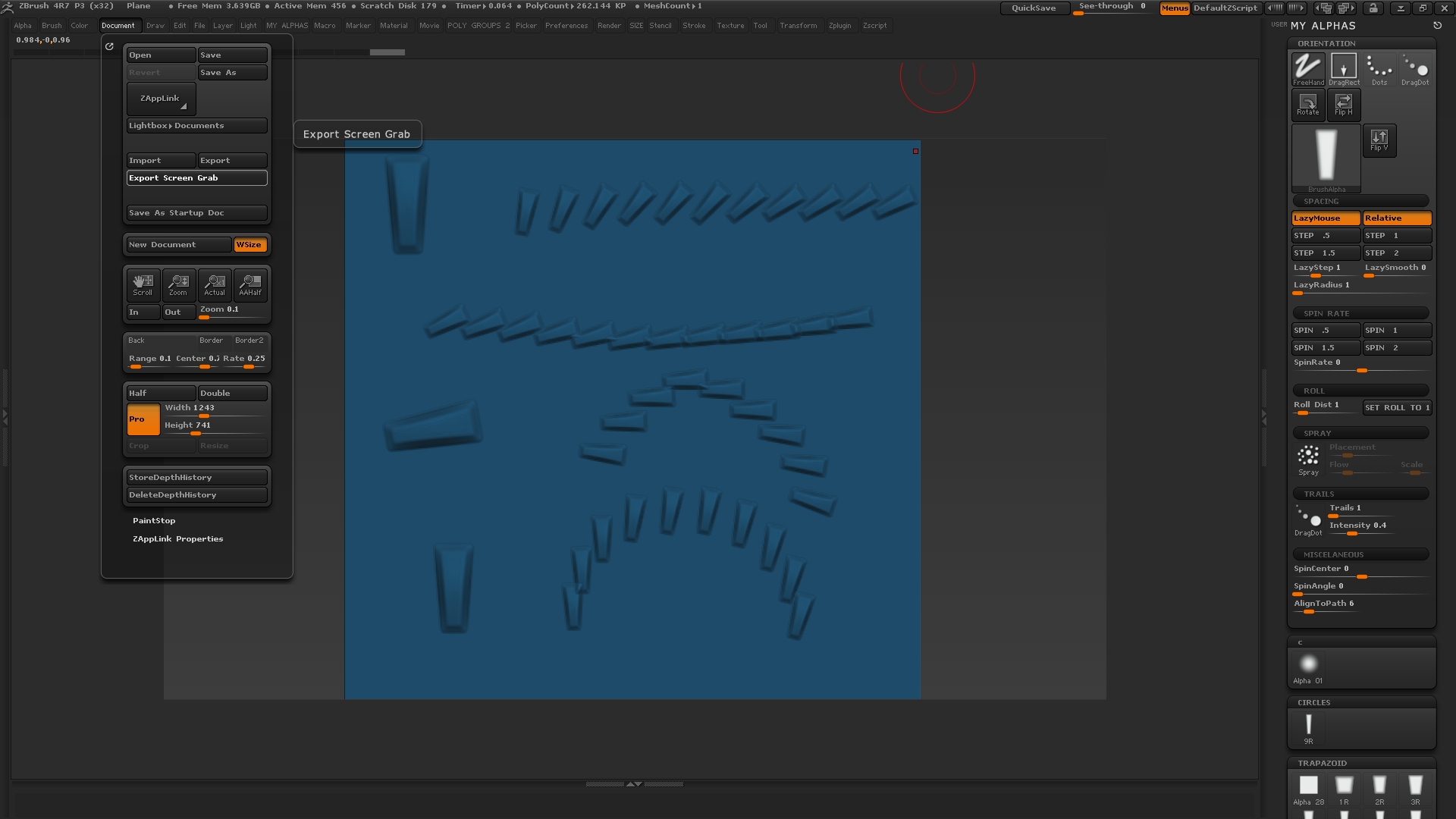
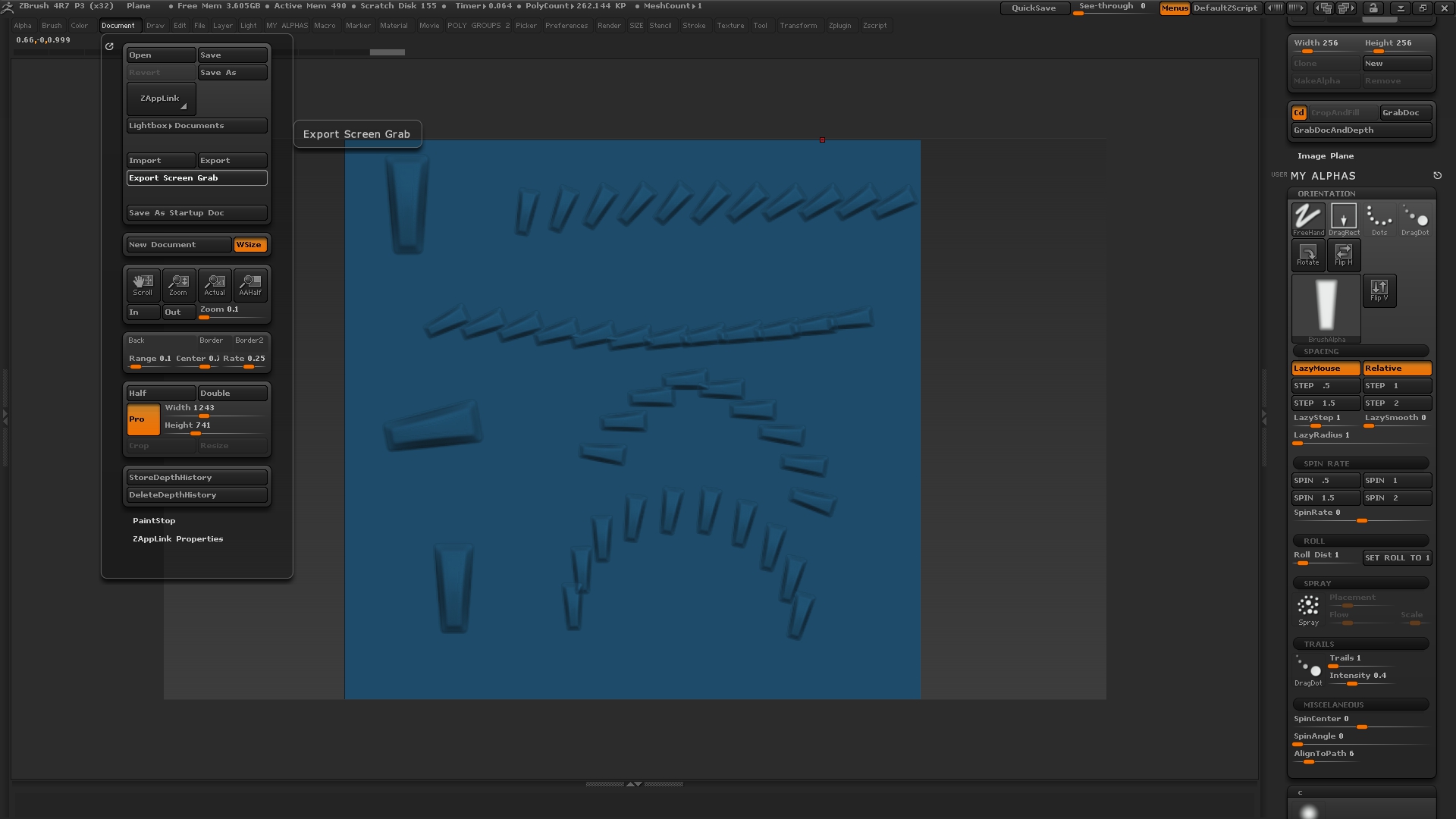
Marcus this screen grab illustrates what I was saying.

In the top row,
on the left I have done a drag rec stroke and orientated the alpha to its native position, then to the right of that
I switched to freehand, lazy mouse, align to path at 6; and then I draged out that stroke to the left. You can see in that stroke that the alpha starts at the orientation it was on the right and then starts to aling to path.

In the next row,
I do another stoke with out changing any setting and you see that the stroke starts with the alpha aligned to where it left of in the last stroke.

This is what I would like to change, I would like the alpha to start off in its native position for every stoke as it is in the upper left corner

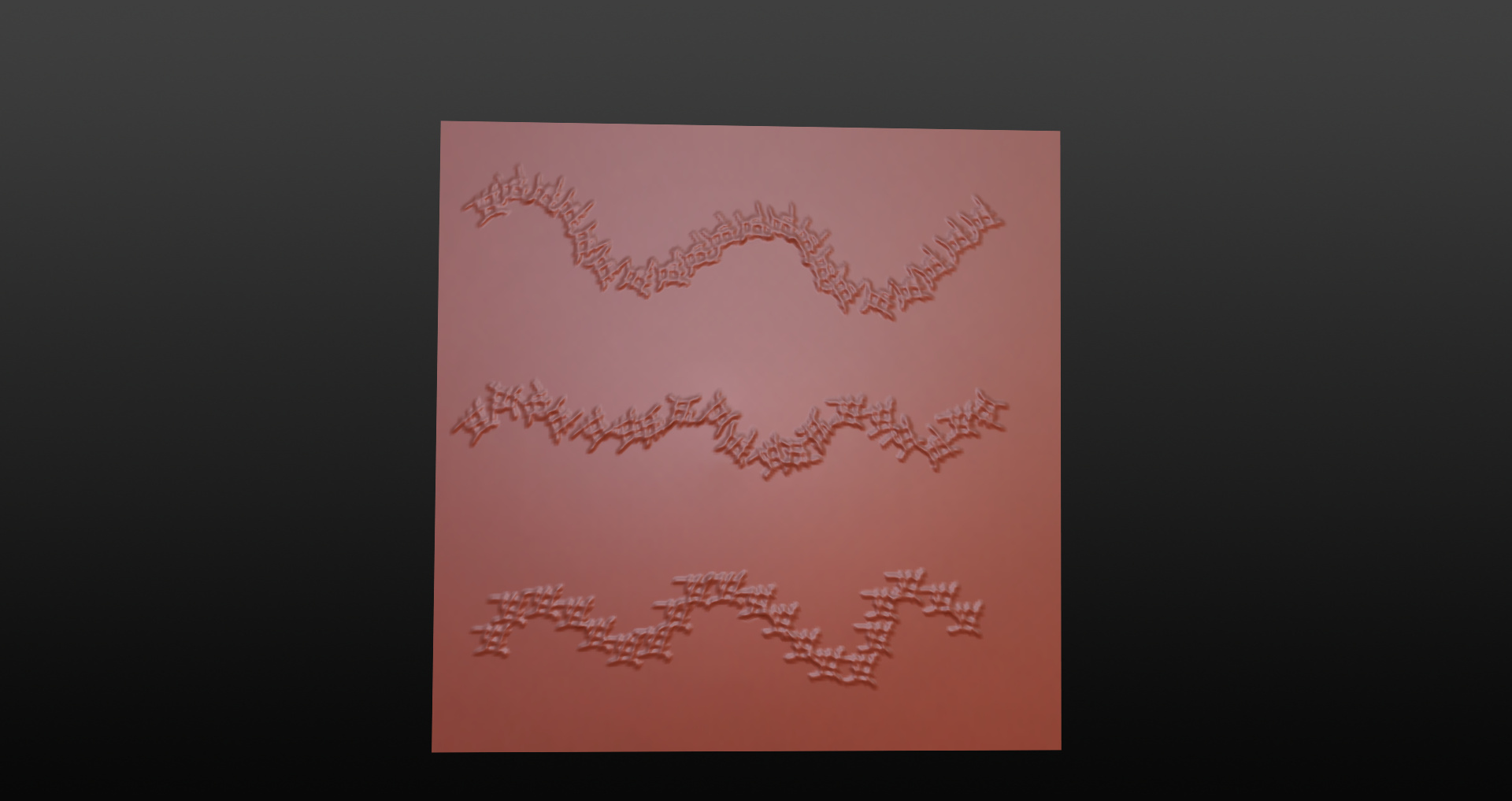
You may ask why would I want to do this, if for example as my next action after I drew the second line I would like to draw an arc of alphas like on the very bottom row - left, if I did not re orientate my alpha like I did on the bottom line right with another drag rec stroke.

I would get the resulting arc I did on the third line, because the alpha was still in the orientation where it left of at the end of the stroke in the second row( as it is on the third row right where I placed it with the hot key macro you created for me).

Basically some times I work in a quick sketch like way combining strokes of alphas and standard type brush stokes, so that when I want to place a string of alphas like the arc on the bottom , in order to execute that you need to know what orientation you alpha is in, sort of like if you are drawing with a shaped tip marker or calligraphy pen you see the tip and you usually hold the pen with the tip in the same orientation.

Thanks

Disreguard that other attached thumb it got uplodaed by mistake and I could not delete it.

Attachments

alpha direction.jpg

ZBrush ScreenGrab01.jpg

Great, thanks, now I understand. As far as I know, there’s no setting but it can be done with - you guessed it - a macro.

Again it needs to have a hotkey assigned. The cursor needs to be over the model when the hotkey is pressed and then the alpha will be reset so that it is in the upright position (as it appears in the Current Alpha thumbnail).

Install as usual by copying the file to the ZBrush 4R7\ZStartup\Macros\Misc folder and pressing Macro>Reload All Macros. The button will be in the Macro>Macros>Misc sub-palette and named the same as the file name.

HTH,

Super beautiful Marcus Thanks for that !