ZBrushCentral

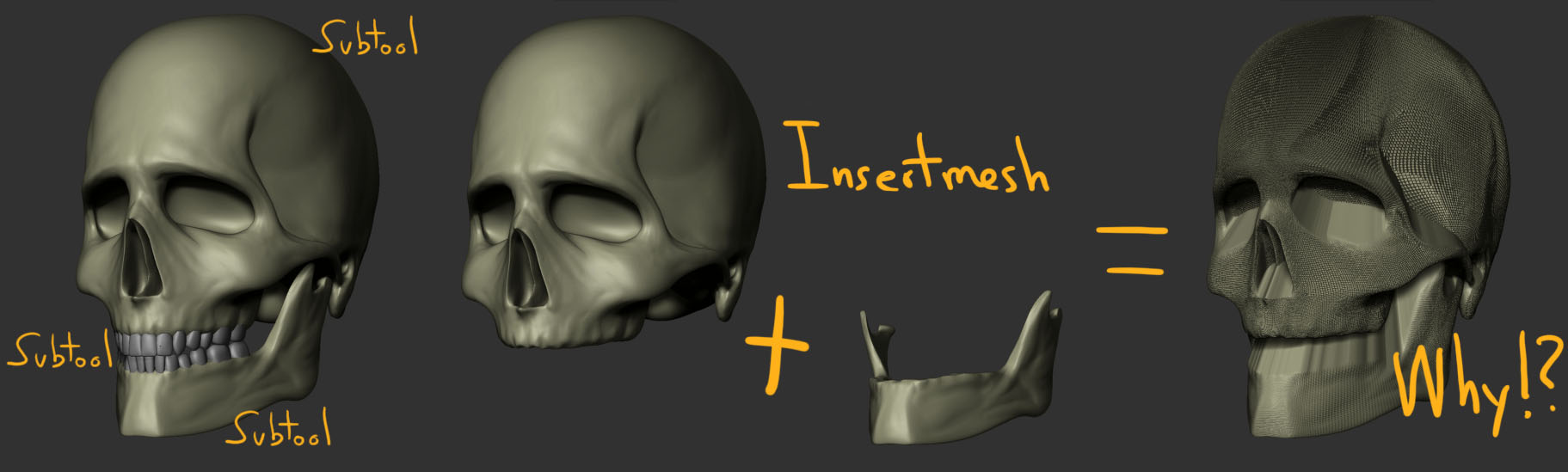
Can someone tell me why?

Hello everyone again.

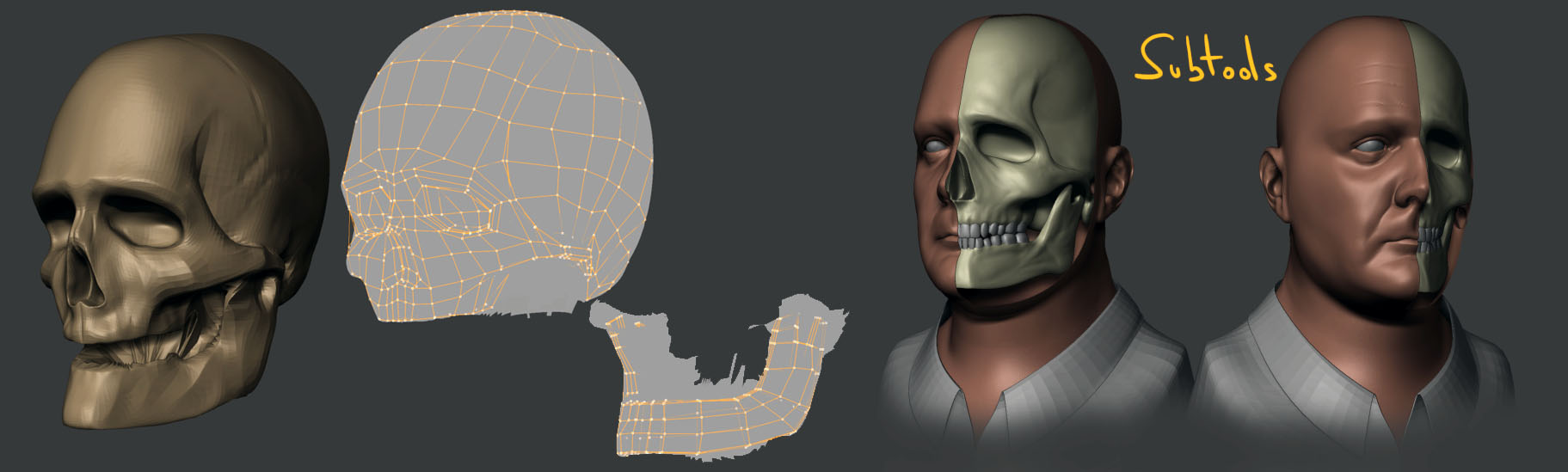
I have used to sculpt skull the head human to make the topology. Subtools I created and worked on them, when I wanted to insert the subtools what is happening in the picture …

Can someone help me solve this problem without having to start all over again?

thanks and best regards

Attachments

why2.jpg

why.jpg

I’m not sure why you are getting the issue, but I might try this instead.

Put the skull and jaw as subtools of the same tool. Turn off the “weld” button and click “merge visible”. There will be a new tool “merged_xxxx” where xxxx is the name of your first subtool.

I think this might give you the result you are looking for.

-K

Pardon my ignorance. But I dont find those buttons you’re saying. Are we talking about the same version of ZB? Anyway, I think my mistake was to create a polymesh3D not a Skin from the typology, (rookie mistake or someone who has no idea?). With the skin I had no problem when I insert them.

Thanks for your quick reply.

These buttons are on the subtool tab of your tool pallet.

[MV-position.jpg]
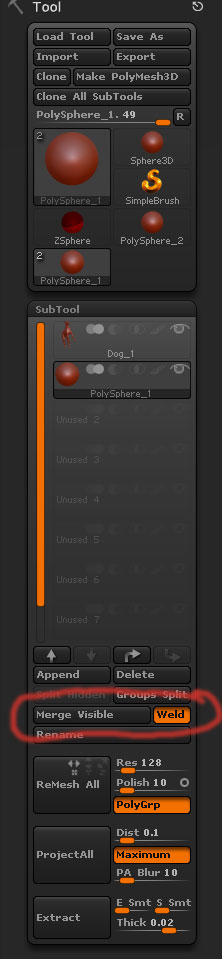
The have been in Zbrush for quite a while (as long as Subtools have been around) to my memory.

Polymesh3D’s and skins are more or less the same thing–contiguous meshes.

Primitives (Sphere3D, Cylinder3D, Gear3D) and Zspheres have different properties until they are made into polymesh’s by way the Make Polymesh3D or Skinning operations.

Merge visible simply puts all the mesh’s into the same tool (and optionally welds identical points.)

Insert Mesh should insert the source mesh into the target, but I do not use that brush much myself, preferring to merge subtools once I have the subtools all arranged the way I like. (You don’t have to do it this way, it’s just the way I fell I have optimum control of positioning.) Insert mesh is good when you have many repeated inserts of the same mesh, like bullets in a bullet belt. It works by tangents rather than absolute controls.