ZBrushCentral

Can someone suggest how I may go about making a scarf for my snowman? - Answered

Hi guys,

I’m pretty new to ZBrush and have only really used it to paint textures but now I am learning how to sculpt and such with it.

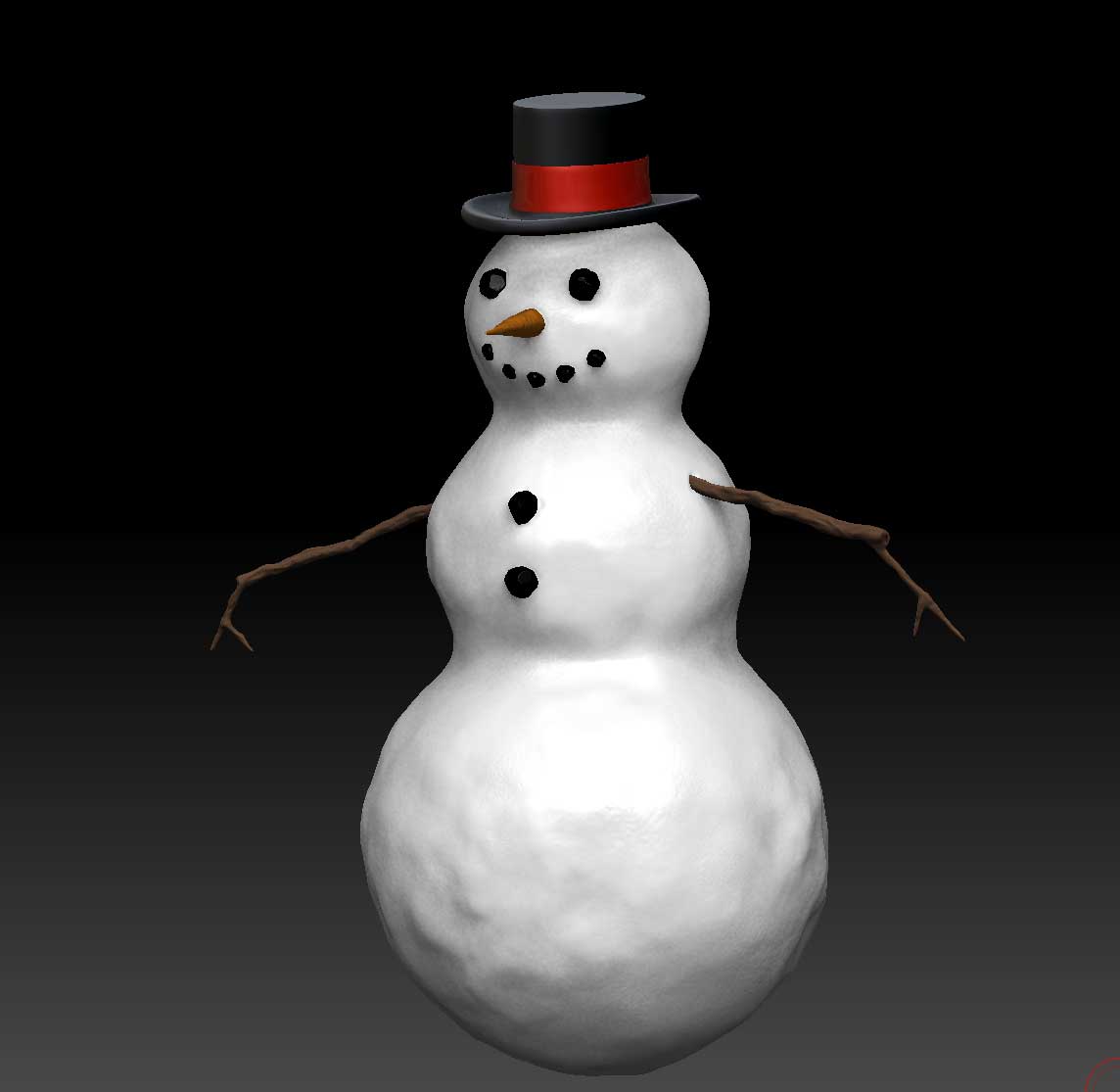
I made a snowman to practice and would like to add a scarf. Can someone suggest to me a way I may go about this? I could do it in Maya and import it but I’d rather do everything in ZBrush so I can get better at it.

Attached is a picture of my snowman.

Attachments
pic.jpg

The simplest would be to mask the silhouette of the scarf, invert the mask and then use the Inflate deformation to raise it up. You can then sculpt and paint to make it look right.

Or you could mask the silhouette and use Tool>SubTool>Extract to create a new SubTool. This can then be sculpted to make it appear to overlap where appropriate, etc. The advantage to this method is that you can actually bend part of the scarf away from the snowman’s body.

The final option would be to use a Cube3D and initialize it to have lots of length but little thickness. Convert it to a PolyMesh, divide as necessary, then use TransPose to wrap it around the snowman. While this has the potential to be the most realistic it would also be a lot more effort for very little net benefit.

Thanks so much! I will try all of your suggestions since it will be better practice for me.