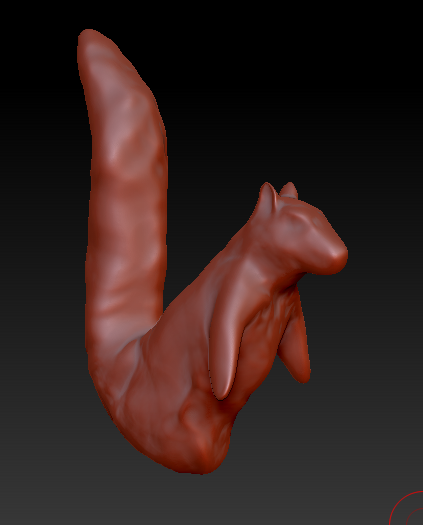
You don’t look like you’re at the point where you have much high res detail in need of saving, so just set the target polycount, and run it through ZRemesher. Subdivide it a few times from there, and now you have variable subd levels you can go up and down with and work on form or fine detail as you like.
Increase the Zremesher adaptive size to more closely follow the form, and optionally make use of the zremesher guide brush to influence the polyflow. Unless you have a concern I’m not seeing, zremesher should have no trouble keeping those arms as separate objects. Unlike Dynamesh, it’s fairly accurate. You could always move them further apart from the body.
If you ever want to do the same thing to a mesh you do want to save the fine detail on, duplicate the tool in your subtools palette first, run Zremesher on the duplicate, subdivide it sufficiently, and project the detail from the original mesh onto it.
If you can’t get the results you want that way, you can always manually retoplogize.
http://docs.pixologic.com/user-guide/3d-modeling/topology/zremesher/
http://docs.pixologic.com/reference-guide/tool/polymesh/subtool/
http://docs.pixologic.com/user-guide/3d-modeling/topology/topology-brush/
http://docs.pixologic.com/user-guide/3d-modeling/topology/zsphere-topology/