ZBrushCentral

Can I add Extra Geometry to a Specific Area of My Sculpt? (See Image)

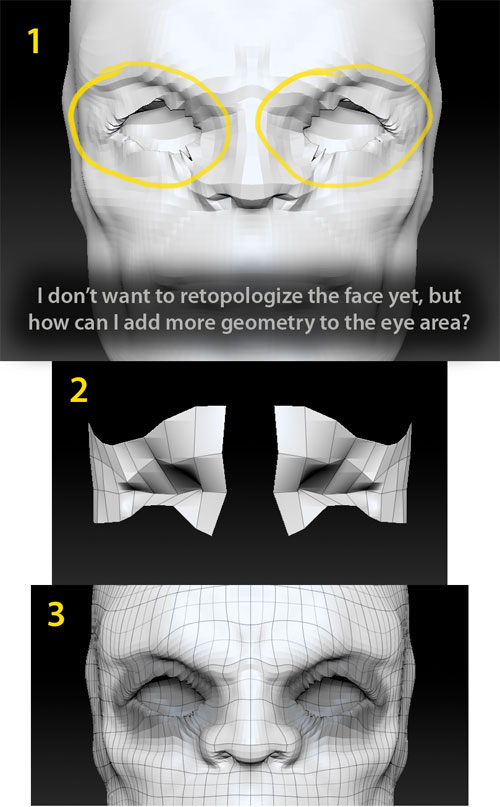
Image 1
I have sculpted my face to level 5 and now I need a little more poly’s only around the eye’s. I don’t want to retopologize this head right now.

Is there a way to add some poly’s to “only” the eye area and how would i go about doing this? Are there a few different ways to do this?

I’m also wondering what would be better.

Image 2
Would it be better to hide all of the head and leave the eye area where I want to add extra geometry to?

Image 3
Or would if be better to mask the eyes?

[adding_geometry_to_face.jpg]
Yes there are a multitude of ways to do this. It is good that you are still at a relatively low subD level. The more detail you have the harder it becomes to retain that detail IMO.

So probably the fastest way is to use GoZ and plop him into an external 3D app and just add some edge loops around the eyes.

If you are only adding geometry to the eyes something else you could try is hiding all but the eye area like you have in image 2, then clicking “EdgeLoop” in the subtool menu. This will add a edgeloop around the boarder of whatever you have viable.