ZBrushCentral

Can Alphas turn corners IN A SMART WAY??

Hi everyone
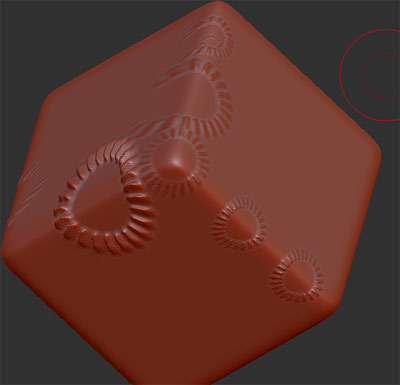
I’m trying to create a texture over the entire surface of a cube but my problem is that the alpha (by its nature) only affects the surface in one direction and it does not “turn the corner” so to speak, it does not effect the other side of the cube so it is not continuous…basically what I’m looking for is way to make the alpha bend around the corner instead of just affecting one plane. could someone please tell me any technique they have to get around this issue, I would really appreciate it!
CdeV

Attachments
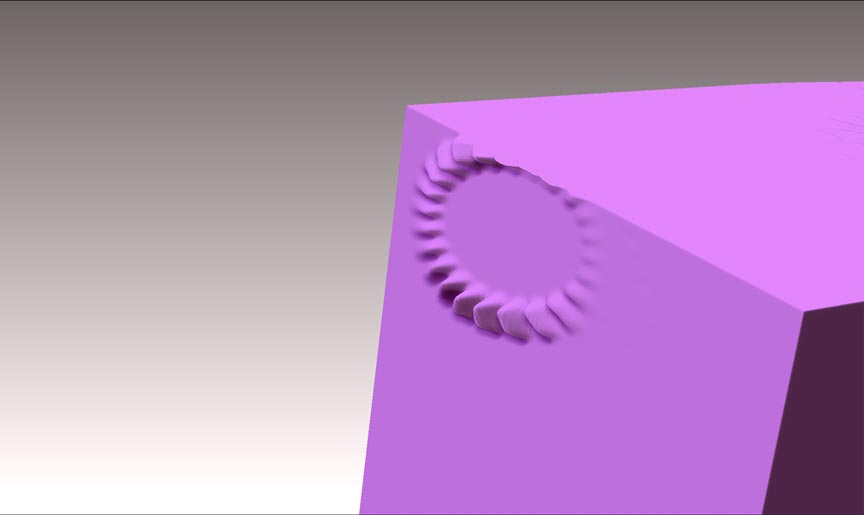
alphaproblem.jpg

I’m not sure what brush or technique you’re using to apply that alpha. Perhaps it’s an issue with the setting of the particular brush. Because most of the brushes I checked do this just fine with a dragrect or a drag dot stroke type selected. Here are layer and displacement brushes:

acrossedges.jpg

Some distortion is inevitable when you do this, but you can minimize it by making certain the target area is as parallel to the screen plane as possible.

Hi Spyndel thanks a lot for your reply!

You are right, it was partly due to the brush setting. I had not realised that you can use brushes other than the standard brush with the alphas. duh. FYI I find that the inflate brush works the best. Thanks for pointing out that the target area needs to be parallel with th image plane - good point. Even with the inflate brush and making sure everything is squared up, there is still distortion…I wonder, is there a way to cover the form with the alpha without using the brush??..like a displacement map that affects the whole surface and takes into account the face normals …?