hi,
-
do i have to compose my normal map with my bump map or does zbrush create, with activated bump map viewer, a normal map with included bump map?
- are there any problems with zbrush, handling mirrored uvs?
thx
hi,
do i have to compose my normal map with my bump map or does zbrush create, with activated bump map viewer, a normal map with included bump map?
thx
ZMapper will allow you to create normal maps with information from your bump map baked in.
Mirroring your UV’s is another way of overlapping them. You should hide one half of the model before you create the normal map, because overlapping UV’s will cause a crash when you create a displacement or normal map. (This is because ZBrush calculates such maps from the geometry then applies it to the UV’s, which in turn causes two different values to be written to the same point on the texture. Since that’s mathematically impossible, the computer doesn’t appreciate it too much. ;))
allright.thx 
i also have a lowpoly max mesh i have imported into zb with mirrored uvw’s. i have subdivided it and sculpted mirroring the x axis so now the highpoly version is completely mirrored. when i tried and create a normal map it gave me really weird results… it looks like all the edges from the lowpoly mesh are very pronounced and show up on the normal map.
so anyway, i read your post here and tried selecting 1 half of the lowpoly mesh, hidng it and then creating a normal with somewhat better results but still unexceptable. then i tried deleting that hidden part and repeating the process… pretty much the same.
my question is: what is the best way to sculpt a mesh with mirrored uvw’s imported from max? and can i salvage this sculpted highpoly mesh that has mirrored uvw’s for normal map creation?
here is the problem im having…
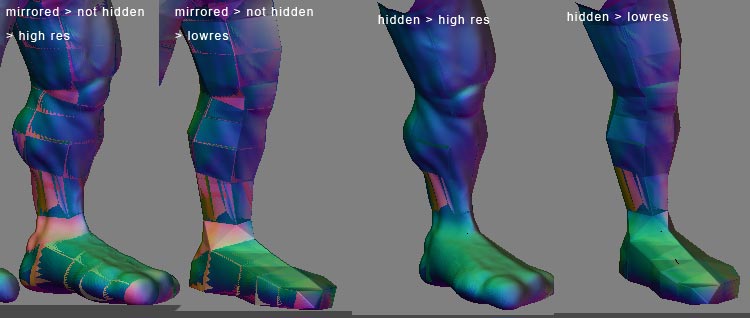
any help is most appreciated.
iv’e been looking in the forum as much as i can for more answers to this problem and came across what sounded like a good fix…
i took the mirrored coordinates in my uvw map and shrunk them down and stuck them in a place on the map that wasnt being used. so the map is basicaly the same for the one side and when i bring it back into max i will delete the side with the shrunken uvw’s… sounds good right? well im still getting a similar error. ive noticed alot of other people complaining about seams as well but i seem to have 1 at every polygon and that is NOT the way my uvw map is put together.
heres some more screen shots.
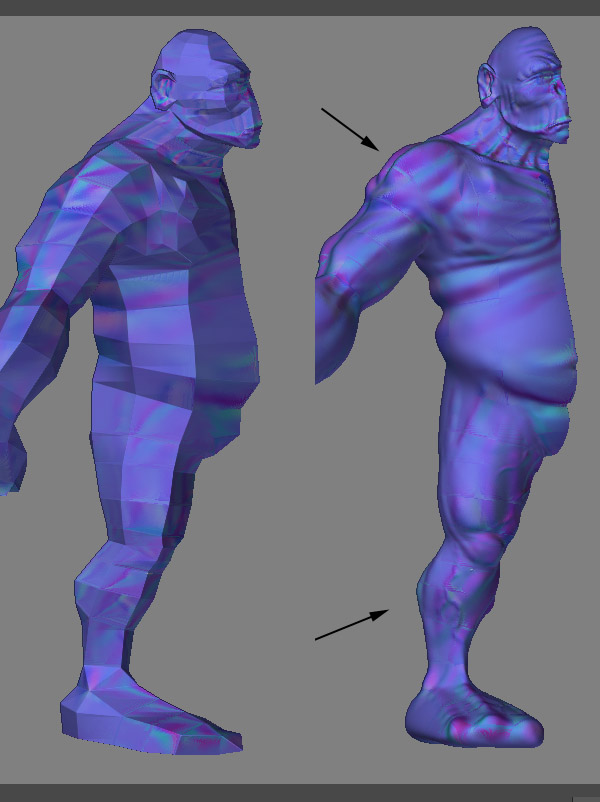
any ideas?
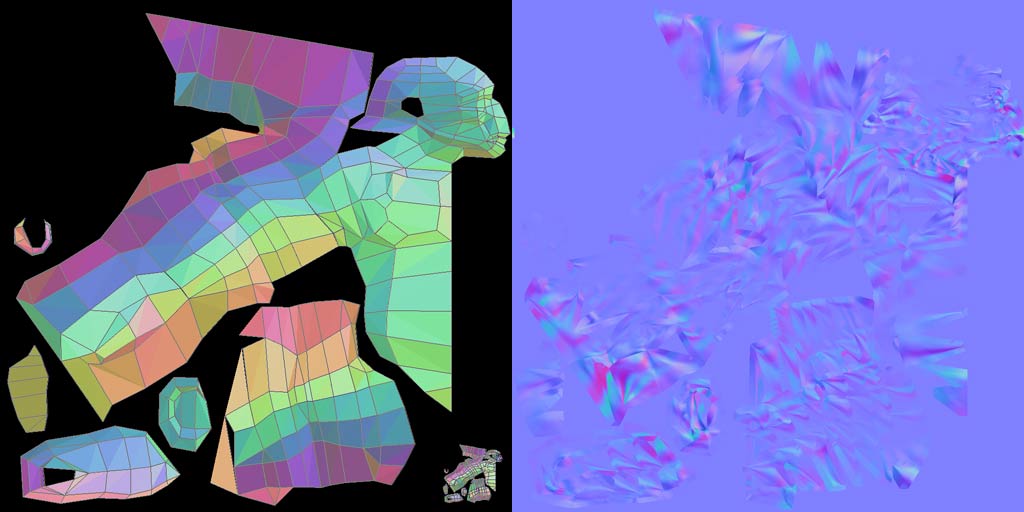
try the check UV utility in the texture panel. Even slightly overlapping UVs sometimes cause the nm calculation to go crazy.
Did you re-import the base mesh on lvl 1before calculating the nm? If so, did you change the uv layout? I had a very similar looking nm before which was caused exactly by changed uvs.
Finally, can ZB extract a decent displacement map out of the model, or does it look segmented as well? If the dm looks OK, you might want to give the dm exporter a try (use it to convert to nm).
hey, thx for the response. that is indeed what i did. i imported a new mesh at lvl 1 with new uvw’s… were u able to salvage your highpoly mesh or did u have to start over with the new uvw’d base mesh?
thx again! 
From my experience, there seems to be some kind of threshold for UV layout changes: when you change the layout only in rather smallish areas, the nm calculates OK, but the more pronounced the changes are, the higher the chance that your nm will look strange or downright unusable (as I said, my personal experience only).
Unfortunately, I haven’t managed to come up with a decent way to save the hi res once the uv’s have been altered (too much), other than reverting to an earlier version of the lowres or getting a medium res to Max and extract the nm there. Perhaps somebody else knows how transfer the sculpted detail from one mesh to another? I’d like to know, too…
Sorry I can’t be of further help…