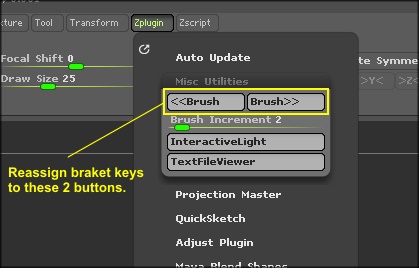
In Past versions of Zbrush, by default I could always use the arrow square brackets;
[ = up ] =down
to resize my brush on the fly without having to pull up the spacebar menu or moving to the top of the screen to access the slider. In 4R4 it appears to be disabled and it’s not something that is as simple as assigning a single hot key, since it is a floating value.
Am I crazy or is anyone else noticing this?
Help please, I want my square brackets back!
thanks,
s