ZBrushCentral

Broken Lines When Retopologizing

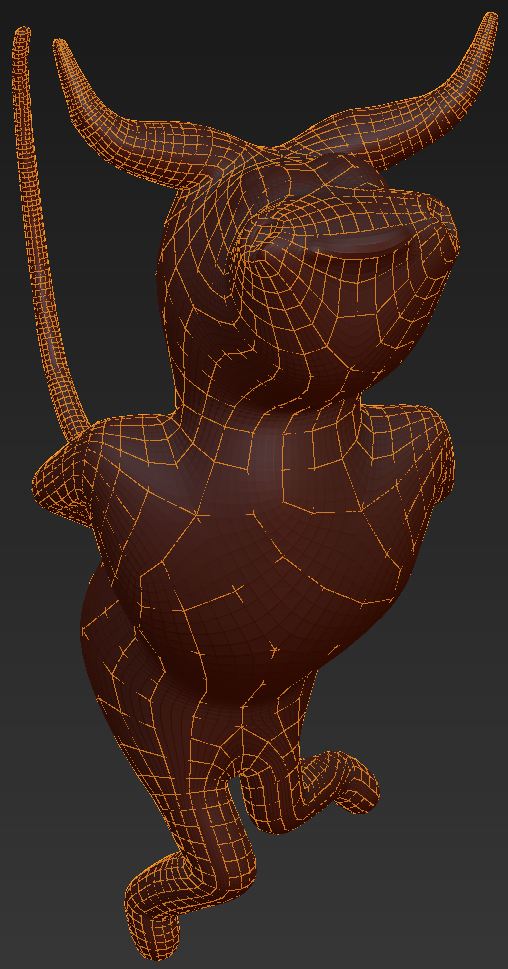
I’m using ZB4, and I’m making my first attempt to retopologize a model. The image attached shows the problem: broken lines. In canvassing the forum, I came across (1) ctrl+shift+left click, (2) ctrl+alt+shift+left click, (3) Increase Max Strip Length and (4) toggle out of and back into Edit Topology as ways to restore the lines. None of these methods restore the lines in my case. I can edit the lines I can see; so the problem seems to be a display problem. Any help would be much appreciated.

Doc Pit

Attachments
BrokenTopology.JPG

These look to me like topology which is just hidden in parts by the actual sculpt. What happens when you hit a?

When I hit a, I just get the standard adaptive skin with no lines.

So when you create the adaptive skin, there are no holes?

If so, there is nothing wrong with this, its just that the mesh is hiding parts of your topology lines.

But that makes it much more difficult to draw in a new topology. There is no clean blueprint. Like reading a book where letters are partially formed or missing. There should be some fix.

by the looks of it there’s another model interrupting or perhaps Z-fighting, one that has the exact same mesh as the one you show and is in the exact same spot. check your sub-tools for a duplicate or delete all and redraw it.

Retopologizing and Mesh Transparency (answered)