ZBrushCentral

BPR shadow issues Render

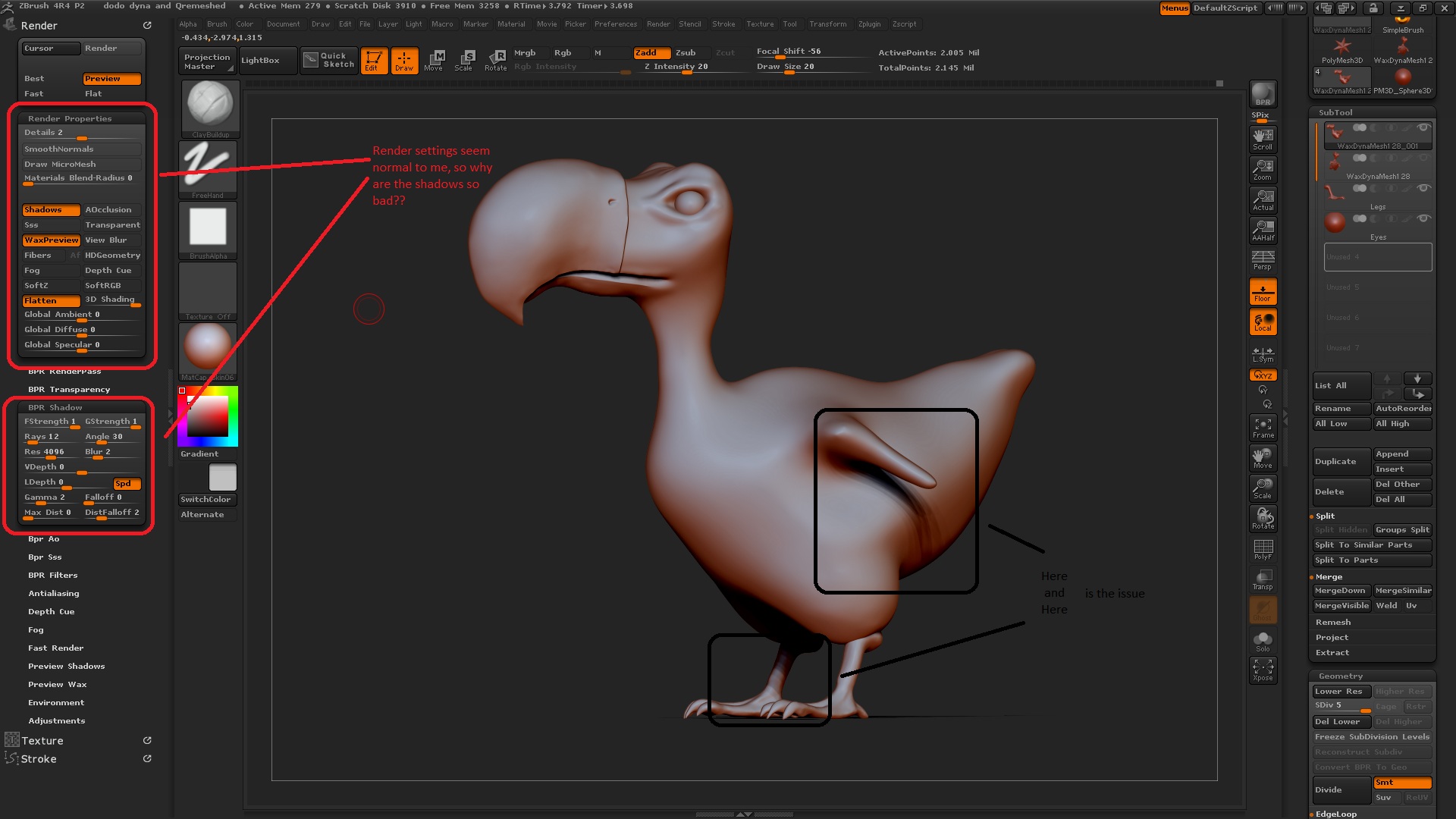
Hiya, got a niggling issue shadows rendered with bpr are coming up ‘jaggy’ what do i need to change in the settings to adjust this? also should it do this as default?? i belive that it is so i have either saved a screwed up render settings as default or its just how it is??
thnks

pic is an example check out the shadows

Attachments

shadows.jpg

James,

It almost looks as though you have multiple lights going. Check your light settings or possibly turn the falloff up a tiny bit on the BPR shadow settings. Hope it helps.

That tutorial helped me to understand BPR shadow settings.
http://www.digitaltutors.com/11/training.php?vid=30257&autoplay=1

Thanks for the replies, much appreciated. I will look into both suggestions in the next cpl of hours and let you know my findings and hopefully what it was :slight_smile:

Many thanks
James

Hiya,
Right i have found that the falloff was not the cause (as a matter of fact i couldn’t see this having any effect on my model when i played with it), I fiddled some more and found that my bpr shadow angle was the problem, i think zbrush defaults on 0.5 mine was set on 30!! I somehow have saved my current project with strange bpr settings. Think it may have come from the start of the project, i used the default project light grey Dynawax128 sphere, which could contain the strange angle settings??? who knows, all sorted now
thanks again and cheers for pointing me to the digital tutors vid on bpr shadows very useful, there is a few newer features not covered but its still very useful.
James