Hi
I’ve looked through a lot of forums posts and haven’t found anything that is working for me.
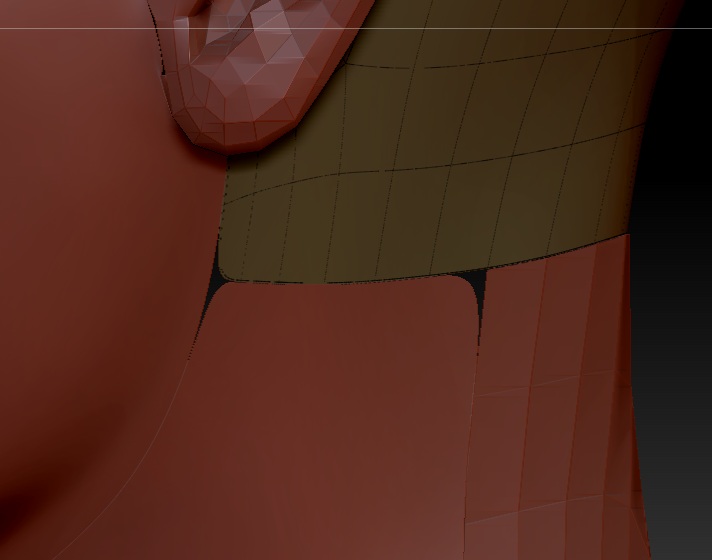
I’ve imported a character from Maya into ZBrush 4r4 having created the UVs in Maya. I have then created polygroup based on these UVs and the split them into their separate subtools. I’m wanting to get high polygon count for the bump and polypaint so I can export hi-res textures.
Just smoothing obviously shrinks the geometry. The best I have found so far is creasing the edge. However the corners of the geometry are still being rounded. Is there a way to prevent the corners from becoming rounded?
Any help is appreciated.
Attachments