ZBrushCentral

Bolt question

Hi guys
What would be the best way to make a bolt? (see screenshot for the type of bolt I’m trying to make)
I’ve managed to make what I want but I’m pretty sure its not the most best method as the polygon count is very high on just this small detail I want to add onto my model. I have a lot of spots on my model that will use this bolt… so its been causing a lot of lag when i have too many of it)
At first I tried using a cylinder and cutting the middle section off but that didn’t work as the middle point of the circle surface caused weird deformations from the cut.
So I did this now by using a cube then cutting the middle with clipRect then make it into a cylinder shape by clipCircle.
I’ve tried using shadowbox technique too but the result is similar with a lot of polygons.

Just wondering if theres a much more effective way to create this shape.
Thanks!

Attachments
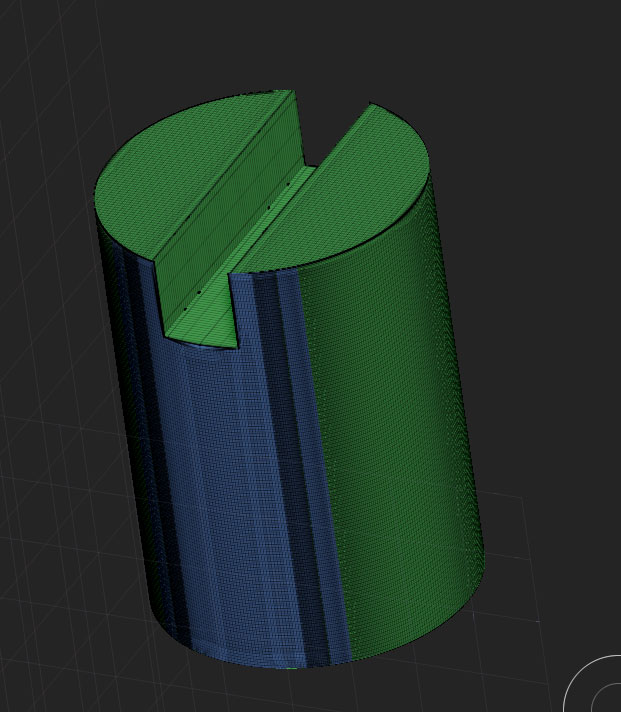
bolt.jpg


  • Decimation is an option for shapes like this (finalized hard surface details where the topology doesn’t matter.). The topology wont matter; make it however you need to in order to get the surface you want, then decimate it as low as you can.
  • Dynamesh with a subtractive boolean.
  • Slice brush to cut a cylinder into the 3 parts, and then use transpose’s extrude (ctrl) to raise the two end groups upwards.
  • Create it with standard Sub-D modeling in another package and use GoZ

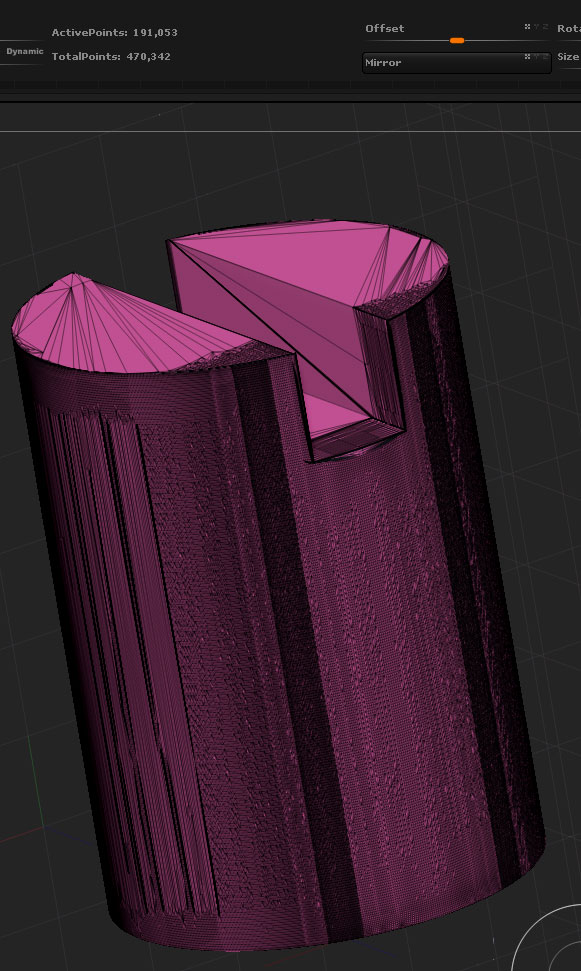
Thanks for the quick reply! Those are all great solutions! I used the decimation master set to 50%. (originally set to 20% but got errors during the process… normal?) The shape looks right but the topology is quite messed up when I check it in polyframe… is this good practice for modelling? (see screenshot 1)

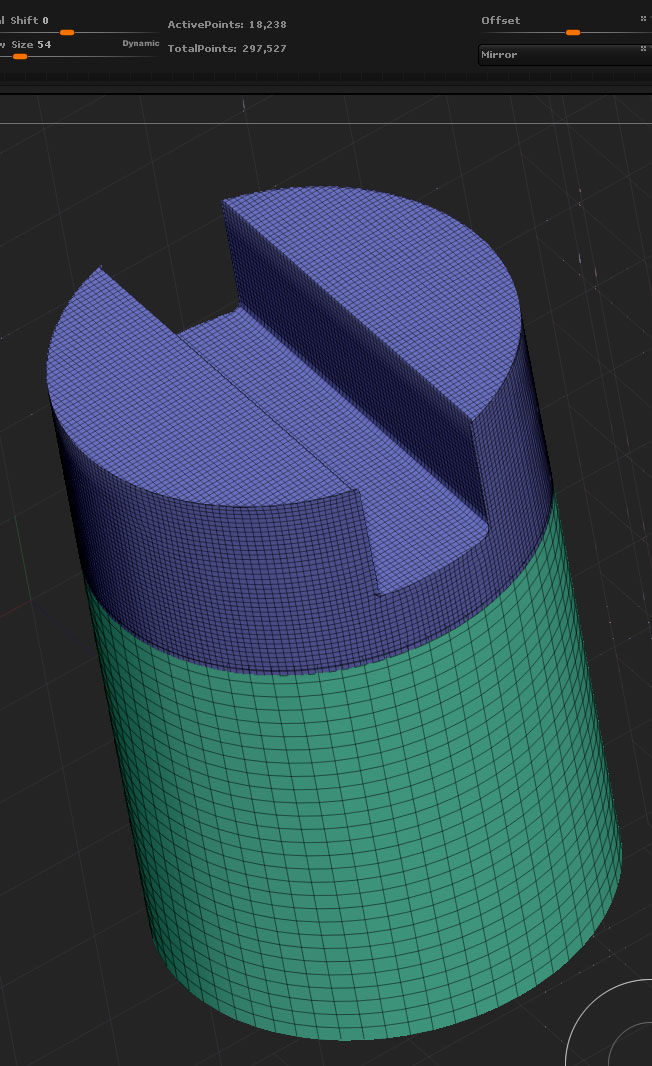
Through dynamesh… i got pretty good results and topology that makes more sense, but I was still concerned that these bolts would take up too much size since the polygon count is still high. Thought of ways to reduce the polygons required… so i basically split the model into 2 sections, where the top section is still dense to keep the shape, and the bottom is new simple cylinder attached. (see screenshot 2) Does this method make sense?

Thanks in advance! Still new to zbrush and want to do things right :slight_smile:

Attachments

bolt2.jpg

bolt3.jpg

is this good practice for modelling?

There are a few schools of thought on it. Some people prefer having clean sub-d topology for hard surface models in case they or a colleague have to come back and make revisions to the model (such as the thickness of a bevel or an adjustment to a boolean), or in case they have to pass it onto someone else. But at the same time, they’ll also be more than likely to recommend forgoing zbrush altogether as they’ll need to take advantage of things like operator stacks in order to make that happen.

Others welcome the new, different ways zbrush can let you tackle a hard surface model. With the recent versions of zbrush, topology no longer matters as much to the sculpt. If you no longer have to sculpt on or paint that piece of the model and you’re confident with the shape, you can use decimation master to crunch the topology down for the sake of having a lighter file size. If you do find that you need to go back and adjust the sculpt, then you can always use dynamesh on it and continue sculpting.

Both have their places. I find it easier to only worry about the topology when there is a specific goal you need to achieve from it.

I try to keep my model’s topology clean as I do want to bring it to animation in future in maya. and also just seems like good practice to have nice clean topology… makes it easier to edit or pose later?
Clean and simple topology also saves filesize right? My model is currently 2mil+ totalpoints. it did lag a bit when i first added the really ‘polygon heavy’ bolt to my model. Just trying to keep good balance between total polygon and program performance.

thanks again for your help!

Well in that case i suggest you to model it in low poly or make a retopology using ZSphere retopo and then creasing the edges you want to preserve hard while subdividing

and also just seems like good practice to have nice clean topology… makes it easier to edit or pose later?

For characters. For robots and other hard surface shapes that don’t deform it’s not going to make a difference unless you’re doing some heavily exaggerated cartoon bobbing.

You could try deleting unnecessary curves in the geometry pallette too.

Thanks all for the help! learned much about diff ways to retopo!
Now managed to get a much more polygon efficient model through zsphere retopo.
Deleting loops function from the Geometry palette also gave great results!

sorry forgot to add this question as well about the bolt too.
I am trying to use it as a insert mesh brush so i can add the bolts to different parts of my model, but the orientation of the bolt is always off. It doesn’t align to surface like how it would be with the insertCylinder brush.
also is there a way to delete / remove the insertMesh brushes I created? I’ve created the bolt insertMesh brush a few times through different experiments when it was still too high in polygons.

thanks

Make sure you have the top view of your bolt snaped in the viewport before creating the Insert Mesh Brush. After that you can play with the imbed slider under Brush>Depth