ZBrushCentral

blend/merge geometry seamlessly

I’m a beginner in ZBrush
I’ve been trying to sculpt cartoonish hair on a character.
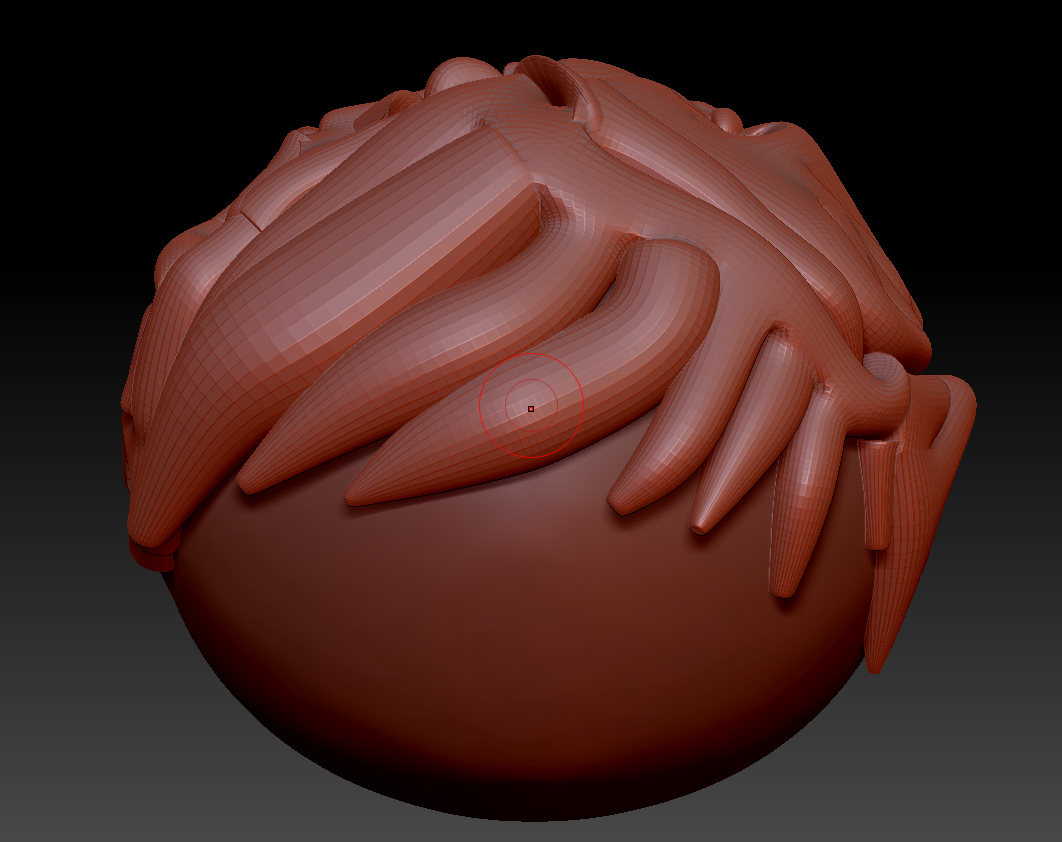
I started off using Zspheres and then converted to adaptive skin.
here’s what I got:

I want to know how to merge the different “hairs” into one block.
Someone already sculpted cartoonish hair using zspheres method:

I want to know how he transformed the zshperes into one block hair.
Please help.
Thank you

Attachments

348kscp.jpg

he is using Zsketch, not Zspheres. You can also dynamesh the effect you have after you convert it to an adaptive skin if you’d like.

You can Dynamesh it (found in Geometry menu). Use the slider to set a resolution > Hit the Dynamesh button and see if that is what you’re looking for. If that isn’t helping > Undo it and try a different resolution.

It’s hard for me to answer when I don’t have ZBrush in front of me, but check the settings (buttons) in the Dynamesh tab. You can maintain separate polygroups, you can keep all those “parts” separate too so pay attention to your mesh afterwards.

In most cases you want to keep your resolution as low as possible for the level of detail you need at that point. So 512 or even 64 might work for your hair. If it melts your sculpt into a glob > Undo & crank it up a bit.

Also, you can hover your cursor over most any function or icon in ZBrush and hold “Ctrl” to get an explanation.

I hope this helps you today. Good luck! Oh yeah, you might post a pic of your mesh “before” you hit Make Adaptive Skin, because ZSphere can get screwy if they overlap or get too twisted up. I’m embarrassed because I can’t remember if you need to hit “Make PolyMesh” (Tool menu) to convert Adaptive Skins.

…well, again, good luck!

~Ken
Thank you guys both! Very quick reply :cool:
Especially you Ken, your answer was very detailed.
beta_channel you were right, I didn’t pay attention, he actually used Zsketch instead of Zspheres!
But I’m glad I chose Zspheres since they give more control when used with the mouse.

So with your guiding I was able to do it, and here’s how:
After I made “adaptive skin” out of the zspheres, I clicked “Append” under the subtools menu and added the “Zspheres Skin” tool. I deleted the old subtool named “Zspheres”.
I made sure the subtool “Zspheres Skin” was selected
I clicked on “Geometry” and then “Dynamesh” and clicked on -Dynamesh- button underneath and then “add”. The the mesh was merged together and I could do whatever I want now.
Again, thank you for the help guys.

Regards.