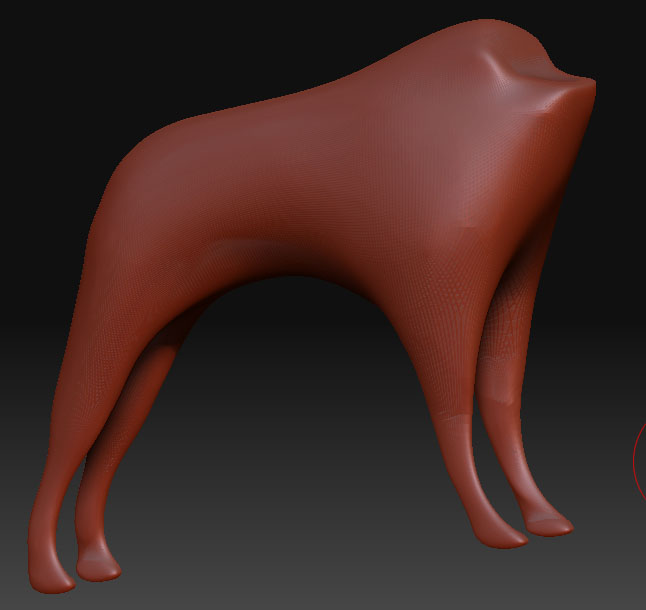
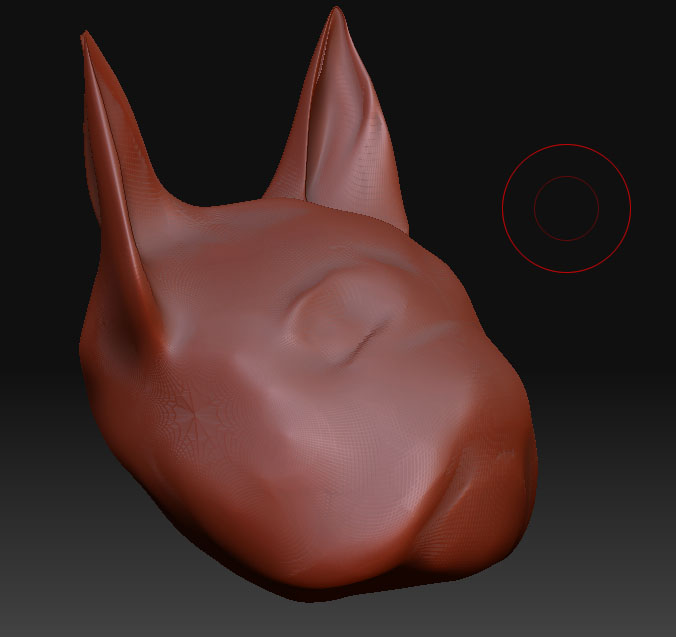
Well, ok, there are a number of ways to go about doing what you want, but they will all take a bit of effort. There is no magic button for what you want to do. They will all require you to manually edit the geometry, inside or outside of Zbrush, which you should probably do anyways, because the geometry doesnt look quite as clean as it could be. Either way though, you will be creating a new tool with different geometry, so no, it wont import into your present tool, with it’s current layers of subdivision.
Planning a model out in advance so you dont run into situations like this is a skill you’ll develop as you become more experienced. Luckily, you don’t seem so far ahead in detailing that much will be lost, and you’ll benefit by constructing some cleaner geometry.
IN Zbrush, you can make the objects parts of the same tool, by appending the head as a subtool to the body, then using Subtool Master to merge the objects into the same tool. Read up on Subtools and subtool master in the Zbrush Wiki documentation. Also read up on the “Insert Mesh” function, as it would be an alternate way to do this.
Once you have the two objects grouped together in the same tool (as subtools or otherwise, you’ll, use Zbrush’s Topology drawing tools to draw a new seamless low poly cage over top of the two meshes, and make a new skin, resulting in a seamless logical mesh with which you can start detailing. It looks like these objects were sculpted from primitives, or something else that resulted in them having some ugly geometry, so you can take this opportunity to clean that up a bit, and draw the lines out in more logical, evenly distributed fashion, without the poles from the sphere poking up in inconvenient places.
Alternately, outside of Zbrush, you could use a Boolean operation, like Union, to “merge” the two meshes, but this will create a lot of Ngons, and generally poor geometry that you are going to have to manually clean up and “stitch together”, vertice by vertice, into all quads, to import back into Zbrush. If you do this, I would recommend exporting both tools at the lowest level of SubD, to reduce the amount of cleanup work, not to mention just making them easier to manage in outside applications. Regardless, the end result will not be as clean, as if you had simply redrawn all the geometry in Zbrush.
It’s a lot to learn, I know, and I’m sorry it’s too much information for me to just spoonfeed you here…you’ll need to learn it for yourself… but it will pay great dividends later on when you become comfortable with Zbrush’s topology tools.