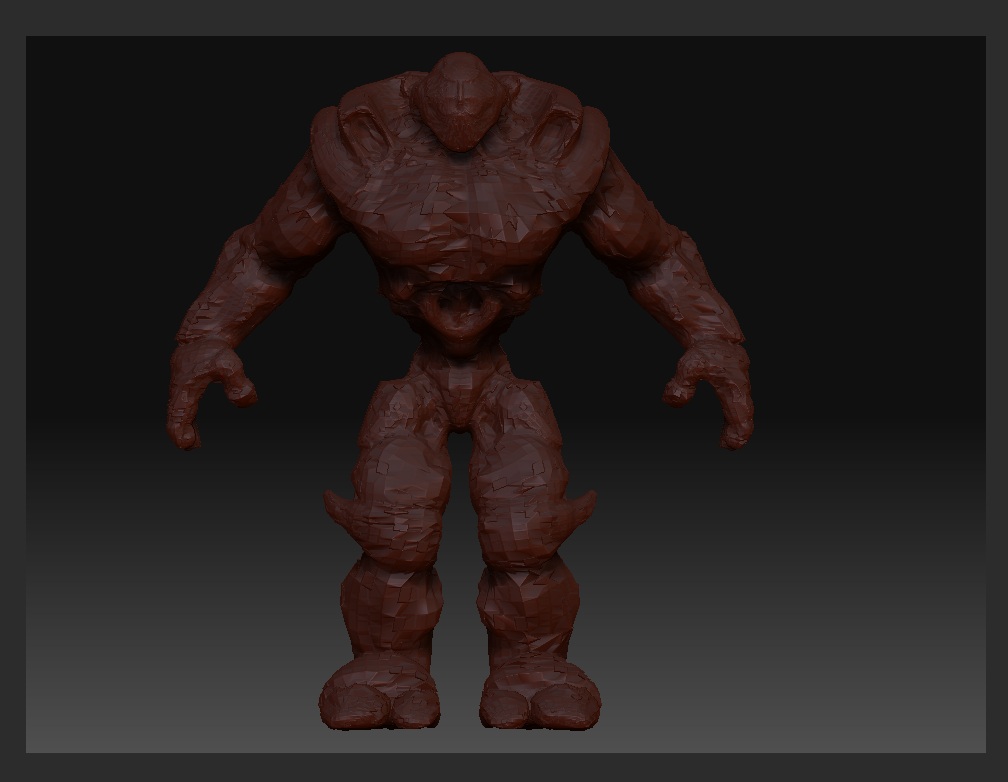
Hi. I have a big problem and I need some help. I have a model with a few subdivision levels, however it doesn’t have any UVs. It’s only polypainted. So I export my lowest subdivision level out into XSI and make UVs. After finishing UVs I go back to Zbrush,go to my lowest subdivision level and import the model with UVs so they are loaded to my ZTL. The UVs seem to look ok when I hit the UV check button - no overlaps at all. The problem is when I go to higher subdivision level some strange triangles show up. I didn’t modify the model at all. When I opened it in XSI the polygons were flipped so I inverted them back again, also I rotated my model 90 degress. Could that be the problem? Please help if any of You know the solution. Oh and please don’t ask me why the model didn’t have UVs in the very beginning. I’m not the one who actually modeled him. I just was to create UVs
Attachments