ZBrushCentral

Best Render vs. BPR in ZBrush 4R4

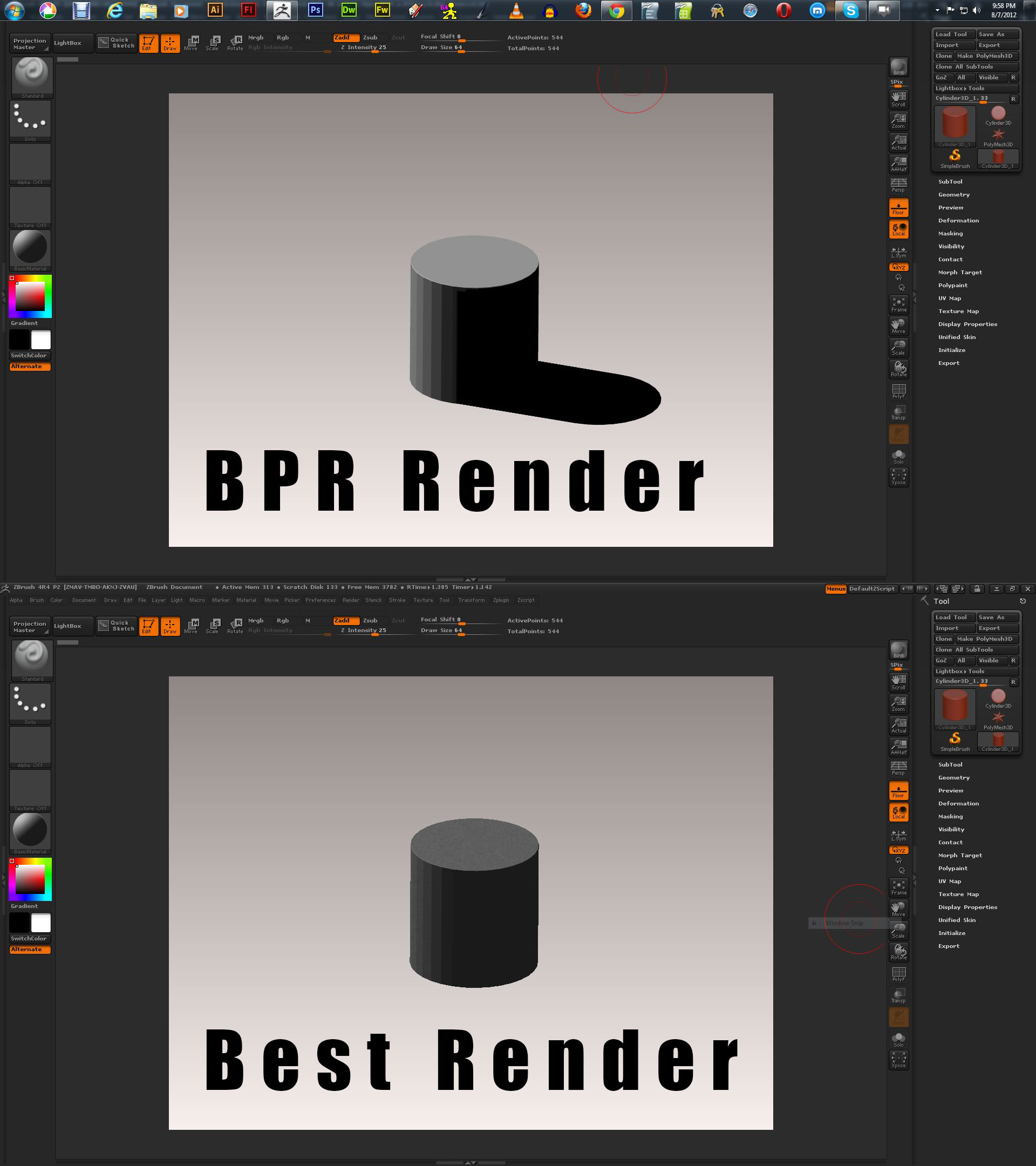
Greetings, This particular issue with ZBrush 4R4 has been nagging at me for awhile. I am including an image to demonstrate. When I do a BPR my shadows show up, but when I do a ‘Best’ Render the shadows don’t show. Am I missing something in the settings? I have been doing some training over at www.digitaltutors.com and I have seen other instructors taking care of final tweaking of the images that are generated in the BPR using Photoshop. The image I am included demonstrates a very basic situation with a simple cylinder and a basic material.

When I have tried the ‘Best’ Render in more complex image the image comes out corrupted.

Attachments
Best-Render-Comparison.jpg

The shadows in your pic will only show in a BPR render. This is because they are cast on the ‘Floor’ which doesn’t exist for a Best render. The reason for this is that Best render is a legacy renderer - for a model in Edit mode BPR is superior to Best render in most cases.

Some materials (such as DotsOnMetal available through Lightbox) will only show their full effect using a Best render. It is possible to combine a Best render with a BPR by doing the Best render first and then immediately following it with a BPR.

If you wish to render 2.5D effects (such as models that aren’t in Edit mode or paintings uisng the 2.5D brushes from the tool palette) then you will have to use the Best render. This will render shadows but they will only appear on other surfaces (where there are ‘pixols’) not the gradient background. There are various settings for these shadows in the Light palette.