ZBrushCentral

Beginner question/problem Help!

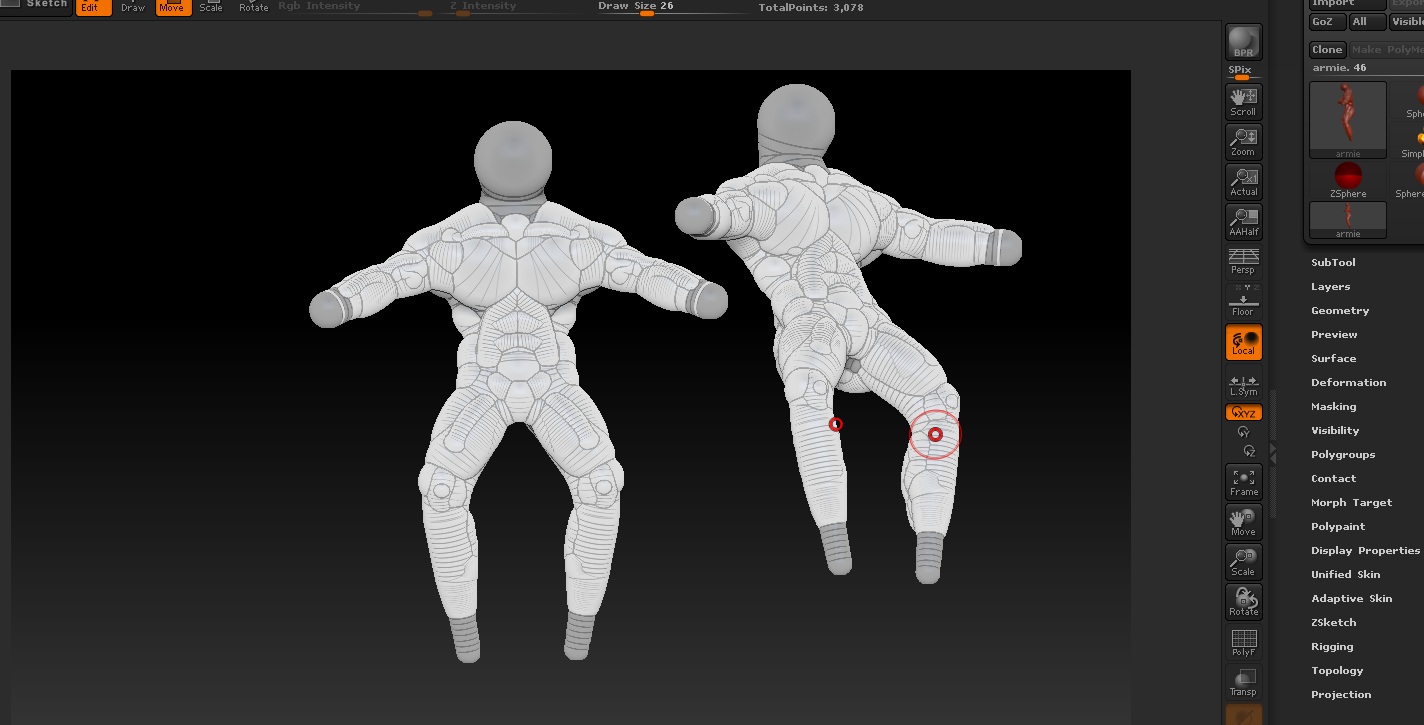
Hey guys, I just got ZBrush the other day and started using it so this is probably a silly quesdtion but anyways. Basicaly when I saved my zsketch as a tool(Dont really know why I even did that, not sure what a tool is or does in Z-brush) i ended up with two copies of my creation on screen one i could move and interact with liek normal and the other stuck motionless in the middle of the screen like a zombie ridiculing me and i cant get rid of it. please help :slight_smile: Thanks in advance.

Attachments

Z-brush duplication trouble.jpg

Ctrl+N should clear the document.

The reason it did that is because, any time you draw a tool (3D object) on to the canvas, the first thing you do after that is turn on the ‘Edit’ button. This then allows you to edit the tool to do things like sculpting and painting. When you don’t click the ‘Edit’ button and go to draw the tool again, it drops the first one down to the 2.5D state on the canvas and can not be edited from that point on. You will learn the benefits of this when you understand ZBrush a bit better.

The best place to start if you are new to ZBrush is ZClassroom and the ZBrush 4 Getting Started Guide.

Thanks guys, I appreciate the help :slight_smile: