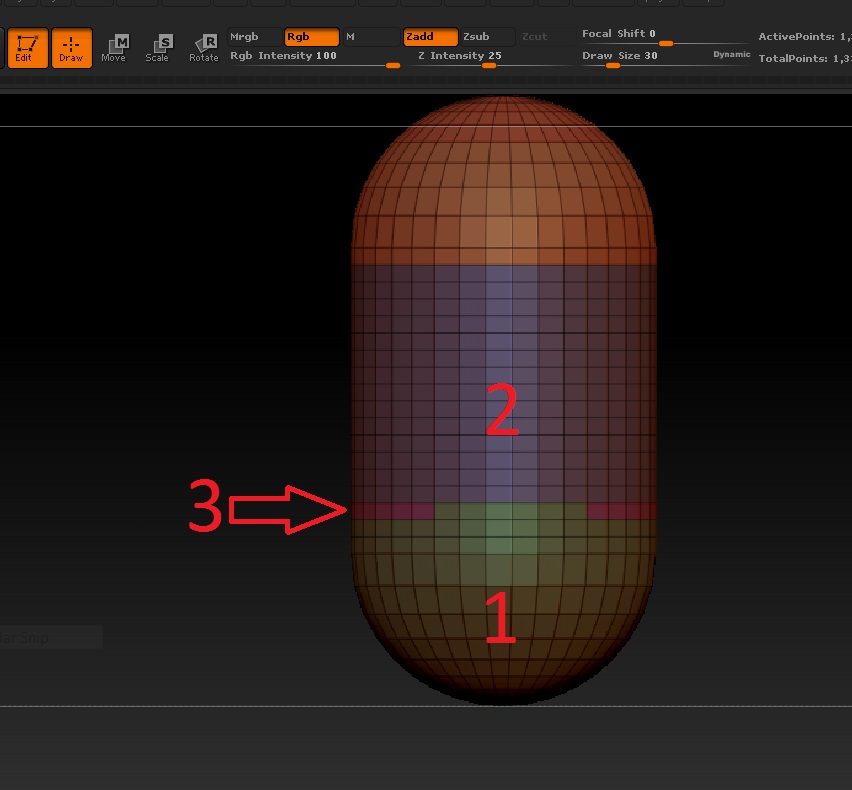
I’m a beginner currently using a combination of ZBrush tutorials and Digital Tutors. I’m currently on DT’s tutorial: Quick Start to ZBrush Vol. 2, Episode 4 … working with polygroups. Beginning at the 5:17 mark I’m having problems with a certain polygroup selection.
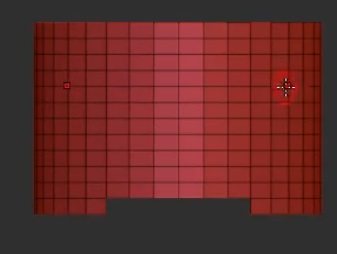
In the image below, I’m trying to make #2 and #3 the same polygroup. In the video, #1 was originally part of #3. It was a half sphere that was trimmed using the hide tool (symmetry on). Once I had #1 the way I wanted it, I hit CTRL W to create a polygroup. When I bring back the full original shape, according to the video, I should see 2 & 3 one complete group. Instead, Zbrush is automatically creating a seperate polygroup (#3). I’ve also attached an image of the end result in DT.
I’m not sure if I’m not selecting correctly or missing something, but the video is pretty clear about the sequence, which I’m pretty sure I followed exactly.
Hopefully I explained this correctly, my apologies in advance if not. Any help is appreciated! Thanks!
Attachments