ZBrushCentral

Basic question

Is there anyone who can tell me how to render something without a @@#crash? I’ve just a document of 2500 x 2000 pixels, one layer and just one basic shader. I tried it about 10 times and every time when the job is almost finished, ZBrush is crashing.
(Mac - 8core- 8gig)

18 @#times… :mad: :mad: :mad:
Are there the same problems with the Windows-version?

I don’t think there is one answer to the reason for crashes. I have had to take pieces to other apps to finish them because I’m not sure how to avoid this problem. It seems that some some Z2 made materials will not render ie; some of the “glow” materials. Also tweaking a subtool can cause same. Maybe if we had a list of presets that are known to help discourage crashes it would be a start.
Some of the searches I have done ,with keywords, point to threads that date back to 2003 which are of course not relevant to Z3.1. Sometimes searching can be as frustrating as the cause itself. At the speed the forum moves now it is very hard to keep up to date with the “fix it” posts. Maybe an anti-crash sticky, without unnecessary comments, would be helpful. It could be worded tactfully so as not to appear as an admission of a fault. :slight_smile:

Help me Obi-mod kenobi…your’e our only hope

There must be an answer about this. Something like: ‘We are sorry… bugs’.
Yes, it should be helpfull to get some advices from Pixo.
I will wait for it, wait

There is a known issue with the Glow materials. If you’re rendering with other materials than those, we’ll need more information.

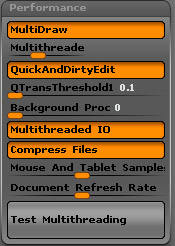
Also, it’s kind of hard to help troubleshoot without knowing things like system specs, Preferences>Mem and Preferences>Performance settings.

@Aurick
Like I wrote in my first post:
A .zbr-document in one layer. No subtools, just saved and opened again.
I initialized ZBrush and painted all pixols the same material (FastShader), so nothing should be wrong with it.
Documentsize 2500 x 2000.
MacPro, 8-core - 3 ghz, 8GB
OS 10.5.5

I tried the same rendersize with the same objects (now all in one object with subtools to keep it 3d). Also more materials.
No problem.

I tried to render the pixols with a 3d subtool, a mix. Like always in the last part of the rendering, ZB crashed.

@Aurick
And some more info…
This weekend I tried to render more, same bad result with a crash in the last seconds of the rendering.
After it I tried to make a displacementmap and export the model to C4D.
It took a lot of time to find out there was a ‘Pixologic-secret’ about this. We cannot make a displacementmap in this version.
Are there more secrets? Maybe about rendering?
BTW, I did the Multithreading test and initialized ZBrush before render.

Attachments

screenshot_01.jpg

What do you mean by “can’t make a displacement map”?

I can’t duplicate this, and have not seen any reports of a similar problem from other users.

About the displacements, I tried to make one but they look real bad with a lot of seams. Then I started a search at the forum and found this thread:
http://209.132.96.165/zbc/showthread.php?t=64630&page=1&pp=15

1 Week Ago Reply Quote UserGallery ThreadGallery Post#8
aurick
Super Moderator
Join Date: May 2001
Posts: 15,835
I have checked with the development team on this. It is a known issue, and is being worked on.
Thank you for reporting it!

This answer was done a week ago.

About the render-crashes
Also Pride (second post in this thread) has the same problem.
Rendering is like russian roulette. I tried also other documents and mats, but like I wrote before, there’s mostly a crash when I use another size as the standard 1120 x 840.

All other funcions are working more as perfect
:wink:

Regarding the rendering: Actually, you shouldn’t use any non-proportional sizes at the moment. There is a known issue with using canvas sizes where the Document>Pro button has been turned off. It affects more than the rendering.

If you are having trouble with proportional sizes, please give me more info so that I can investigate.

Aurick, I did not have a lot of time testing renderings. For now I needed some and I just double the size some times. I had succes in rendering the full size with different materials without a crash. I used no layers, and a complex mesh. Also after I dropped the file into pixols, everything worked just fine.
Shortly, never change the default size, just double and double. I will let you know when this is not working ;-S
The same problem I have with making a texture. When I follow a tutorial to make a seamless texture (I need a square), everything is wrong. I hope the betatesters are not blind :rolleyes:
btw: I should like to have the decobrush working perfect. This is the best brush to find in 3D (compliment!). If it is possible there should be one as a sculpting-brush in the next version.
Cheers

Just a bit later:
http://www.zbrushcentral.com/showthread.php?p=638154&posted=1#post638154

I am not using my Mac Version because I have the same experiences. It’s complete garbage the way it behaves here. I am using my Windows version which runs dandy by comparison. The Mac 3.2 is MUCH better than the 3.1x.
. The Mac version is more like a beta version… some things work well, other areas are highly explosive. I gave up on it for now.
Cheers and merry christmas
Rainer

Joke of the year:
I can’t duplicate this, and have not seen any reports of a similar problem from other users.

Rainer, have good times too!

First time I quote myself :slight_smile:
Where is the post of Pride?

@Bas Mazur : Aurick IS trying to help you but your confrontational attitude is certainly not the best motivator.

As for your rendering problem…
Increase the “Uni” value to 100. (It is located in the Shadows modifiers in the Light palette).
If this resolves your problem, then keep ‘Uni’ at 100 and hopefully this will not be an issue on your system when the next version is released.

Thank you, this is working. :eek:
I started this thread more as a year ago and time changed my attitude.

Thought of some work arounds if you are wanting to render with unified shadows. One requires a big screen, the other requires assembly.

OS X has a little app called Grab in the application utilities folder. It allows you to ‘grab’ the image of any window. The render usually crashes on the last row of render buckets. So grab it first.

If you have a big enough screen to capture the render, put a mesh of some sort just under your model. Make it large enough to cover some of the bottom canvas where the last row of rendering occurs. Once the render gets to that row where it crashes, grab it!

If you have a smaller screen or want a large image, set up your scene, exit edit mode, and save as a ZBrush document. You can reopen this after each crash within seconds. It will render as a whole, but you can bring different sections on screen, then piece the grab images together in Photoshop.

Either way, just put a filler mesh on the bottom, not your work. :slight_smile:

jamespthornton, thanks for your help. I can render without a problem when the slider is set at 5. At zero there is a crash