ZBrushCentral

[basic question] Gaps in my model

Hello,
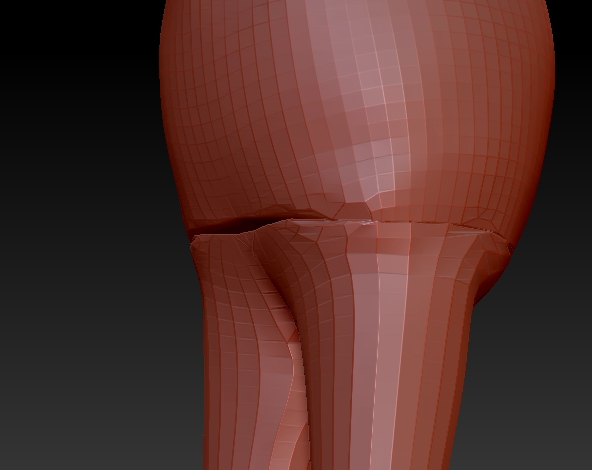
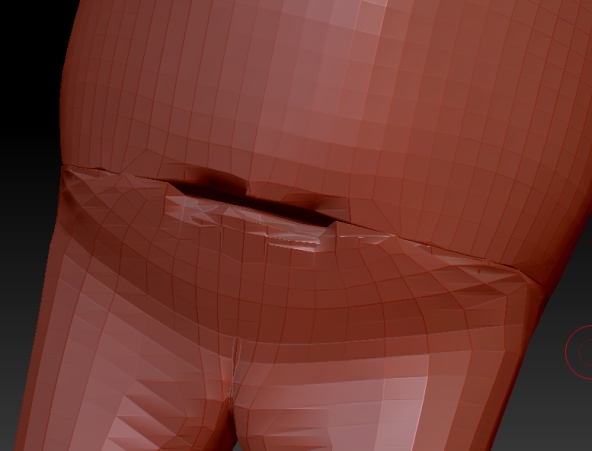
I just started using zBrush and I encountered following problem: after creating a model with zSphere armature, adding adaptive skin and some dividing/sculpting this started happening:

When I try adding clay in those places and smoothing it out it starts peeling away in both directions creating an even bigger hole. I’ve couple of fissures like this on my mesh and I’m not sure how to fix this or what caused it in the first place. Help. :slight_smile:

Attachments

peel1.jpg

peel2.jpg

It looks like you might have 2 different objects. What does your Zsphere model look like?

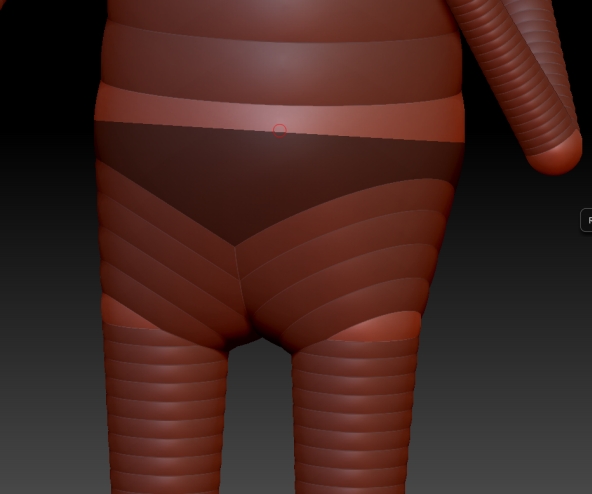
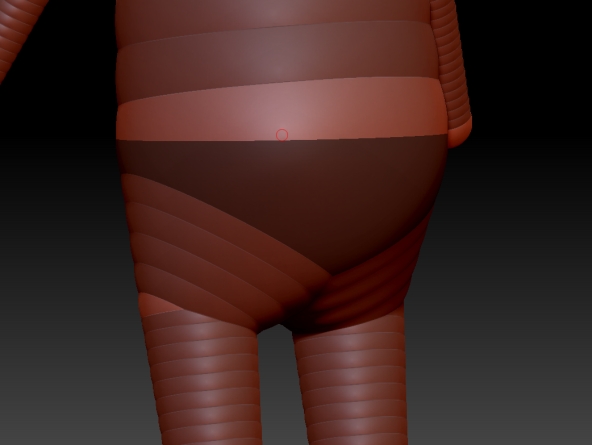
This is what it looks like:

(I used adaptive skin with density 2 iirc, not sure if it matters)

Attachments

peel3.jpg

peel4.jpg

Bump.

There’s 2 different skinning options, try classic at 1 instead. Better method is to edit the base mesh into a shape close to your model, Arms out and legs slightly apart in T pose. Don’t go wild subdividing just yet, need another level to get the face and jaw/nose fleshed into place, add one. Keep a clone of the model with all subdivisions intact(save as .ztl). Symmetry, brush size, be snapped into a view before moving parts.

You make the armature and create the skin, switch to that skin to model on.