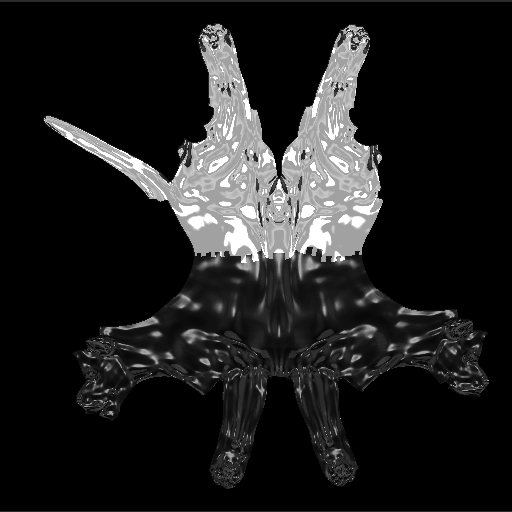
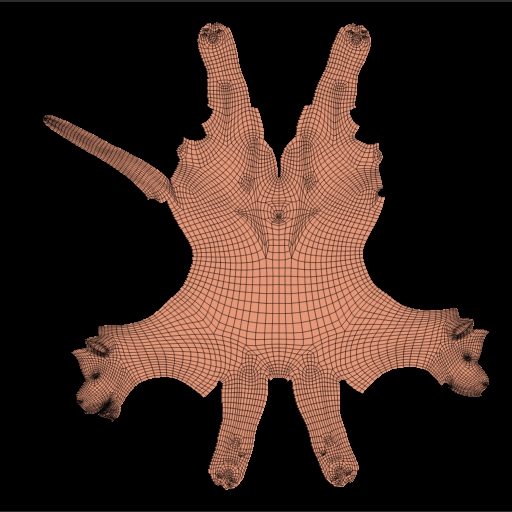
Looking for some feedback on how to bake MatCap into UVs so it can be used in another 3D rendering package (I’m on Lightwave).
The best method we found so far:
- Set your document to the UV size and BG to black.
- Get a UV set up for your model, Displacement and Normal Map.
- Use UV Master and hit ‘Work on Clone’ - with Texture On and Displacement Map on - the new Subtool shows up w/ the MatCap. Sometimes you might have to hit the ‘Clone Txtr’ and ‘Clone Disp’ to load it into the Alpha and Texture channel.
- Flatten the UV, and you can dial the Displacment Intensity to taste or use the original subtool intensity. You’ll probably notice that the image its not quite as smooth - so just Subdivide a few times, and you get a nice smooth image with the MatCap information baked into it.
- Just Export the Document.
- The MatCap exported image is slightly different from the UV (subdivision to get a smooth image) - you can fix this with a little work in Photoshop using Puppet Warp.
This would be an alternative to the Image Plane method - since that one bakes an overall MatCap to the whole Area.
We found that this method just keeps whatever MatCap the Zbrush artist used in the model. So, we are staying as true as possible to the original model.
Maybe other folks found other methods to do this? The only handicap to this method is the hour or so you need to spend in adjusting the UV of the MatCap image to match the original UV space.
Here are 2 images showing the results - The MatCap version hasn’t been warped into place, just as an example. It also shows 2 different MatCaps baked in.
Attachments