ZBrushCentral

Baking a Material onto the Model - Draft Angle Analysis almost solved.....

Hey,

I’ve almost figured out a way to perform very basic draft angle analysis using a custom made metcap material. NOW… this is where I need your help to complete the process.

I need to know if it is possible to ‘bake’ the material into the model preferably as polypaint, so that as I move the model around the colours will stay put. The material currently moves to match the orientation of the model, which isn’t very helpful.

Once I can get the workflow sorted I will share it for those who are stuck like me!

Thanks!

Attachments

Draft Angle1.jpg

AFAIK, there are two options for baking a matcap to polypaint, though I’m not sure either will be helpful to your cause.

The first involves creating a displacement map from your model, using it to displace a plane, and then putting a material onto that while exporting the result as a texture image. There’s even a plugin that can automate this functionality. This means the direction the baked material takes is based off your UVs instead of the mesh though, which probably isn’t helpful.

The second method is to use a series of screenshots along with Spotlight or Zapplink. This runs into the same issue you’ve found with the nature of matcap materials, where the direction is based off the normal of the model. Since you have such a simple material, a simple solution may be to mirror it. So you would export the front-view and project it back onto the model, enter a back-view, flip the material, and paint that. This will require some manual painting along the seams though. Visually it should look as you expect, but granted I have no idea what a draft angle analysis is, or if there is any importance to the numerical values of the colors used.

Just going purely off of your screen shot, I think an object space normal map could be a possible solution, as it deals more with directionality. You’d just need to pick the color channel that represents the direction required, and use it as a mask between the two colors. A quick level adjustment can be used to control how harsh the falloff is. And because the result is a texture map, the colors will stay locked in place regardless of how you move the model. [Example]
Hello Cryrid,

Thank you for taking the time to help me out here!

I did find the “Metcap Baker Plug-in” but I was unable to achieve any successful results.

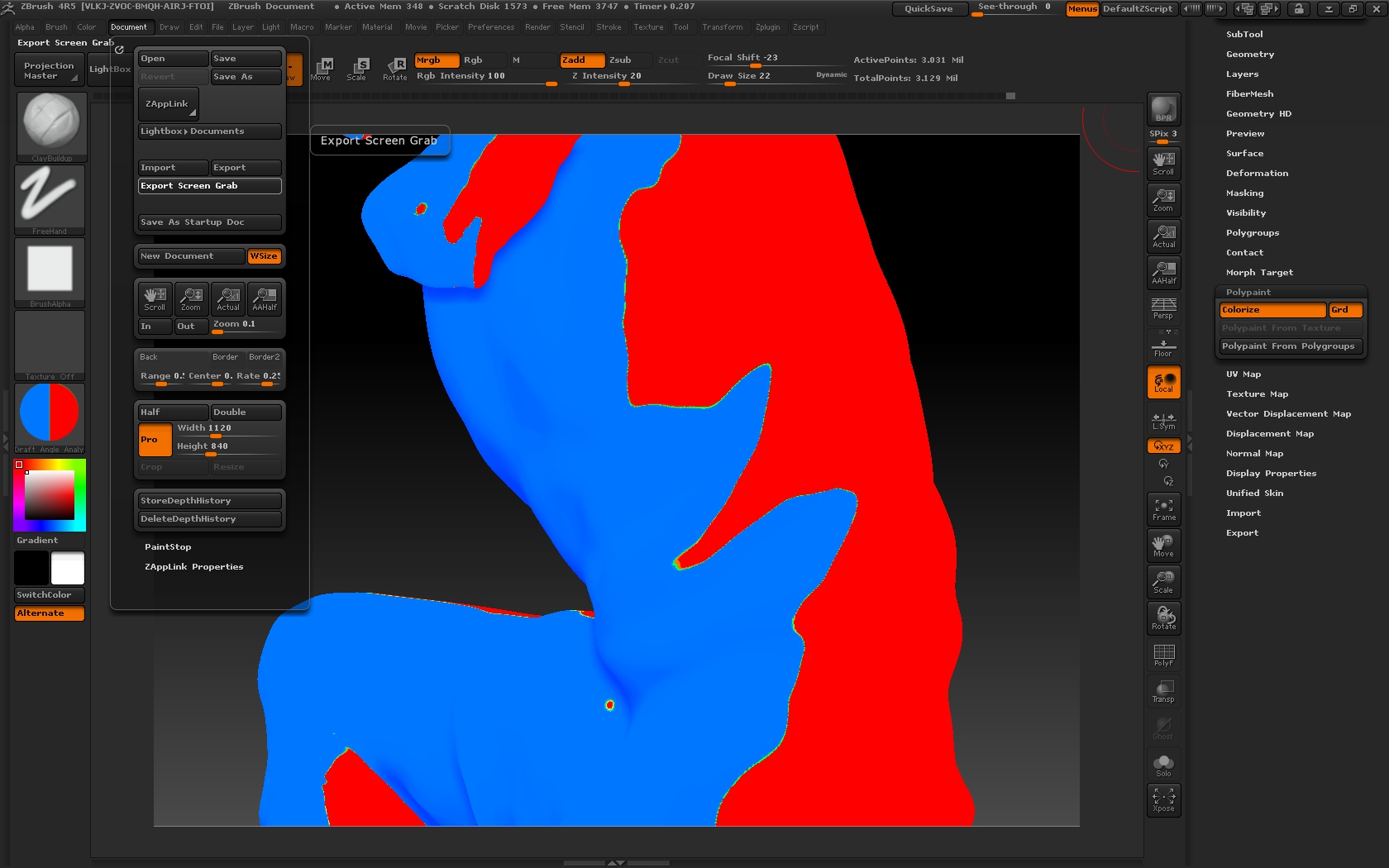
As obvious as it sounds the use of Zapplink was pretty successful as a basic analysis tool. The results are rough but it identified the basic key problem areas I need to focus on. It doesn’t report actual draft angles (obviously), but it does provide good visual indications of change of direction in the surface.

On projects like this I typically orient the part so the front elevation would represent one half of the tool and the rear elevation the other. I’m looking to create an even split line around the part, so each half is solidly one colour. I’ve attached a screen grab with some notes to help explain. It’s pretty rudimentary stuff, but it does work.

What would really help, would be some kind of lighting or material set up that would provide this data on the fly. So you can make changes and immediately see the impact you’re having. Do you or anyone else have any ideas on how to achieve this?

Thanks again!
zapp link projection results.jpg