Hello,
often I just want quickly to select areas which are easy to define from a certain point of view.
Then I’m painting with “backface mask” on, looking from an angle, where I can see with my camera view exactly only the part I want to mask.
Sounds easy and logical, but it doesn’t work, when polygons are neighbouring!
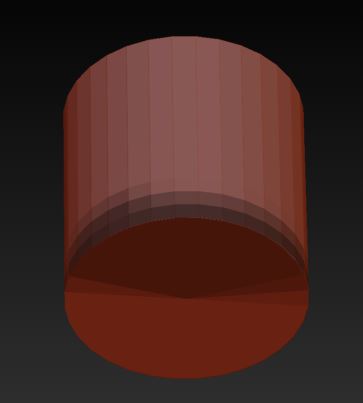
I have attached pictures from a simple cylinder as an EXAMPLE:
First picture shows my masking from a static camera view
and the second screenshot the result when I turn the object.
Of course I know the polygroup option (“group front”), but there are complex organic shapes, which I have often to mask quickly.
I still haven’t found a way inside ZBrush to solve this.
(In Maya it would be “camera based selection”)
Many thanks for reply!
Mask painting just from this angle: backface masking is on
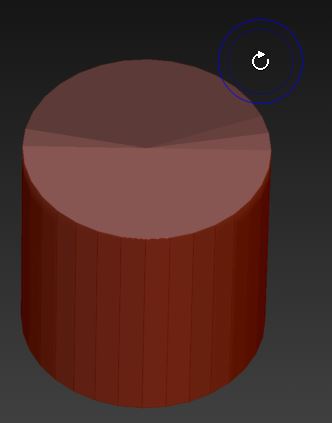
Result when turning the object.
Even other curve settings didn’t change that previously hidden areas were selected, too