ZBrushCentral

Aurick read me, URGENT!!

1) Before assigning any tiles mapping method it is important to first specify the texture size that you’ll be exporting. Otherwise, ZBrush will calculate the UV’s based on a texture size of 1024x1024. Since tiles mapping are precision methods, this can create seams issues.

Yeah, but the thing of it is, I went back into the original file and checked: I am mapping at 2048 X2048. Twice the size of the 1024 standard. Should I go bigger?

  1. Not all programs register the 0,0 point on the UV mapping precisely the same. You may find that you need to offset the texture slightly in the U and/or V direction. This can be done from within ZBrush (the controls in 3.5 are in the Tool>UV Map menu), or can also be done in most animation packages when you apply the texture.

How do I do that, in Maya and Zbrush (want both nuggets of information.
anybody else out there who can help me?

You want your map to have about as many usable pixels as your model has polygons. So if you have a model that’s ~1 million polys you’ll need a 1K map. At ~3-4 million polys it’s a 2K map. For ~10-12 million polys it’s a 4K map. Anything over that, you should split your model into multiple SubTools so that you can use multiple maps.

As for adjusting the map I can only tell you how to do it in ZBrush. You modify the Tool>UV Map sliders for AdjU and/or AdjV, then click ApplyAdj and export your map.

Tried both and it is still not working. My model only has about 700,000 polys total. What gives?

Hate to butt in here, not sure exactly what’s going on, but if you’re seeing texture seams pop up in a 3rd party app (Maya?), it is possible that there’s some kind of texture filtering (such as antialiasing) going on in that other app. This can cause borders to become fuzzy and reveal seams that ZBrush hides with more precise texture mapping.

I ran into this in 3ds Max, Blender, and Silo3d. I was using a 4096x4096 tex on a 15 k model, so it wasn’t poly to uv resolution. I was able to fix it by tweaking the map parameters to avoid the filtering, although in 3ds I think the seams were still visible in the viewport, but would go away in the render. Unfortunately, I don’t remember what parameters I tweaked, nor what they might be in Maya, so I apologize if this isn’t helpful.

Also, the UV Border (overpaint) setting in ZB might help, although this wastes precious pixels.

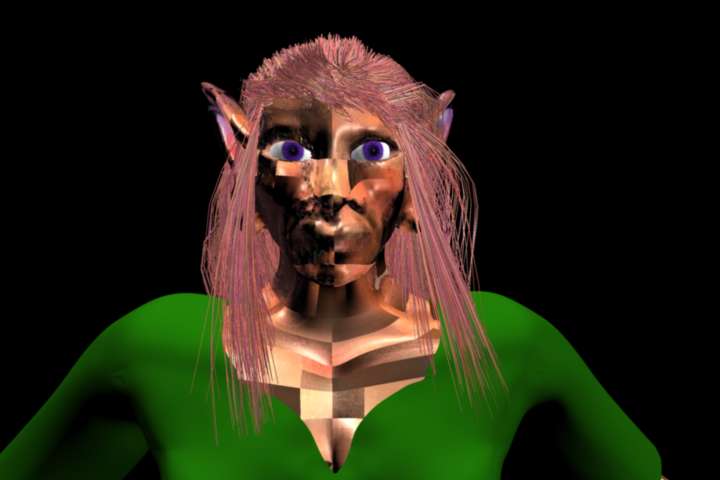
attached is what it looks like when I try to do it: could this be what you are describing? As you can see, it is tiling in a very, very weird way. I SWEAR I am flipping it!!

Attachments

notgood.jpeg

Ah, doesn’t look like a seams issue, that does indeed look like a flipping problem. Try flipping the UVs in the third party app versus the texture, maybe. Also check the UV space, I think ZB uses uv coords from 0 to 1, and some apps use -1 to +1. There might be something going on there.

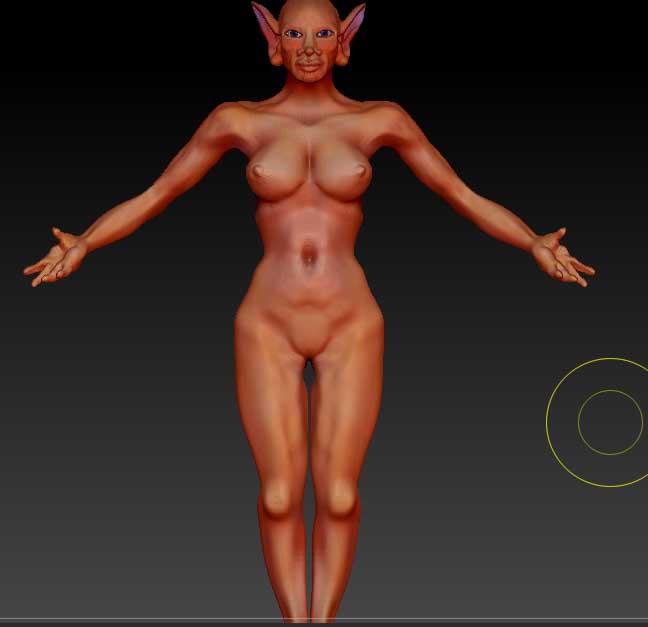
The applications I am using are Maya 2010 and Zbrush 3.5. I have not done anything else. For me this is sad: It is BEAUTIFUL when it is in Zbrush, the skin I mean-it would make a lovely midlevel animation (i.e., not photo real, but not too cartoony, would be a DREAM to add to a fantasy movie :()

If anybody is out there, could you tell me the settings for Maya? I already know how to flip it in Maya and Zbrush…

Attachments

beautifulskin.jpg

hello?