ZBrushCentral

Artifacts on renderd shaders help :D

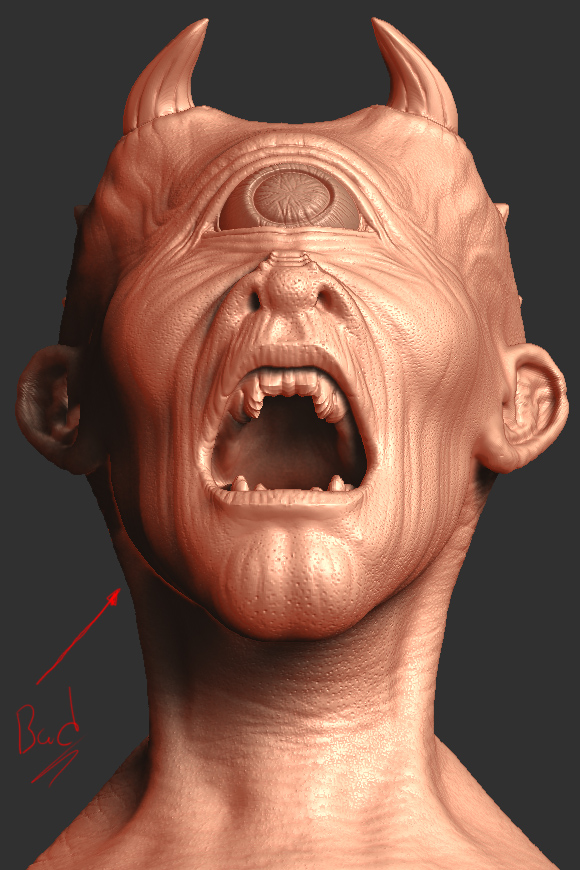
I always wonderd why a zbrush shader has this issue with shadows on a object, I see these everywhere on some zbrush sculpts thats been posted. I rendered 2 examples here on what im talking about. Is there any special way to get rid of those odd artifacts on your shader? could it be the shader it self? or rendering panel options? or lights?

Examples:
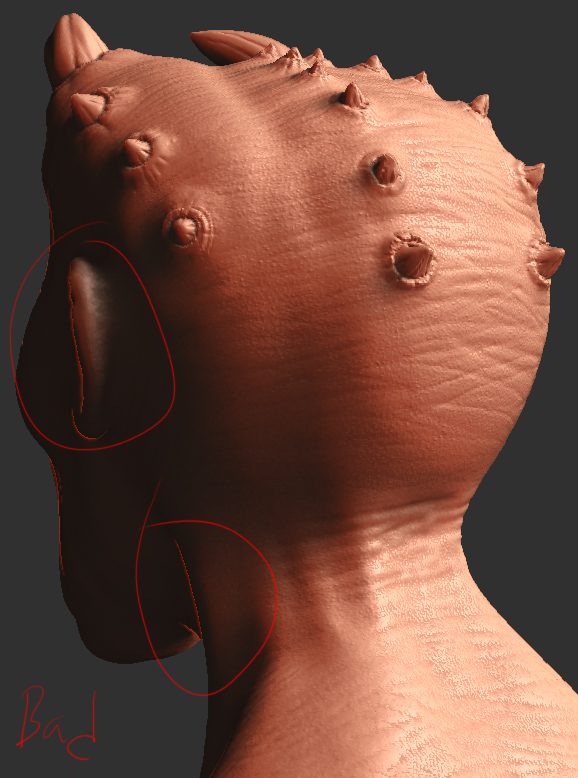
example_01.jpg

Attachments

example_02.jpg

Because you drew lines directly on the artifacts, it’s hard to tell for sure.

If you’re talking about jaggies that appear at the edges of objects, the solution for that is to create your document at twice the desired size and then use the Zoom>AA Half button prior to exporting your render.

If you’re talking about that backlighting effect that I’m seeing in places, it’s the particular MatCap you’re using. MatCap materials have the lighting baked in. Anything that happens with the lighting is caused by the material. But remember that what you’re seeing on the canvas is a real-time preview with real-time shadows. In many cases you’ll see shading problems go away if you do a Best render.