Hi! I get a problem in maps I create with two of my models (below is the map i got). I’m not sure, but it seems to be a problem related to the fact that when adding detail some vertex moved away from the model. How can i correct this?
Attachments
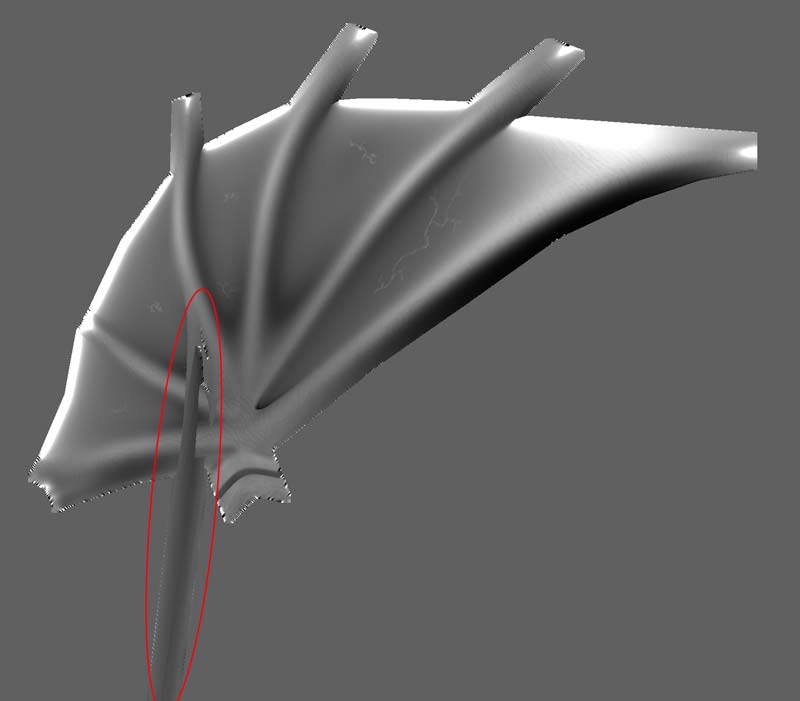
Hi! I get a problem in maps I create with two of my models (below is the map i got). I’m not sure, but it seems to be a problem related to the fact that when adding detail some vertex moved away from the model. How can i correct this?
That looks like a stray UV point. Did you ever save your model at a level other than 1?
Try importing your base mesh again before creating a new displacement map.
I’ve exporter the hires mesh to use in another program that calculates disp maps, but don’t know of anyone. After posting previous msg I proved to reimport the lowres obj and create the disp map and I got it succesfull, but i’m using that maps for bump mapping and it has very low kevek of detail even in 32bit 4k map and streng of the bump at 100 or more. Is there another way to get real bump maps?
Try using Zbrush to create a displacement map (which can be used for a bump map as well). Often what I do is create a displacement map at each level of Divide levels in Zbrush. The higher the level the finer the detail of bump. After creating each level I take all the images into Photoshop and put them on seperate layers, putting the lower detail ones on the bottom. I then turn all of the layers to the overlay setting except for the very bottom layer. This way I end up with a bump/displacement map that encompasses all of the levels of detail. It is great for creating a shadowy overlay for a plain color map too, by simply putting it on the top layer of your color map in photoshop and applying the multiply setting to that layer.
Best of Luck!
Seth
.