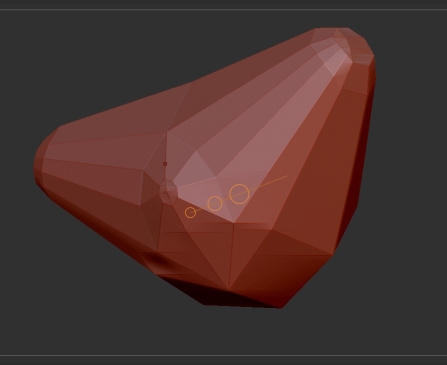
I have this problem as well, although I just started seeing it. Only on certain models though.
Is there no real fix for this other than “turn of multidraw”? Performance while rotating etc. takes a decent hit on my pc when I turn it off.
The error seems to be affected by UVS/ textures.
model with uvs disabled/deleted, has much less artifacting.
Model with uvs enabled has more. (seems to anyway)

And if I add a white 256x256 texture, It gets real bad.

Anyone from pixologic have any info on this problem?
Anyone with a solution other that turning off multidraw?
This is Annoying the crap out of me.
Other threads. One individual stated installing drivers solved his problem.
http://www.zbrushcentral.com/zbc/showthread.php?t=62307&highlight=artifacts
http://www.zbrushcentral.com/zbc/showthread.php?t=50611&highlight=glitching