hey , make sure you put the background on a different layer then the one you are working on. Check the layer options and change the Z slider for the layer with the background on it. It will slide the layer forward or backward on the Z-axis , leave an object stuck in it like that , to test which way you have to slide to make the background slide back or forth.
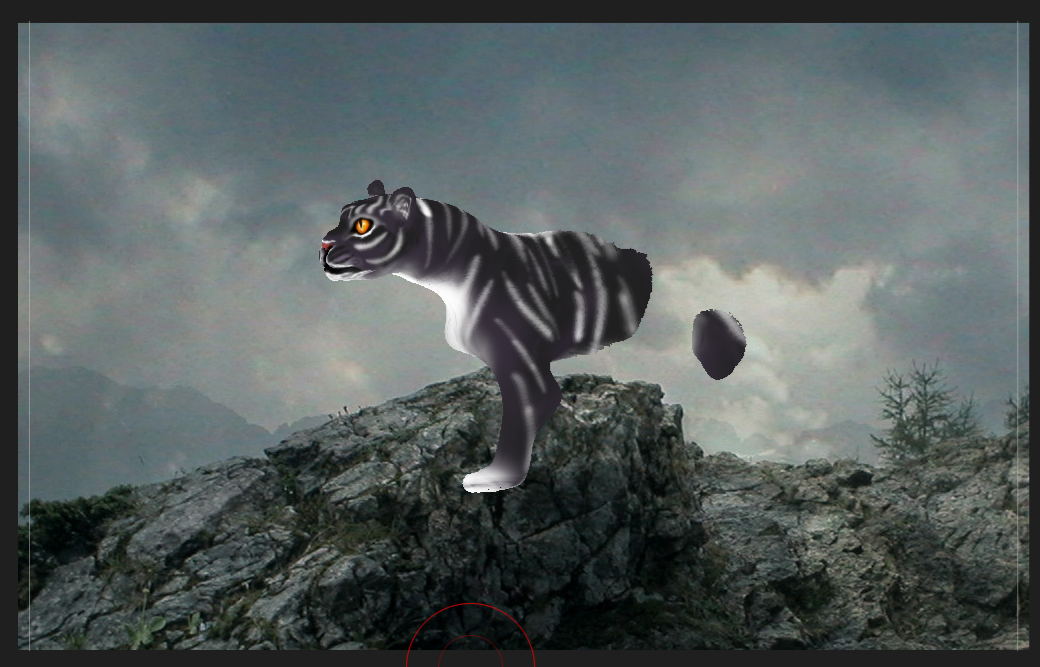
you can also just draw a model and if it sinks in background , exit edit mode , go into rotate mode, rotate it a little bit to be able to grab the axis on the gyro so you can use move mode to drag it towards you and out of the background.
Zbrush will mostly try to draw upon another object if one exists, it considers the background as an item and starts drawing your model from the surface of the background. So your only options are to either move the background backwards, which is only useful in some cases. or simply move your object forward with the Gyro Move tool , in non-edit / move mode.
 thanks for explaining.