ZBrushCentral

Appending masks?

Hi,

I’ve came across this issue a couple of times and have not figured a way yet to solve my issue - I hoping one in the forum has a solution for this.

It’s mainly when I am sculpting things that require masking cracks - like rocks or trees. I love using the masking tools in Zbrush as you have control but I have not found a way of combining and/or blending the masks within ZBrush - ie, AO with Peaks and Valeys.
I know you could add Cavity masking to the brush but that is only cavity, also it doesn’t seem to give that much control over this. Also, the long way is exporting, overlaying etc in ZBrush , but if you’re dealing with 5+ UDIMs that would be a bit of a nightmare to do.

Anyone came across this issue? Any other solutions?

If there is no solution then maybe Pixologic could make a sweet new tool about it?

Thanks!
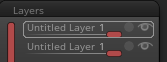
Each layer can store one mask and merging them can do boolean operations between them. Masks only can be created and seen when the layer is in recording mode. But even when the layer is not in recording mode the masks are stored.

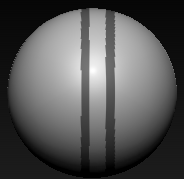
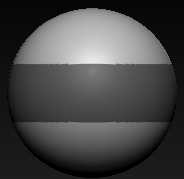
Starting with these two masks in two layers:
Image 1371.pngImage 1372.pngImage 1377.png

Mask intersection

  • If you "merge down" two layers with masks will create a intersection of both maks, that can be visible when you activate the record button of the resulting layer.
  • ![Image 1373.png|184x179](upload://4E4aQNql2ffRZSeqZMUguBWb4GV.png)
Mask subtraction
  • If you press "invert button" before the merge then it will do subtract between both. Depending what layer you invert will be one of them subtracting instead the other.
  • ![Image 1374.png|184x179](upload://sTZsDFRTJMPpdjhNEIRhdr74gDu.png)![Image 1375.png|184x179](upload://7JxA144JKrQJsGl617risZIUxi3.png)
Mask addition
  • Invert both layers and merge. Now invert again the resulting layer. Press recording and you will see the mask addition
  • ![Image 1376.png|184x179](upload://vhMJD5UL0dpr0eizcArhFf1D3dh.png)

Invert mask must be done with the recording button no active.

As drawback fill won’t work layer mode. You can obviously paint instead using fill.
You can transfer the mask to the base mesh baking the layers and fill will work. For that you leave one single resulting masked layer and bake with record ON. This will keep the mask but will destroy any polypaint.

But you can save and load mask to disk as textures and this would allow you to transfer it between objects and to add them to an object without layers. This would require UVs and all objects having the same UVs and can be time consuming.

Hi Altea thank you for the reply - this has been very helpful. It seems like a long way around to get the result but at least there is a way.

Thanks!

Zbrush can do real time addition and subtraction using the mask brushes and markee, as can also Photoshop. But for this kind of mask photoshop would not be any easier. You would need to create the masks in two different layers and combine them.
The big problem is the lack of fill with layers in Zbrush, that is in general a big problems when using polypaint and layers. Painting with a brush over a mask can give less predictable results than with fill.