When using Best Render I crank-up the Antialiasing values to the max but it apperars not to be doing the job. See attached image.
Any thoughts?
Marc
Attachments
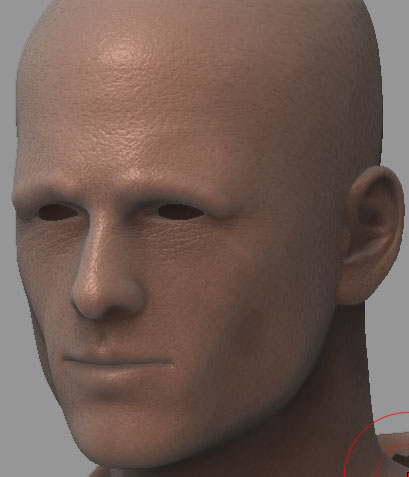
When using Best Render I crank-up the Antialiasing values to the max but it apperars not to be doing the job. See attached image.
Any thoughts?
Marc
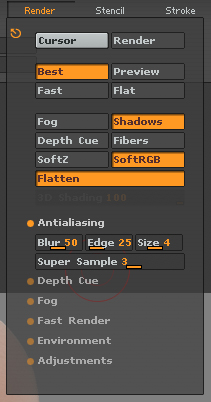
turn on soft RGB 
render twice as large and then use aa zoom level. All jaggies are gone. Or do AA in photoshop with a plugin.
Cheers
Lemo
For a short cut, if you are using only as a pic, use the blur tool to blur the zaggy parts
Zoom in and use small draw size blur tool, it wont effect the pic beyond edges.
This techniques works well when you have done the mistake of not making the pic double size in the beginning, especially for illustrations 
The solution I used was to resize the canavs to 1280x960 then AAhalf. Then I cranked-up the values for antialiasing and rendered. The result is much better. Still a little aliasing, but I can live with it.
Hopefully Pixologic will refine the antialiasing feature in the upcoming 2.5 release of ZBrush.
I feel you should not have to jump through work-around hoops to get the results that are common in other modeling\rendering software.
Thanks for the tip lemonnado.
Marc
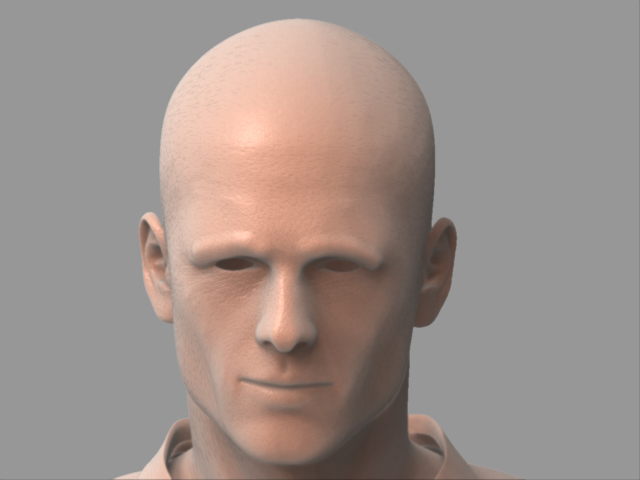
Well mate you could read the posts! Turn on Soft RGB otherwise AA does not work
Mate,
I did use softRGB while rendering in AAHalf. I should have been more clear in my last thread.
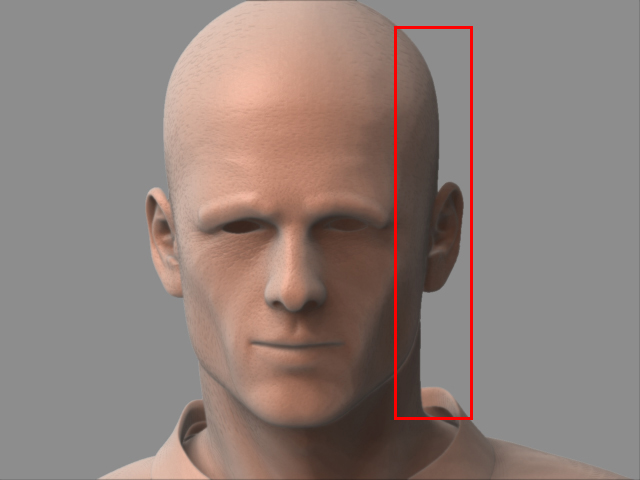
If you view the attached images they show the settings I used and the result.
The image is acceptable but still has some small issues. I can live with it but it’s not what I’m use to with other products like Maya or Modo.
ZBrush is a great product and I am looking forward to watching it grow into maturity.
Thank you to all who provided tips.
youre absolutely right, sorry. Ive already had (quite intense) conversations with Aurick about this on this forum. So maybe/hopefully this will be better solved in 2.5!!!
I know the jaggy edges issue quite well, the best solution up to now is to make your Zdocs as large as possible and scale down later (and not even touch SoftRGB!). Which is obviously far from perfect, as Zbrush tends to go quite slow on higher resolutions  Or with other words, always make your Zdoc 4 times the actual print size (472 DPI= around 300 BPI). I usually work on a 30003000 Pixel canvas.
Till then I can only recommend this if you do not wish to reduce resolution…
http://www.powerretouche.com/Antialias_plugin_introduction.htm
I hate reducing resolution as the AA Half is also killing detail of some very cool procedural textures/materials. Thos go downhill together with the jaggies.
Cheers
Lemo