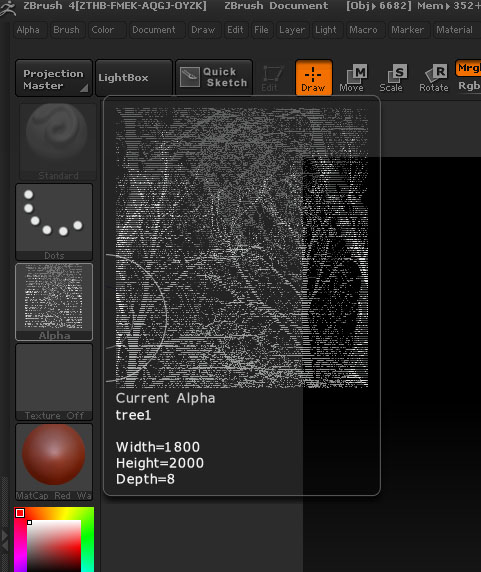
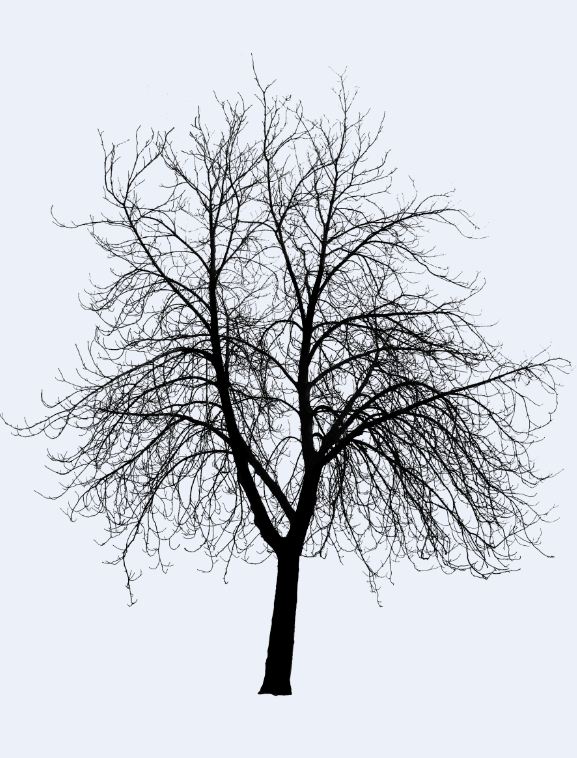
I bring the image into pscs4 slect and paste onto a 1024x1024 do an invert mode to 16bit save as an psd. Here is what ZBrush imports the image as alpha and included a snap of the image - it’s not the image it does it on many other images. I do not know if it’s zb4 or phcs4.
[ ]
]
I just tested the image in both PS4 and PS5…I got perfect results in PS5 and I got exactly what you did in PS4, so I’d say its a problem with PS4. I assumed that you might have forgotten to correct the black, but I did that with levels in both cases and still got the same line screen look you did.
I just retested and made another alpha in PS4 and saved it as 8 bit. It came out perfect. I tried again and saved it as 16 bit and it had the same strange banding. Hope that helps with solving the mystery.
Thanks Nancyan
Sense it works in cs5 I think it might be a pscs4 problem also.
Tried the 8 bit makes the alpha right but not making a good model in Spotlight from it.
Just a note: the org of the tree used here is on a transparent background.
Not only is it banding it is splitting the image up into different parts (or rearranging the image)
When saving as 16-bit are you also making sure that it’s Grayscale? If not, that could be the problem.
Thanks aurick that did the trick - grayscale
Well indeed that’s the problem. I know for a fact I used grayscale when testing this with CS5. But I’m guessing I forgot to change to grayscale when I then tried the alpha in CS4, although I did make certain the black was 100 percent black.
I just tried it again in CS4 with both 16 bit RGB and 16 bit Grayscale with the black changed to 100 percent using levels in both cases. The RGB was the one that failed.
Wow, I’d make a really bad scientist. Sloppy testing on my part. Sorry about that. 
Luckily ZBrush is for artists. 
Alphas for the Alpha palette should have a single channel (in other words, be grayscale) but can be 16bit or 8bit. Three channels (RGB, even if desaturated, so it looks like grayscale) will give errors.
16bit is best because there are more levels of gray, so the results are smoother. But don’t convert from 8bit to 16bit because that doesn’t add any information.